1
1.00 Introduction
Thank you for choosing Melcom’s security control panel, we are committed to bring to you,
tomorrow’s technology today.
The installation engineer has fitted your alarm system and explained the operation of the
control panel.
For your reference, the basic instructions are printed on the inside back cover of this
booklet for you to cut out and keep in a safe place. This booklet is designed to explain in
more detail, the operation of your control panel and how to re-program the user options.
1.01 ST5500 Control Panel
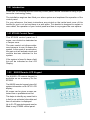
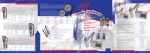
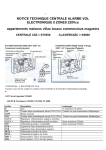
The ST5500 control panel as 5
zones, one of which is dedicated as
a Tamper zone.
The main control unit allows authorized persons to arm & disarm the
system. In the event of an activation,
the main unit will activate visual and
audible devises attached to the
system.
If the system is found to have a fault
this will be indicated on the LCD
Display.
1.02
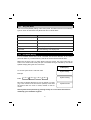
K6600 Remote LCD Keypad
The K6600 LCD remote keypad is
available as an accessory for the
ST5500.
The K6600 remote keypad gives full
system information on its 16 X 2 LCD
display.
All zones can be given a name selected from a predetermined list.
This helps to identify any zone that is
in fault or as activated, also date and
time of activation is displayed.
Up to 2 LCD remote keypads can be
fitted to any ST5500 control panel.
2