1
Using Voice Recognition
Using Voice Recognition
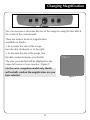
• To change magnification size, simply say “bigger” or “smaller.” Repeat as
needed to reach the size you desire, pausing between commands to allow
Merlin to complete each movement.
Merlin is programmed to switch between sizes 1 (minimal), 4, 7, 10, 13 and
16 (maximum) on your command. For example, if you are at level 2 and say
“bigger,” Merlin will increase to level 4.
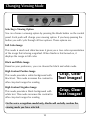
• To change viewing mode, simply say “change.” Merlin will change to the
next viewing mode option. Repeat the word until you come to the viewing
mode you desire.
Tips for Using Voice Recognition:
• Merlin has been trained to respond to your voice at its normal volume
when facing the microphone on the control panel.
• If there is any background noise, such as a radio or television, Merlin may
not respond because it is not able to distinguish your voice from the other
sounds. Reduce the background noise and try again.
• If you want to make more than one move between magnification levels or
choices of visual mode, pause between commands to allow Merlin to
complete each move separately.
• The level set with the Size dial overrides sizes arrived at by verbal
commands. For example, if the Size dial is set to size 8 and then you
verbally command Merlin to go to a smaller size, the next time you turn the
Size dial to increase size it will immediately go to size 9, and increase further
from that level.
23