1
4 Command your ezLCD with EarthSEMPL
Your ezLCD-3xx is really a computer and like all computers it has a language that allows
communication. The ezLCD-3xx uses the simplest of languages, which we call Earth Simple
Embedded Macro Programming Language, or EarthSEMPL for short. We will use the terms
EarthSEMPL program and macro interchangeably in this manual.
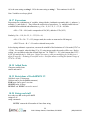
4.1 ezLCD-3xx Grammar
The syntax or grammar for EarthSEMPL commands is:
COMMAND {PARAMETER1} {PARAMETER2}...{PARAMETERn}<CR>
EarthSEMPL source code is a free-form ASCII text-line-based language which allows arbitrary use of
white space (spaces or tabs) to format code, rather than column-based or text-line-based restrictions.
ASCII allows almost any editing program to be used for writing your code.
We have had good luck with notepad++. Its free to download and we provide the ezLCD.XML file for
the User Defined Language system included in NotePad++. It can be found at
http://notepad-plus-plus.org
Note: ezLCD commands are not case sensitive (can be upper or lower case letters) except for the
‘Upgrade ezLCD’ command. Comments may appear either at the beginning of the line or after a
command and must be preceded by a single apostrophe ( ‘ ) or the command COMMENT.
In the syntax above, COMMAND is one of the commands from Appendix D.
The PARAMETER can be a number, string, index or comment. Between every COMMAND and
PARAMETER you must leave a space, comma or tab.
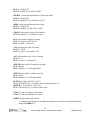
a) Numbers and indexes inputs are 16 bits and can be decimal, binary (0b100110111) or hex
(0x3456 or 0h7E54). Any number over 16 bits will be truncated.
b) Strings can be any combination of ASCII characters and should be enclosed by a double
quote ("String 1”). A string may also use the back slash as a lead in to an escape character
sequence. Current escape characters supported are:
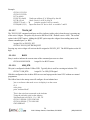
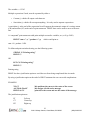
\n Line Feed
\r Carriage Return
\” Double quote
For example to print a word in quotes on the string you would print “\“hello\””.
You would see “hello” on the screen.
c)
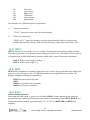
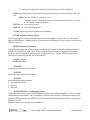
Comments start with single quote (') and continue until the end of the line <CR>.
'this is just a comment<CR>
Note: OFF or ON can be used for most commands instead of 0 and 1 for readability.
Finally the <CR> represents a carriage return. Note that in your terminal program the carriage return is
sent when you press enter and is not shown on the screen. If you use a micro-controller it should send
the carriage return byte (13 decimal or 0D hex) after each command. The carriage return tells
EarthSEMPL to immediately execute the command you just typed. Your terminal program must send a
15
3184-J Airway Avenue, Costa Mesa, CA 92626
(949) 248-2333