1
IC-F22SR_4.qxd
06.11.1
1:21 PM
Page 7
New master
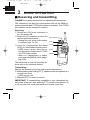
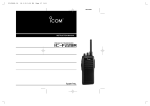
PANEL DESCRIPTION
1
q CHANNEL SELECTOR [CH]
• Rotate the selector to select the desired channel number 1 to
15. (pgs. 11, 12)
• Select the Auto Scan channel No.16. (p. 13)
• Select the Call-Ring melody. (p. 19)
w VOLUME/POWER CONTROL [VOL/POWER]
• Rotate the [VOL/POWER] clockwise to turn the power ON/OFF.
A long power ON beep emits when turning the power ON.
• Rotate clockwise to increase and counterclockwise to decrease
the audio volume.
e SMART-RING/CALL-RING KEY [S-Ring/C-Ring]
• Push to send a Smart-Ring call. (p. 19)
• Push and hold to send a Call-Ring. (p. 19)
r PTT SWITCH [PTT]
• Push and hold to transmit; release to receive.
t MONITOR KEY [MONI]
• Push and hold to open the noise/tone squelch.
• Push to turn the tone squelch ON.
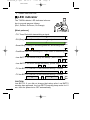
y TX/RX INDICATOR LED [LED]
• Lights red while transmitting.
• Lights green while receiving a signal, or squelch is open.
• Lights orange while sending/receiving a Smart-Ring call. (p. 19)
• Indicates the Low-battery condition. (p. 3)
u EXTERNAL SPEAKER AND MICROPHONE JACKS [SP]/[MIC]
• Connects an optional speaker-microphone.
2