1
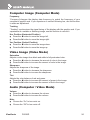
Computer Image (Computer Mode) Frequency “Frequency”changes the display data frequency to match the frequency of your computer’s graphic card. If you experience a vertical flickering bar, use this function to make an adjustment. Tracking “Tracking” synchronizes the signal timing of the display with the graphic card. If you experience an unstable or flickering image, use this function to correct it. Hor. Position (Horizontal Position) Press the button to move the image left. Press the button to move the image right. Ver. Position (Vertical Position) Press the button to move the image down. Press the button to move the image up. Video Image (Video Mode) Saturation Adjusts a video image from black and white to fully saturated color. Press the button to decrease the amount of color in the image. Press the button to increase the amount of color in the image. Sharpness Adjusts the sharpness of the image. Press the button to decrease the sharpness. Press the button to increase the sharpness. Tint Adjusts the color balance of red and green. Press the button to increase the amount of green in the image. Press the button to increase the amount of red in the image. Audio (Computer / Video Mode) Volume Press the button to decrease the volume. Press the button to increase the volume. Mute Choose the “On” to turn mute on. Choose the “Off” to turn mute off. ViewSonic PJ658D 24