1
Select a notification profile or customize your
notification settings
You can customize your notification settings, or you can select
from the preset profiles for your phone. You can customize these
settings:
• Ringtone: The tone for the phone ringer
• SMS Alert Tone: The tone for incoming text message (Short
Message Service) alerts
• Alert Type: The phone ringer pattern: ring once or repeatedly
• Ring Volume: The volume for the phone ringer
• Keypad Volume: The volume of the tone that occurs when you
touch your keypad
• Vibrator: On or Off. The phone can vibrate in addition to tone
notifications or instead of tone notifications.
• Alarm Tone: The tone for the alarm clock
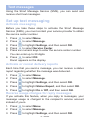
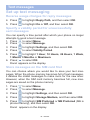
1. Press
to select Menu.
2. Press
to highlight Profiles, and then select OK.
3. Press
to √ one selection:
• To select a typical notification profile: √ Standard, and
then select OK.
• To select a profile that includes maximum ringer
volume with vibration and maximum keypad volume:
√ Elder, and then select OK.
• To select a profile with ringer volume off, vibration off
and keypad volume off: √ Sleep, and then select OK.
Note: You can further personalize your settings in the next step.
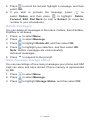
4. Press
to highlight one selection:
• To activate the profile that you checked: Highlight
Activate, and then select OK.
• To personalize the profile that you checked: Highlight
Personalization, select OK, and then select
your preferences.
• To reset the profile to the factory default setting:
Highlight Reset, and then select OK.
If you turned off the ringtone,  appears on the display.
21 – ENGLISH