1
» INTRODUCTION:
ABOUT:
CONTEXT:
The goal of this guide is to help novice users
achieve remarkable print results by better
understanding 3D printing methods and
specific aspects of the Replicator 2.
3D printing began in the late 1970's. Today,
with technologies becoming more affordable
(and patents expiring), this area is currently
experiencing explosive growth—largely due
to experimental efforts by the open-source
community. DIY kits vary widely and require a
degree of skill to assemble and use.
RepRap.org, founded in 2005 by Dr. Adrian
Bower. is ground-zero for open-source efforts
of many types and well-worth checking out.
MakerBot Industries, is among a group of
companies that aim to put 3D printing in the
hands of every-day users.
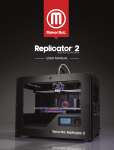
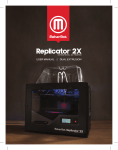
The Replicator 2 is a single head printer
using PLA (Polylactic Acid) filament—a
biodegradable, organic plastic. MakerBot
recently introduced an experimental dual
head printer—the Replicator 2X—which
prints with ABS and possibly other materials.
COMMON NEW USER ISSUES:!
FILAMENT FEEDING & PRINT ADHESION
While the Replicator 2 is capable of very high
quality printing, it has a few known
challenges which resourceful users may
easily address. Proper initial setup is crucial
for optimal print results. [See INITIAL SETUP,
TROUBLESHOOTING, and MODS sections
for more information.]
NOTE: The OEM extruder mechanism
is not addressed in this guide due to its
setup challenges. DigiFabLab
recommends that new users upgrade
this immediately. Order the upgrade kit
from MakerBot (requesting ABS parts).
Or tackle your first project and visit
Thingiverse.com, download, print, and
install the Replicator 2 Extruder
Upgrade designed by whpthomas2, or
MakerBot's new derivation of this
design, the Replicator 2 Extruder
Alternative. You'll be glad you did!
DigiFabLab: ZERØ TO HERO Replicator 2 Guide !
MakerBot's roots are within the open-source
community; however, the Replicator 2 is a
significant departure from this tradition. It is
not a DIY kit, but a pre-assembled,
proprietary consumer product with its own
simplistic slicing software — MakeWare.
MakerBot has been celebrated (by Wired,
BBC, Gizmodo, Make, and others) for the
Replicator 2, as well as criticized for
abandoning open-source solutions. From a
tech-transfer point of view, MakerBot's
evolving business model raises intriguing
questions which are being played out now.
Interested in more information? See Make
magazine's Ultimate Guide to 3D Printing
($9.99) for a comprehensive survey of the
state-of-the-art as of December 2012. This
downloadable PDF includes a wealth of
information on other 3D printers, hardware,
software, materials, tips, and techniques.
If (when) you get stuck, MakerBot's online
and phone support is helpful, but not always
available. Be sure to visit the MakerBot
Operators group, the independent 3D
Printer Tips, Tricks and Reviews group and
the new WIKI at Makerbot.wikia.com.
Tremendous know-how, assistance, and
solutions from users are just a click away.
2 of 44!
DRAFT: 2013-04-06