1
Professional Radio
GP340
User Guide
68P64110B23A
Issue: July 1999
6
5
4
3
2
1
8
7
9
10
11
CONTENTS
Operation and Control Functions . . . . . . . .
Radio Controls . . . . . . . . . . . . . . . . . . .
Programmable Buttons . . . . . . . . . . . .
Audio Signal Tones . . . . . . . . . . . . . . . .
3
3
3
6
Selecting a Radio Channel . . . . . . . . . . . .12
Sending a Call . . . . . . . . . . . . . . . . . . . . . .12
Receiving a Call. . . . . . . . . . . . . . . . . . . . .12
Radio Calls . . . . . . . . . . . . . . . . . . . . . . . .13
7
7
8
8
Selective Call. . . . . . . . . . . . . . . . . . . . . . .13
Making a Selective Call . . . . . . . . . . . .13
Receiving a Selective Call . . . . . . . . . .13
Emergency Call . . . . . . . . . . . . . . . . . . . . .14
Lone Worker . . . . . . . . . . . . . . . . . . . . . . .15
Talkaround. . . . . . . . . . . . . . . . . . . . . . . . .16
Accessory Information . . . . . . . . . . . . . . 9
Features . . . . . . . . . . . . . . . . . . . . . . . . . .17
Attaching the Battery . . . . . . . . . . . . . . . . . 9
Removing the Battery. . . . . . . . . . . . . . . . . 9
Attaching the Antenna . . . . . . . . . . . . . . . 10
Removing the Antenna. . . . . . . . . . . . . . . 10
Attaching the Belt Clip . . . . . . . . . . . . . . . 11
Removing the Belt Clip. . . . . . . . . . . . . . . 11
Transmit Power . . . . . . . . . . . . . . . . . . . . .18
Whisper . . . . . . . . . . . . . . . . . . . . . . . . . . .19
Call Forward . . . . . . . . . . . . . . . . . . . . . . .20
Voice Operated Transmit (VOX) . . . . . . . .21
Voice Recorder . . . . . . . . . . . . . . . . . . . . .22
Radio Operation . . . . . . . . . . . . . . . . . . . 12
Starting or Stopping Scan . . . . . . . . . . . . .23
Talkback . . . . . . . . . . . . . . . . . . . . . . . . . .23
Deleting a Nuisance Channel . . . . . . . . . .24
Adding a Deleted Nuisance Channel. . . . .24
Getting Started . . . . . . . . . . . . . . . . . . . . . 7
Battery Information. . . . . . . . . . . . . . . . . . .
Battery Care and Tips . . . . . . . . . . . . . .
Recycling or Disposal of Batteries . . . .
Charging the Battery . . . . . . . . . . . . . . .
Turning the Radio On-Off. . . . . . . . . . . . . 12
Adjusting the RadioÕs Volume . . . . . . . . . 12
Scan . . . . . . . . . . . . . . . . . . . . . . . . . . . . .23
1
English
CONTENTS
Radio Overview . . . . . . . . . . . . . . . . . . . . 3
CONTENTS
Safety Information . . . . . . . . . . . . . . . . . 25
Safe and Efficient Operation . . . . . . . . . .
Exposure to Radio Frequency Energy . . .
Radio Operation and EME Exposure . . . .
Electromagnetic Interference/
Compatibility. . . . . . . . . . . . . . . . . . . . . . .
Operational Warnings . . . . . . . . . . . . . . .
Vehicles with an Air Bag . . . . . . . . . . .
Potentially Explosive Atmospheres . . .
Batteries . . . . . . . . . . . . . . . . . . . . . . .
Blasting Caps and Areas . . . . . . . . . .
Operational Cautions . . . . . . . . . . . . . . . .
Damaged Antennas . . . . . . . . . . . . . .
Batteries . . . . . . . . . . . . . . . . . . . . . . .
General Radio Care . . . . . . . . . . . . . . . . .
25
25
26
26
26
26
26
26
27
27
27
27
27
Computer Software Copyright
The products described in this manual may include copyrighted computer
programmes stored in semiconductor memories or other media. Laws in the
United States of America and other countries preserve for Motorola Europe
and Motorola Inc. certain exclusive rights for copyrighted computer
programmes, including the right to copy or reproduce in any form the
copyrighted computer programme. Accordingly, any copyrighted computer
programmes contained in the products described in this manual may not be
copied or reproduced in any manner without the express written permission of
the holders of the rights. Furthermore, the purchase of these products shall not
be deemed to grant either directly or by implication, estoppel, or otherwise, any
licence under the copyrights, patents, or patent applications of the holders of
the rights, except for the normal non-exclusive royalty free licence to use that
arises by operation of the law in the sale of the product.
English
2
RADIO OVERVIEW
LED Indicator
Green: Successful power up.
Green Flashing: Radio scanning.
Red: Radio transmitting.
Red Flashing: Channel busy - when receiving.
Yellow: Radio called.
Yellow Flashing: Radio call reminder alert.
Red Flashing: Low battery warning - when
transmitting.
9.
Microphone
Speak clearly into the microphone when
sending a message.
This user guide covers the operation of the GP340
Portable Radio.
Please read pages 25 to 27 before using this radio
OPERATION AND CONTROL FUNCTIONS
Radio Controls
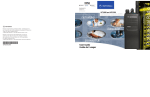
The numbers below refer to the illustrations on the
inside front cover.
1.
Channel Selector Knob
Allow selection of up to 16 channels.
10. Antenna
2.
On-Off / Volume Knob
Used to turn the radio on or off, and to adjust
the radioÕs volume.
3.
Side Button 1 (programmable)
11. Accessory Connector
Connects headsets, remote speaker/microphones and other accessories. Replace
attached dust cap when not in use.
4.
Push to Talk Button (PTT)
Press and hold down this button to talk, release
it to listen.
5.
Side Button 2 (programmable)
6.
Side Button 3 (programmable)
7.
Top Button (programmable)
Recommended for Emergency Button.
Programmable Buttons
Several of your radio buttons can be
programmed, by the Customer Programming
Software (CPS), to activate the radio features.
The following table shows the features that can
be assigned to the Top button and the three
Side Buttons.
3
English
RADIO OVERVIEW
8.
RADIO OVERVIEW
Feature
Monitor/Cancel
Radio Call
Scan On/Off
English
Description
To monitor the selected channel for any activity
or
to cancel a current outgoing or incoming call.
To make an individual or group selective call.
To toggle between start and stop of the scan operation.
Nuisance Delete/
Cancel
To delete a nuisance channel while scanning
or
delete the message currently being played back from
voice storage.
Transmit Power
To toggle your radioÕs transmit power level between High
and Low power.
Talkaround On/Off
To talk directly with another radio without going through a
system or dispatcher.
4
Emergency
To activate the Emergency alarm call.
Lone Worker
To identify yourself as a lone worker. Radio enters emergency sequence unless you respond when prompted by
pressing any radio button.
Call Forward
To transfer calls automatically to another radio if you are
unable to take the call.
Whisper
Description
RADIO OVERVIEW
Feature
To increase the microphone gain to allow you to speak
quietly.
Record/Play-back
To record/play-back incoming calls or memo using
voice recorder feature.
Cancel Message
Deletes the message currently being played back from
voice recorder (Voice storage).
5
English
RADIO OVERVIEW
Audio Signal Tones
High pitched tone
Low pitched tone
Power Up - Radio self-test
OK
Power Up - Radio self-test
Fail
Lone Worker Reminder
Low Battery
Force Monitor(PTT pressed)
Cancel Message
Feature Enable Side Buttons/
Top Button
Incoming Ringing Tone
Feature Disable Side Buttons/
Top Button
Voice Storage Record
Outgoing Ringing Tone
Channel Busy Tone/
Engaged
Voice Storage Warning
Individual Call Alert
Channel Free Beep
Call Reminder
Incoming Emergency Alert
TOT Pre Alert
Monitor Alert
Call Failed
Scan Start
Scan Stop
Priority Channel
6
H/W error - tone continues
until valid operation.
Button Error
Group Call Alert
English
Priority Call detected
Voice Storage Full
performance of the radio. Motorola rapid-rate
battery chargers contain a temperature-sensing
circuit to ensure that the battery is charged
within these temperature limits.
BATTERY INFORMATION
Battery Care and Tips
This product is powered by a nickel-cadmium (Ni-Cd),
nickel-metal-hydride (NiMH), or lithium-ion
rechargeable battery.
The following battery tips will help you obtain the
highest performance and longest cycle life from your
Motorola rechargeable battery.
¥
Charge your new battery overnight (14-16 hrs)
before using it to obtain maximum battery
capacity and performance.
¥
Charging in non-Motorola equipment may lead
to battery damage and void the battery warranty.
¥
When charging a battery that is attached to the
radio, turn the radio off to ensure a full charge.
¥
The battery should be at about 25¡C (room
temperature) whenever possible. Charging a
cold battery (below 10¡C) may result in leakage
of electrolyte and ultimately, in failure of the
battery.
¥
Charging a hot battery (above 35¡C) results in
reduced discharge capacity, affecting the
¥
New batteries can be stored up to two years
without signiÞcant cycle loss. Store new/unused
batteries, at room temperature, in cool dry area.
¥
Batteries which have been in storage should be
charged overnight.
¥
Do not return fully charged batteries to the
charger for an Òextra boostÓ. This action will
signiÞcantly reduce cycle life.
¥
Do not leave your radio and battery in the
charger when not charging. Continuous charging
will shorten battery life. (Do not use your charger
as a radio stand.)
¥
For optimum battery life and operation use only
Motorola brand chargers. They were designed to
operate as an integrated energy system.
7
English
GETTING STARTED
GETTING STARTED
GETTING STARTED
Recycling or Disposal of Batteries
Charger LED
NiCd
At the end of its useful life, the NiCd battery can be
recycled. However, recycling facilities may not be
available in all areas.
Motorola endorses and encourages the recycling of all
re-chargeable batteries. Contact your local Motorola
dealer for further information.
Charging the Battery
If a battery is new, or its charge level is very low, you
will need to charge the battery before you can use it in
your radio.
Please contact your dealer for further information.
Note: Batteries are shipped uncharged from the
factory. New batteries could prematurely
indicate full charge, charge a new battery for
14-16 hrs before initial use.
Red
Battery is charging
Green
Battery is fully charged
Flashing Red *
Battery is unchargeable
Flashing Yellow
Charger is getting ready to charge
Flashing Green
Battery is 90% charged
*
Battery is damaged. Please contact your dealer.
1.
Place the radio with the battery attached, or the
battery alone, in the charger.
2.
The chargerÕs LED indicates the charging
progress.
Battery chargers will charge only the Motorola
authorized batteries listed below; other batteries will
not charge.
Part No.
HNN9008
HNN9009
HNN9010
HNN9011
HNN9012
HNN9013
Description
High-Capacity NiMH
Ultra-High-Capacity NiMH
Ultra-High-Capacity FM NiMH
High-Capacity FM NiCd
High-Capacity NiCd
Lithium-Ion
FM - Factory Mutual
English
8
Status
ACCESSORY INFORMATION
GETTING STARTED
Attaching the Battery
Removing the Battery
Battery
Latches
2
2
3
1
Slots
1.
2.
Fit the extensions at the bottom of the battery
into the slots at the bottom of the radioÕs body.
Press the top part of the battery towards the
radio until you hear a click.
1.
Turn off the radio, if it is turned on.
2.
Slide the battery latches, on both sides of the
battery, downwards.
3.
Pull the top part of the battery away from the
radioÕs body, and remove the battery.
9
English
Removing the Antenna
1.
Align the threaded end of the antenna with the
radioÕs antenna connector.
1.
2.
Turn the antenna clockwise to fasten it.
GETTING STARTED
Attaching the Antenna
English
10
Turn the antenna counterclockwise until you
can remove it.
Attaching the Belt Clip
Removing the Belt Clip
GETTING STARTED
Belt Clip Tab
1
2
1.
Align the grooves of the belt clip with those of
the battery.
1.
Use a key to press the belt clip tab away from
the battery.
2.
Press the belt clip downwards until a click is
heard.
2.
Slide the belt clip upwards to remove it.
11
English
GETTING STARTED
TURNING THE RADIO ON OR OFF
SELECTING A RADIO CHANNEL
Your radio offers 16 channels, however some may
not be programmed. Check with your dealer for
more information.
¥
Turn the Channel Selector knob clockwise or
counterclockwise until you reach the desired
channel indicated on the selector graduation.
SENDING A CALL
ON
1.
Use the Channel Selector knob to change to
the required channel.
2.
Press the PTT button and speak clearly into the
microphone. Your mouth should be about 2.5 5cm away from the microphone.
3.
Release the PTT button when you Þnish
speaking.
OFF
¥
To turn the radio on, turn the On-Off/Volume
Control knob clockwise.
¥
To turn the radio off, turn the On-Off/Volume
Control knob counterclockwise until you hear a
click.
RECEIVING A CALL
ADJUSTING THE RADIOÕS VOLUME
1.
Turn your radio on and adjust the volume level.
¥
2.
Switch to the desired channel.
3.
If, at any time, a call is received, you will hear
the call at the volume level you have set.
Turn the On-Off/Volume Control knob to adjust
the volume level.
English
12
RADIO CALLS
Making a Selective Call
You can make a selective call to a particular
radio, known as an individual call, or to a selected
group of radios, known as a group call.
To make a Selective Call :
1.
Press the PTT or Call Button (depending
on the way your radio has been programmed by your dealer), to set up the
call.
2.
Wait until the conversation has been set
up, which means you are authorised to
use the system.
3.
Talk with your mouth 2.5 - 5cm from the
microphone. Release PTT to listen.
4.
When transmitting the red indicator will
light continuously.
Your radio may be conÞgured for ÔTransmit
InhibitÕ under certain conditions (e.g. when the
channel is in use by others) in which case, the
channel busy tone will sound when you press
Receiving a Selective Call
When you receive a selective call, you will hear
either an individual call alert tone
, or a group call alert tone
and the LED Indicator will
light (yellow).
To answer the call:
1.
Press the PTT button or Call button.
2.
The call will terminate automatically when
the conversation has ended or press the
Monitor button.
13
English
RADIO CALLS
SELECTIVE CALL
the PTT or call button to indicate that
transmission is inhibited.
When the channel is free, the Channel Free
beep
will sound, and you can
make a call.
If your radio is equipped with a transmit time
out timer (TOT), a warning tone
will sound a few seconds
before the transmission is cut off. Your radio
may be programmed to inhibit retransmission
within a preset time.
RADIO CALLS
EMERGENCY CALL
Your radio can be programmed to give you a
one-button quick access to call a particular
radio or centre (predeÞned by your dealer) in
emergency situations. This is the Emergency
Call.
When you make an Emergency call, your radio
goes into an Emergency state, which can be
programmed to:
¥
continually give audio feedback,
¥
give no audio feedback; the radio can
receive and transmit.
1.
Press the Emergency button to initiate an
Emergency call.
2.
Emergency can be stopped by:
¥
Switching the radio Off and On again.
¥
A reset message is received by your radio.
¥
The emergency time duration is reached.
Note: The emergency time duration and reset
message are programmed into your radio by
your dealer.
English
14
Should you receive an Emergency call the
incoming emergency alert tone
will sound.
LONE WORKER
1.
RADIO CALLS
The Lone Worker feature enables you to work
alone with added safety. To use this feature :
Press the Lone Worker button.
2.
The feature enable alert
will sound.
You will be reminded at intervals that Lone
Worker is switched on by a high pitched alert
being sounded .
¥
Press any button to respond and cancel
the alert, if you do not the radio will enter
the Emergency state.
To switch off this feature:
1.
Press the Lone Worker button when the
feature disable alert
will
sound
or,
2.
Change the channel
or,
3.
Switch radio off and on again.
15
English
RADIO CALLS
TALKAROUND
In your communications network, you may be using
a system to cover a larger area than is possible with
your radio. However, you can communicate with
another radio within your radioÕs range without
going through the system by using theTalkaround
feature. This is especially useful when the system is
down. To use this feature:
1.
Press the Talkaround button to switch on
talkaround when the feature enable alert
will sound.
2.
Press the Talkaround button again to
switch off talkaround when the feature
disable alert
will sound.
English
16
FEATURES
FEATURES
The features described below are programmed
into your radio by your dealer and are
accessible via the radioÕs programmable
buttons.
17
English
FEATURES
TRANSMIT POWER
You can transmit your calls at different transmit
power levels. A higher level means you can
reach a radio that is farther away. A lower power
level conserves battery power. You are advised
to transmit as frequently as possible on low
power, and use high power only when needed.
To use this feature :
1.
Press the Tx Power button to switch to
high power when the feature enable alert
will sound.
2.
Press the Tx Power button again to switch
to low power when the feature
disable alert
will sound.
English
18
WHISPER
1.
FEATURES
Whisper allows you to talk quietly into the radio
microphone when making a call.
To switch Whisper on:
Press the Whisper button once, when the
feature enable alert
will
sound.
To switch Whisper off:
1.
Press the Whisper button again, when the
feature disable alert
will
sound.
19
English
FEATURES
CALL FORWARD
You can call forward calls to your radio to
another radio if you are unable to take calls or
are away from your radio.
To enable Call Forward:
1.
Press the Call Forward button once, when
the feature enable alert
will
sound.
To disable Call Forward:
1.
Press the Call Forward button again, when
the feature disable alert
will sound.
English
20
VOICE OPERATED TRANSMIT (VOX)
FEATURES
When the VOX headset/microphone is
connected, your radio may be used with
hands-free operation.
To start the VOX feature:
1.
Connect the VOX headset onto the accessory connector of the radio.
2. Switch On the radio.
You can disable the VOX feature by pressing
the PTT button on the radio. This allows you to
use the VOX headset but you must press the
radio PTT to transmit.
To re-enable the VOX feature:
1.
Switch the OFF and ON again with the
headset connected to the accessory
connector
or,
2.
Change channel with the VOX headset
connected.
21
English
FEATURES
VOICE RECORDER
You can record and playback incoming calls or
make a memo using the voice recorder feature,
which allows up to 2 minutes of recording.
To record an incoming call:
2.
Speak clearly into the radio microphone to
recored your memo.
3.
The Voice Storage Warning alert
sounds when the
memory is nearly full.
The Voice Storage Full alert
sounds when the
memory is full and recording ceases.
1.
Press and hold the Record/Playback button, the Voice Storage Recording alert
sounds momentarily.
4.
2.
Record the call or part of the call.
5.
3.
The Voice Storage Warning alert
sounds when the
memory is nearly full.
1.
4.
The Voice Storage Full alert
sounds when the
memory is full and recording ceases.
5.
Release the Record/Playback button at
any time to stop recording.
To record a memo:
1.
Press and hold the Record/Playback button, the Voice Storage Recording alert
sounds momentarily.
English
22
Release the Record/Playback button at
any time to stop recording.
To playback a recorded call or memo:
Press the Record/Playback button with the
radio in the idle state( i.e. not receiving or
transmitting calls) to playback the latest
recorded call or memo.
2.
Press the Record/Playback button again to
skip to the next message to be played
back.
To delete a recorded call or memo:
1.
Press the Cancel Message button to
delete the message currently being played
back.
SCAN
Once the radioÕs scan operation is activated
and the radio detects a call coming through a
channel in its scan list, it switches to that
channel for you to receive the call.
You can start or stop a scan operation by using
the Scan button.
1.
Press the Scan button to start scanning.
The scan start alert tone
will sound.
2.
Press the Scan button again to stop scanning. The scan stop alert tone
will sound.
The LED indicator will blink green during a
scan operation; it will stop blinking when the
radio switches to a channel.
TALKBACK
If the programmable Talkback option is set, you
can respond to any calls received during the
scan operation by pressing the PTT button
before the programmed hang-time ends. Check
with your dealer for details.
23
English
SCAN
You can monitor several channels in order to
receive any call that is transmitted on any of
these channels. Sixteen different channels can
be programmed into each scan list. Each
channel can share the same scan list or have
different scan lists assigned to them.
STARTING OR STOPPING SCAN
SCAN
DELETING A NUISANCE CHANNEL
If a channel continually generates unwanted calls/
noise (a ÒnuisanceÓ channel), you can temporarily
remove it from the scan list by performing a
Nuisance Channel Delete operation:
1.
While the radio is on the Nuisance Channel, press and hold the Nuisance Delete/
Cancel button until you hear the scan start
alert tone
.
2.
Release the Nuisance Delete/Cancel button.
Note:You cannot perform a Nuisance Channel Delete
on a priority channel or if there is only one
remaining channel in the scan list.
English
24
ADDING A DELETED NUISANCE CHANNEL
BACK INTO THE SCAN LIST
1.
Press the Scan button to stop scanning.
The scan stop alert tone
will sound.
2.
Press the Scan button again to re-start
scanning. The scan start alert tone
will sound, and the
scan list will contain all programmed channels.
SAFETY INFORMATION
This section provides information and instructions for
the safe and efÞcient operation of Motorola Portable
and Mobile Two-Way Radios.
For information regarding radio use in hazardous
areas, please refer to the Factory Mutual (FM)
approval manual supplement or Instruction Card
which is included with radio models that offer this
capability.
Exposure To Radio Frequency Energy
National and International Standards and
Guidelines
Your Motorola Two-Way Radio, which generates and
radiates radio frequency (RF) electromagnetic energy
(EME) is designed to comply with the following National
and International Standards and Guidelines regarding
exposure of human beings to radio frequency
electromagnetic energy:
¥
Federal Communications Commission Report and
Order No. FCC 96-326 (August 1996)
¥
American National Standards Institute
(C95.1 - 1992)
National Council on Radiation Protection and
Measurements (NCRP - 1986)
¥
International Commission on Non-Ionizing Radiation Protection (ICNRP - 1986)
¥
European Committee for Electrotechnical
Standardisation (CENELEC):
¥ ENV. 50166-1
1995 E
Human Exposure to Electromagnetic Fields Low Frequency (0Hz to 10kHz)
¥ ENV. 50166-2
1995 E
Human Exposure to Electromagnetic Fields High Frequency (10kHz to 300GHz)
¥ Proceedings of
SC211/8 1996
Safety Considerations for
Human Exposure to E.M.F.s
from Mobile Telecommunications Equipment (M.T.E.) in
the Frequency Range
30MHz - 6 GHz (E.M.F. Electromagnetic Fields)
To assure optimal radio performance and that
human exposure to radio frequency electromagnetic
energy is within the guidelines set forth in the above
standards, always adhere to the following
procedures:
25
English
SAFETY
Safe and EfÞcient Operation of Motorola
Two-Way Radios
¥
SAFETY
Portable Radio Operation and
EME Exposure
Operational Warnings
!
When transmitting with a portable
radio, hold the radio in a vertical
position with its microphone 2.5 to 5
centimeters (1 to 2 inches) away from your mouth.
Keep antenna at least 2.5 centimeters (1 inch) from
your head and body.
If you wear a portable two-way radio on your body,
ensure that the antenna is at least 2.5 centimeters
(1 inch) from your body when transmitting.
MAN WITH RA
Electromagnetic Interference/Compatibility
Note: Nearly every electronic device is susceptible
to electromagnetic interference (EMI) if
inadequately shielded, designed or otherwise conÞgured for electromagnetic compatibility.
To avoid electromagnetic interference and/or
compatibility conßicts, turn off your radio in any
facility where posted notices instruct you to do so.
Hospitals or health care facilities may be using
equipment that is sensitive to external RF energy.
When instructed to do so, turn off your radio when
on board an aircraft. Any use of a radio must be in
accordance with airline regulations or crew
instructions.
English
26
Vehicles With an Air Bag
WARNING
Do not place a portable radio in the area over an air
bag or in the air bag deployment area. Air bags
inßate with great force. If a portable radio is placed
in the air bag deployment area and the air bag
inßates, the radio may be propelled with great force
and cause serious injury to occupants of the vehicle.
Potentially Explosive Atmospheres
Turn off your two-way radio when you are in any
area with a potentially explosive
atmosphere, unless it is a radio type especially
qualiÞed for use in such areas (for example, Factory
Mutual or CENELEC Approved). Sparks in a
potentially explosive atmosphere can cause an
explosion or Þre resulting in bodily injury or even
death.
Batteries
Do not replace or recharge batteries in a potentially
explosive atmosphere. Contact sparking may occur
while installing or removing batteries and cause an
explosion.
Batteries
To avoid possible interference with blasting
operations, turn off your radio when you are near
electrical blasting caps, in a blasting area, or in
areas posted: ÒTurn off two-way radio.Ó Obey all
signs and instructions.
All batteries can cause property damage and/or
bodily injury such as burns if a conductive material
such as jewellery, keys, or beaded chains touch
exposed terminals. The conductive material may
complete an electrical circuit (short circuit) and
become quite hot. Exercise care in handling any
charged battery, particularly when placing it inside a
pocket, purse, or other container with metal objects.
Note:
The areas with potentially explosive atmospheres
referred to above include fueling areas such as:
below decks on boats; fuel or chemical transfer or
storage facilities; areas where the air contains
chemicals or particles, such as grain, dust or metal
powders; and any other area where you would
normally be advised to turn off your vehicle engine.
Areas with potentially explosive atmospheres are
often but not always posted.
!
¥ The use of chemicals such as
detergents, alcohol, aerosol
Caution
sprays, and/or petroleum
products may be harmful to and damage the
radio housing.
¥ Avoid physical abuse of the radio such as
carrying it by the antenna.
Operational Cautions
!
Damaged Antennas
General Radio Care
Caution
Do not use any portable two-way radio that has a
damaged antenna. If a damaged antenna comes
into contact with your skin, a minor burn can result.
¥ The accessory connector (if Þtted) has a
protective cap which should be left in place when
the connector is not in use.
¥ Clean the radio exterior using a cloth moistened
with clean water and a mild dishwashing liquid.
¥ The use of non-approved radio accessories may
damage the radio and invalidate warranty.
27
English
SAFETY
Blasting Caps and Areas
NOTES
NOTES
English
28