1
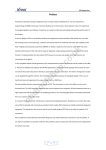
thumbnails Picture 35. Movie data - part 1 Picture 36. Movie data - part 2 User can edit all the data, choose one of the thumbnails provided by the service or upload own thumbnail for the movie using Add your own thumb button. 2.5.2. Edit Movie properties To open Edit Movie properties dialog, hover over the movie thumbnail on the list of movies in the gallery (pic. 37) and click Edit icon (pic. 38). 21