1
Digital B-RAD USER MANUAL
Note: Select the “Back Arrow” key (⟵) to delete the previous character. Select the “Cancel”
key (∅) to return to the Main Menu screen without entering a password.
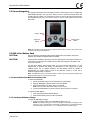
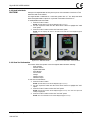
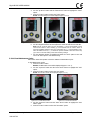
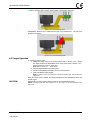
Result: The Main screen will be displayed and the Digital B-RAD will be in the Locked Access
Level (Figure 3.2.2-3).
Figure 3.2.2-3: Main Screen in Locked Level
Note: The Lock Icon is visible.
3.3 Functions
The following sections describe the functions available on the Digital B-RAD Display
Interface. Refer to Section 3.2 – User Access Levels for more information on the
accessibility of these functions.
Note: Menus will look different depending on the access level. The figures in this section are from the
Advanced Access Level.
3.3.1 Select a Preset
A Preset is a pre-defined Target Torque value. They allow the operator to quickly and
efficiently change the Target Torque.
To select a Preset:
1. Press the “Centre” button.
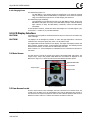
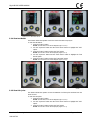
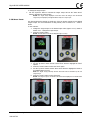
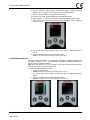
Result: The Main Menu screen will be displayed (Figure 3.3.1-1).
2.
3.
4.
Press the “Centre” button.
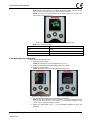
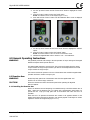
Result: The highlight will move to the list of Presets on the right side of the screen (Figure
3.3.1-1).
Use the “Up Arrow” button and the “Down Arrow” button to highlight the desired
Preset.
Press the “Centre” button to select the Preset.
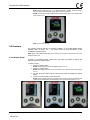
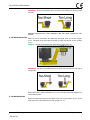
Result: The LCD Display will return to the Main screen. The Target Torque will be the Preset
Torque and the Preset number will be displayed at the top of the screen (Figure 3.3.1-3).
Figure 3.3.1-1: Main Menu Screen
New World Technologies Inc.
V2014.07.03
Figure 3.3.1-2: Presets Menu Screen
Figure 3.3.1-3: Main Screen
Page • 11