1
N.B.: your installation screens and procedure may vary slightly from those described in this
manual.
3.1. Driver installation
3.1.1. Driver installation for Windows 98 SE
You will need to insert your Windows CD-ROM to install the FireWire drivers.
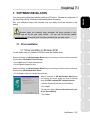
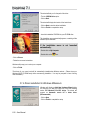
Windows will display an Add New Hardware Wizard dialog box informing you that the system has found the
following device: PCI standard PCI-to-PCI bridge.
- Click on Next 4 times to install the default drivers.
NEDERLAND
DEUTSCH
Because drivers are constantly being developed, the driver provided on your
CD-ROM may not be the most recent version. You can visit the Hercules website
(www.hercules.com) to verify this and, if necessary, download the very latest version.
FRANÇAIS
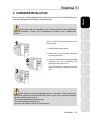
Once your sound card has been installed, switch your PC back on. Because the configuration of
the card is Plug and Play, Windows will automatically detect its presence.
ENGLISH
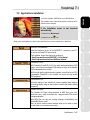
3. SOFTWARE INSTALLATION
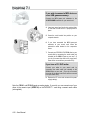
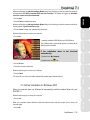
Windows will display an Add New Hardware Wizard dialog
box informing you that the system has found the following
device: PCI OHCI Compliant IEEE 1394 Host Controller.
- Insert the Windows CD-ROM into your CD-ROM drive.
- Click on Next.
The wizard will suggest a Search for the best driver for your
device. (Recommended).
HOTLINE
- Click on Next.
ESPAÑOL
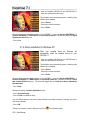
- Click on Cancel to install your optimized Hercules drivers.
PORTUGUÊS
Windows will display an Add New Hardware Wizard dialog box informing you that the system has found the
following device: PCI Multimedia Audio Device.
ITALIANO
- Click on Finish to complete the setup.
User Manual – 5/16