1
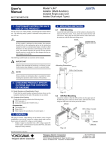
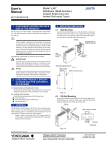
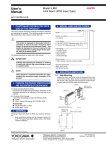
User’s Manual Model VJQ7 Analog/Pulse Transmitter IM 77J01Q17-01E 1. CAUTIONARY NOTES FOR SAFE USE OF THE PRODUCT For the correct use of this product, read through this manual before use. The following safety symbol is indicated on the product to ensure safe use. 4. MOUNTING METHODS 4.1 Wall Mounting Loosen the main unit-fixing screw of the transmitter to disconnect the main unit from the socket. Next, anchor the socket onto the wall with screws. Then, plug the main unit into the socket and secure the main unit with the main unit-fixing screw. CAUTION Socket If this symbol is indicated on the product, the operator should refer to the explanation given in the instruction manual in order to avoid personnel injury or death to either themselves or other personnel, and/or damage to the instrument. The manual describes the special care the operator should exercise to avoid shock or other dangers that may result in injury or loss of life. Threaded hole for fixing the main unit Main unit Main unit-fixing screw Mounting screws The following symbol marks are used only in this manual. IMPORTANT Indicates that operating the hardware or software in a particular manner may damage it or result in a system failure. Fig. 4.1 4.1.1 Mounting Dimensions Unit: mm NOTE 29.5 or more 22±0.2 2-M4 or 2-ø4.5 or more 2. CHECKING PRODUCT SPECIFICATIONS AND THE CONTENTS OF PACKING 59±0.3 Draws attention to information that is essential for understanding the operations and/or features of the product. (1) Model Number and Specification Check Check that the model number and specifications shown on the nameplate attached on the side of the product are as ordered. (2) Contents of the Packing Check that the packing contains the following items: ● VJQ7 main unit, 1 ● Instruction Manual (IM 77J01Q17-01E), 1 Accessories: ● Tag number label, 1 ● Renge label, 1 ● Shunt registor (for specification of current input), 1 Fig. 4.2 4.2 DIN Rail Mounting Locate the transmitter so that the DIN rail fits into the upper part of the DIN-rail groove at the rear of the socket, and fasten the socket using the slide lock at the lower part of the socket. DIN rail W VIE A VIEW A (Rear of socket) 3. GENERAL The VJQ7 is a plug-in analog/pulse Transmitter that converts DC current or DC voltage signal into isolated transistor-contact pulse or contactless AC switch pulse. The VJQ7 converter features: • Either pulse output, communication function (RS-485), or alarm output (2 relay contacts) is selectable as Output-2. DIN rail Slide lock Keep this manual in a safe place. Fig. 4.3 Network Solutions Business Divisiion 2-9-32, Naka-cho Musashino-shi, Tokyo 180-8750 Japan Phone: +81-422-52-7179 Facsimile: +81-422-52-6793 IM 77J01Q17-01E 1st Edition Feb. 2000 2nd Edition June 2004 2 4.3 Mounting Using a Multi-mounting Base • For mounting using a multi-mounting base, see the Instruction Manual for VJCE (VJ Mounting Base). 4.4 Using Ducts Wiring ducts should be installed at least 30 mm away from the top or bottom of the main unit. 4.5 In case of top-and-bottom close mounting • For mounting, use M3 screws and crimp-on terminals with insulating sleeves appropriate for the wires used. Tool of the crimp-on terminals to be used should be appropriate for the crimp-on terminals. Mount a breaker on the external place. Mount a switch or 5A circuit breaker on the place near by the instrument, within operator’s reach. And attach the indication that it is for disconnecting the instrument. Transmitter should be mounted horizontally with its top and bottom slits being vertical. The top and bottom slits should not be covered. The area for wiring is required above and below the transmitter (the area with slant lines). Input signal Analog input + R - 3 40 or more R: 100 Ω Externally connected for current input Shunt resistor (Externally connected for current input) ALM1 ALM1 ALM2 ALM2 ALM2 (72) Output-2 signal ALM1 3 6 2 1 5 4 Pulse output Alarm output 2 5 + ALM1 2 - 5 6 78 or more 150 or more 1 COM ALM2 RS-485 communication 2 B+ 5 A- 6 COM (29.5) 9 8 7 Output-1 signal 11 10 29.5 or more Pulse output 7 ALM1 ALM1 ALM2 ALM2 ALM2 - (72) 9 ALM1 + Power supply 40 or more L+ Fig. 4.4 N- GND 10 11 8 Fig. 6.1 NOTE 5. INSTALLATION LOCATION • • For installation, avoid any location where the product may be subject to vibrations, corrosive gases, or large amounts of dust, or where the product is exposed to water, oil, solvents, direct sunlight, radioactive rays, or strong electric or magnetic fields. If there is a possibility that lightning could induce a high surge voltage on the power and signal lines, provide lightning arresters on the line between the field instrument and indoor instrument in order to protect the product. Install a dedicated arrester on the field side and another on the indoor side. 6. EXTERNAL WIRING WARNING Turn OFF the power supply and make sure that none of the cables are not in the hot-line state before carrying out the wiring to avoid the possibility of electric shock. Wires are connected to the terminals of the isolator’s socket. M3 screw terminals are provided for the connection of external signals. Attach a crimp-on lug to each wire for connection to the terminals. • Recommended cables: A nominal cross-sectional area of 0.5 mm 2 or thicker for signal cables, and that of 1.25 mm 2 or thicker for power cables, and shielded twisted-pair cables (AWG24) for communication wiring cables. All Rights Reserved. Copyright © 1999, Yokogawa M&C Corporation ● The use of inductance (L) loads such as auxiliary relays and solenoid valves causes malfunction or relay failure; always insert a CR filter or diode for spark-removal into the line in parallel with the load. Recommended CR C: 0.5 to 1F against contact current 1A R: 0.5 to 1 ⍀ against contact voltage 1V ● Keep all sources of noise away from the power and signal cables. Otherwise, accuracy cannot be assured. ● Provide grounding to a grounding resistance of 100 ⍀. The length of the grounding cable should be 20 m or less. Directly connect the lead from the ground terminal (terminal no. 8) of the isolator to the ground. Do not carry out daisy-chained inter-ground terminal wiring. ● Direct Current ● “Overvoltage category (Installation category)” describes a number which defines a transient overvoltage condition. It implies the regulation for impulse withstand voltage. “II” applies to electrical equipment which is supplied from the fixed installation like distribution board. ● “Pollution degree” describes the degree to which a solid, liquid, or gas which deteriorates dielectric strength or surface resistivity is adhering. “2” applies to normal indoor atmosphere. Normally, only non-conductive pollution occurs. Occasionally, however, temporary conductivity caused by condensation must be expected. ● Rated fuse of 125VDC, 1A is stored. However, operators can not replace the fuse. IM 77J01Q17-01E 3rd Edition Mar.31,1997-00 3 8. IMPORTANT ● If this instrument is used in a manner not sepecified in this manual, the protection provided by this instrument may be impaired. ● If the product is operated by a power supply exceeding the specifications, the product may become extremely hot and, as a result, damaged. To prevent this, ensure the following before turning on the power. (a) The voltage of the supplied power and the input signal level meet the specifications of the product. (b) External wires are connected to the correct terminals (refer to Chapter 5). ● Do not operate the product in the presence of flammable or explosive gases or vapors. To do so is highly dangerous. ● The product is sensitive to static electricity; exercise care in operating it. Before you operate the product, touch a nearby metal part to discharge static electricity. 7. DESCRIPTION OF FRONT PANEL AND CONNECTION OF SETTING TOOLS 7.1 Front Panel The communications connector in the front panel is used for setting up parameters through a PC (VJ77 PC-based Parameters Setting Tool) or the Handy Terminal. The ALM1 and ALM2 LEDs light up if an alarm occus (those LEDs are provided only when the output-2 is specified for alarm output.) Communications connector Alarm output-1 LED (lights up if an alarm occurs) ALM 1 ALM 2 Alarm output-2 LED (lights up if an alarm occurs) SETTING PARAMETERS Set the parameters using a PC (VJ77 PC-based Parameters Setting Tool) or the Handy Terminal. Refer to the list of parameters in this manual and the Instruction Manual for Handy Terminal (IM JF8102E) and VJ77 PC-based Parameters Setting Tool (IM 77J01J7701E). 8.1 Settings Related to Inputs and Outputs 8.1.1 Input Type Set by selecting input type from among VOLTS (DC voltage) and CURRENT (DC current) in D16: INP TYPE. 8.1.2 Input Hard Range Set by selecting the input hard range from among AUTO, HIGH, MIDDLE, and LOW in D17: SELECT RANGE. Generally, select AUTO. ● AUTO: Sets the input hard range automatically with respect to the input range to be set. ● HIGH: For a span of 5 V or more in an input range of -10 to +10 V ● MIDDLE: For a span of 2.5 V or more in an input range of -5 to +5 V ● LOW: For a span of 0.5 V or more in an input range of -1 to +1 V NOTE The conditions for the input hard range (HIGH, MIDDLE, and LOW) are specified for operations within the range of accuracy rating. The input range may be set to a range not meeting these conditions, but take note of accuracy limitations. Similar accuracy limitations exist even when AUTO is selected. For more information on accuracy limitations, see the general specifications of VJQ7 (GS 77J1Q17-01E). 8.1.3 Input Range Set the 0% value of input range to D22: INPUT1 L_RANGE and the 100% value of input range to D23: INPUT1 H_RANGE within the numerically specified range. 8.1.4 Output Range Unit * The LEDs are provided only when output-2 is specified for alarm output. 8.1.5 Output Range Fig. 7.1 Front Panel 7.2 Connecting the Setting Tools Connect the modular jack-to-connector adapter (E9786WH) to the JUXTA communication cable with 5-pin connector (F9182EE) and then connect this adapter to the communication connector of JUXTA. JHT200 Handy Terminal JUXTA communication cable with 5-pin connectors (F9182EE) [Provided with VJ77, JHT200] Modular jack conversion adapter (E9786WH) [Provided with VJ77] Dedicated adapter (E9789HA) [Provided with VJ77] PC When referring and setting the output range, select and set Hz or kHz in D10: UNIT. Set the 0% value of output range in D24: OUT L_RNG, and 100% of output range in D25: OUT H_RNG within the numerically specified range. 8.1.6 Pulse Width Type Select and set "50%" (duty 50%), "ON PULSE" (ON-state pulse width fixed), or "OFF PULSE" (OF-state pulse width fixed) in D46: PULSE TYPE. 8.1.7 Pulse Width Time The pulse width time is set when the pulse width type is set to "ON PULSE." Select and set the numerical value in D43: PULSE WIDTH. Pulse width setting range: 0.1 to 500ms, by 0.1ms The output frequency when ON-state pulse width or OFF-state pulse width is fixed is as follows. The frequency over the following frequency is limited. 1 ×1000[Hz] Pulse width set value(ms)×2 Dedicated cable (E9786WK) [Provided with VJ77] Fig. 7.2 Connecting the Setting Tools All Rights Reserved. Copyright © 1999, Yokogawa M&C Corporation IM 77J01Q17-01E 3rd Edition Mar.31,1997-00 4 8.2 Settings Related to Communication Function Set the following parameters when output-2 is specified for communication function. For more information on the communication function, see the Instruction Manual for VJ Series Communication Function (IM 77J1J11-01E). 8.2.1 Communication Protocol Set the communication protocol by selecting from among PCLINK, PC-LINK WITH SUM, MODBUS ASCII, MODBUS RTU, and LADDER in F01: PROTOCOL. 8.2.2 Communication Address Set the address number of the isolator numerically in a range of 1 to 99 in F02: ADDRESS. ● Setting range: 0 to 999 seconds ● Setting resolution: 1 second (Note that about 0.2 second will be added to set time to prevent erroneous operation.) For example, when an alarm ON delay is set to 1 second, alarm output is generated if alarm status continues for more than 1 second after the input value exceeds the alarm setpoint. Further, when an alarm OFF delay is set to 2 seconds, alarm output is released if normal condition continues for more than 2 seconds after the input value has returned to normal from the alarm status. 8.3.5 Direction of Relay Action Set the direction of relay energizing in alarm-1 normal condition and alarm-2 normal condition by selecting from among NRM DEENERGIZED (de-energized under normal condition) and NRM ENERGIZED (energized under normal condition) in E15: RL1 ACTION and E16: RL2 ACTION and set them. 8.2.3 Baud Rate Set the baud rate by selecting from among 1200, 2400, 4800, and 9600 bps in F03: BAUD RATE. 8.2.4 Parity Select and set NONE, EVEN, or ODD in F04: PARITY. 8.2.5 Data Length Select and set 7 bits or 8 bits in F05: DATA LEN. 8.2.6 Stop Bit Select and set 1 bit or 2 bits in F06: STOP BIT. 8.2.7 Input Decimal Point Position Namber of digits of decimal places can be set. Select and set among 0 to 5 digits in F07: INPUT DEC PT. 8.3 Settings Related to Alarm Output Set the following parameters when output-2 is specified for alarm output. 8.3.1 Alarm Setpoints Set the alarm setpoints of alarm-1 and alarm-2 in E03: SET POINT1 and E04: SET POINT2 numerically. ● Setting range: A range of 0 to 100% of input range ● Setting resolution: 0.1% 8.3.2 Direction of Alarm Action Select the direction of alarm-1 action and that of alarm-2 action from among HIGH ALM (high-limit alarm) and LOW ALM (low-limit alarm) and set each in E05: ALM1 ACTION (direction of alarm-1 action) or E06: ALM2 ACTION (direction of alarm-2 action). ● To activate alarm status when input signal ⱖ alarm setpoint, select HIGH ALM. ● To activate alarm status when input signal ⱕ alarm setpoint, select LOW ALM. 8.3.3 Hysteresis Set alarm-1 and alarm-2 hysteresis, in E09: HYSTERESIS1 and E10: HYSTERESIS2. Hysteresis is a value added to the alarm setpoint in order for an alarm status to be released (to normal) after the alarm status has been activated. The alarm status will be released in the following conditions, depending on the direction of alarm action. * When HIGH ALM (high-limit alarm) is set: Alarm is released when input signal < (alarm setpoint - hysteresis). * When LOW ALM (low-limit alarm) is set: Alarm is released when input signal > (alarm setpoint + hysteresis). ● Setting range: A range of 0 to 100% of input range ● Setting resolution: 0.1% 8.3.4 Alarm ON Delay and Alarm OFF Delay Set alarm-1 and alarm-2 ON delays in E11: ON DELAY1 and E12: ON DELAY2 and then alarm-1 and alarm-2 OFF delays in E13: OFF DELAY1 and E14: OFF DELAY2. An alarm ON delay is a delay time from the establishment of alarm condition to alarm output; an alarm OFF delay is a delay time from the establishment of return-to-normal condition to output. All Rights Reserved. Copyright © 1999, Yokogawa M&C Corporation IM 77J01Q17-01E 5 9. DESCRIPTION OF ALARM ACTIONS This chapter describes examples of alarm actions under the following conditions. Item Direction of alarm action Alarm setting Hysteresis Alarm ON delay Alarm OFF delay Description of alarm actions High-limit alarm OFF [2] Normal conditions established High-limit alarm ON Normal conditions established [1] Alarm-2 Parameter Setpoint E06:ALM2 ACTION Low-limit alarm E04:SET POINT2 15% E10:HYSTERESIS2 5% E12:OFF DELAY2 3 sec. E14:OFF DELAY2 4 sec. The alarm sounds if the condition where the input value is 15% or less of low-limit alarm continues for more than 3 seconds. After the alarm sounds, when the condition where input value is more than 20% of the low-limit alarm continues for more than 4 seconds, the status returns to normal. Alarm conditions established Alarm conditions established [%] 100 Alarm-1 Parameter Setpoint E05:ALM1 ACTION High-limit alarm E03:SET POINT1 80% E09:HYSTERESIS1 10% E11:ON DELAY1 1 sec. E13:OFF DELAY1 2 sec. The alarm sounds if the condition where the input value is 80% or more of high-limit alarm continues for more than 1 second. After the alarm sounds, when the condition where input value is less than 70% of the high-limit alarm continues for more than 2 seconds, the status returns to normal. [1]: Alarm status does not continue for more than 1 second after the alarm conditions are established at alarm-1. [2]: Normal status does not continue for more than 2 seconds after the normal conditions are established at alarm-1. [3]: Alarm status does not continue for more than 3 seconds after the alarm conditions are established at alarm-2. [4]: Normal status does not continue for more than 4 seconds after the normal conditions are established at alarm-2. Alarm-1 setpoint (80%) 80 Alarm-1 hysteresis (10%) 4 sec. Alarm-2 hysteresis (5%) Alarm-2 setpoint (15%) 0 Alarm-1 action Alarm-2 action Low-limit alarm OFF [4] 3 sec. Alarm-2 OFF delay Normal conditions established Normal conditions established Alarm-2 ON delay [3] Low-limit alarm ON Alarm conditions established Alarm-1 OFF delay 20 15 2 sec. Alarm-1 ON delay 40 1 sec. Alarm conditions established 60 Elapsed time Normal 1 sec. Normal Alarm Normal All Rights Reserved. Copyright © 1999, Yokogawa M&C Corporation Alarm Normal IM 77J01Q17-01E 6 10.LIST OF PARAMETERS No. Item Display Remark No. Item Display Remark 01 Model MODEL 02 Tag no. TAG NO 03 Self-check result SELF CHK A Dispay1 DISPLAY1 A01 Input value INPUT1 B01 Input value INPUT1 A02 Output value OUTPUT B02 Output value OUTPUT A07 Alarm-1 status A08 Alarm-2 status ALM2 STATUS A54 Status STATUS A56 Rev. no REV NO A58 Menu rev. MENU REV A60 Self-check result SELF CHK Setting (I/O) SET(I/O) D01 Tag no. 1 TAG NO.1 E03 Alarm-1 setting D02 Tag no. 2 TAG NO.2 E04 Alarm-2 setting SET POINT2 D03 Comment 1 COMMENT1 E05 Direction of alarm-1 action ALM1 ACTION D04 Comment 2 COMMENT2 E06 Direction of alarm-2 action ALM2 ACTION D10 Output range unit UNIT E09 Alarm-1 hysteresis HYSTERESIS1 D14 Low output cut point LOW CUT E10 Alarm-2 hysteresis HYSTERESIS2 D16 Input type INP TYPE E11 Alarm-1 ON delay setting ON DELAY1 D17 Selection of input hard range SELECT RANGE E12 Alarm-2 ON delay setting ON DELAY2 D18 Input resistance IN RESIST E13 Alarm-1 OFF delay setting OFF DELAY1 D22 Input low range INPUT1 L_RNG E14 Alarm-2 OFF delay setting OFF DELAY2 D23 Input high range INPUT1 H_RNG E15 Direction of alarm-1 relay action RL1 ACTION D24 Output low range OUT L_RNG E16 Direction of alarm-2 relay action RL2 ACTION D25 Output high range OUT H_RNG E60 Self-check result SELF CHK D46 Pulse width type PULSE TYPE F Setting (communication) SET(COM) D47 Pulse width time PULSE WIDTH F01 Communication protocol PROTOCOL D60 Self-check result SELF CHK F02 Address ADDRESS F03 Baud rate BAUD RATE F04 Parity PARITY F05 Data length DATA LEN F06 Stop bit STOP BIT F07 Decimal point position of input INPUT DEC PT F60 Self-check result SELF CHK Display items B ALM1 STATUS Dsplay2 B07 *1 DISPLAY2 Alarm-1 status ALM1 STATUS B08 Alarm-2 status ALM2 STATUS B60 Self-check result SELF CHK *1: The Status is displayed for service personnel to see history records. Setting items D There are items not displayed depending on what output-2 is specified. E Setting (alarm output) SET POINT1 Adjusting items P SET(ALM) Test items Adjustment ADJUST Test TEST P02 Zero adjustment of input-1 ZERO ADJ Q04 Forced output (alarm) ALM1 TEST P03 Span adjustment of input-1 SPAN ADJ1 Q05 Q Forced output (alarm) ALM2 TEST P17 Adjustment of external input resistance RESISTOR ADJ Q08 Forced output OUT TEST P60 Self-check result SELF CHK Q60 Self-check result SELF CHK Shunt resistor (Externally connected for current input) 11.MAINTENANCE The product starts running immediately when the power is turned on; however, it needs 10 to 15 minutes of warm-up before it meets the specified performance. For cleaning the instrument, use a soft and dry cloth. Input signal 1 3 11.1 Calibration Apparatus ● Voltage/current generator (Yokogawa 7651 or the equivalent): 1 ● A counter(Yokogawa TC100 or the equivalent) or oscilloscope (Yokogawa DL1540 or the equivalent): 1 ● A resistor (1k⍀, 1.6 k⍀): 1 each ● 6V battery: 1 + R 3 6 2 1 5 4 All Rights Reserved. Copyright © 1999, Yokogawa M&C Corporation Voltage and current Generator R:100Ω Externally connected for current input Calibration for output-2 + – 11.2 Calibration Procedure Connect the instruments as shown in Fig.11.1. First adjust the output-1 signal and then the output-2 signal. Produce input signals equivalent to 0, 25, 50, 75 and 100% of the input span to the converter from the voltage and current generator. Then, check that the converter's output signal shows the outputs corresponding to 0, 25, 50, 75, and 100% of the input span within the rated accuracy range. Take the same calibration procedure for the output-2, and confirm that the frequency of the output 2 is the same as that of the output 1. When using a oscilloscope, the wave shaping of output pulse can be confirmed. If the output signal is out of the rated accuracy range, adjust the output signal level using the Handy Terminal (JHT200). For adjustment, refer to Instruction Manual for VJ77 Parameters Setting Tools (IM 77J01J77-01) or for Handy Terminal (IM JF82-01). – 9 8 7 Counter or Osilloscope 1kΩ 2 1.6kΩ 5 6V Battery 11 10 Calibration for output-1 + Power supply L+ N– GND 10 11 8 – 7 9 Fig. 11.1 IM 77J01Q17-01E Counter or Osilloscope 1kΩ 1.6kΩ 6V Battery