1
Customizing your TV
Photo Viewer
Aa
Photo Viewer
Photo Viewer
Operate
Back
BACK
Select
Exit
MENU
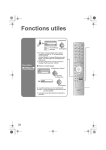
Connect your USB Mass Storage Class device to the Photo Viewer terminal on the TV. Photo
Viewer allows you to enjoy your digital pictures stored on your USB Mass Storage Class
devices. You can view them on the TV in high quality.
Notes:
• Gently pull out your USB device from the Photo Viewer terminal after finishing the “Photo
Viewer” menu.
• Device can only be selected when you have two or more USB devices connected to the TV.
• Photo Viewer cannot be guaranteed to work with all USB Mass Storage Devices. It may take
some time to display or it may not display correctly.
• Please refer to the Customer Support website at www.jvc.com/support for information and
notes regarding your devices you wish to connect.
• Supported file formats are “.jpg” or “.JPG”.
• All your stored data should be backed up first as a precaution before connecting to the TV.
• Depending on your stored file size, it can take extra time to display “Photo Viewer” page.
Device
Select your devices such as USB memory or digital camera.
Note:
• By using the USB hub, you can connect several devices. Choices are different depending on
your connected devices.
Multi Screen
Display digital pictures stored on your USB Mass Storage Class devices in thumbnail view.
1 Select
Photo Viewer
> Multi Screen
Page:
Dimensions:
Date:
1/1
OK
Page Jump
D. . . Operate
Select
Back
BACK
Exit
MENU
2 Display
45
LCT2403-001A-A English.indd 45
5/2/08 10:00:06 AM