1
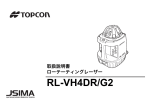
INSTRUCTION MANUAL
ROTATING LASER
RL-VH4DR/G2
31375 90050
TEP
EU
Foreword
Thank you for purchasing the Topcon RL-VH4DR/G2 Rotating Laser.
It is one the world’s most advanced lasers.
To quickly and effectively use the RL-VH4DR/G2, please read these brief instructions carefully, and
keep them in a convenient location for future reference.
Handling Precautions
Before starting work or operation, be sure to check that the system is functioning properly.
1. Vibration and Impact Protection
When transporting the instrument, provide protection to minimize risk of severe vibration or
impact. Severe vibration or impacts may affect beam accuracy.
2. Laser Scanning Interference
Particular reflective surfaces such as mirrors and some glass surfaces, can cause beam
reflection that in very rare circumstances can interfere with the laser scanning function. If this
should happen, simply change the location of the laser or cover the reflective surface.
3. Checking battery power.
Before operating, check remaining battery life.
4. Storing the instrument for long period
When storing the instrument for long period, remove the batteries.
5. Rotating Head
When sunlight, etc. enters the laser emitting window, laser beam output may temporarily
decrease. In such a case, prevent sunlight, etc. from entering by using a parasol or other means.
1
Safety Information
In order to encourage the safe use of products, to prevent damage to properties, and to prevent any
danger to the operator and to others, important warnings are placed on the products and inserted in
the instruction manuals.
We suggest that everyone understand the meaning of the following displays and icons before
reading the “Safety Cautions” and text.
Display
Meaning
WARNING
Ignoring or disregard of this display may lead to death or serious injury.
CAUTION
Ignoring or disregard of this display may lead to personal injury or physical damage
to the instrument.
• Injury refers to hurt, burn, electric shock, etc.
• Physical damage refers to damage to equipment and structure or furnishings.
2
Safety Cautions
WARNING
There is a risk of fire, electric shock or physical harm if you attempt to disassemble or repair the instrument
yourself.
This is to be carried out by TOPCON or an authorized dealer, only!
Laser beam can be dangerous, and can cause eye injury if used incorrectly.
Never attempt to repair the instrument yourself.
Cause eye injury or blindness.
Do not stare into beam or view directly with optical instruments.
Risk of fire or electric shock.
Do not use a wet battery.
May ignite explosively.
Never use an instrument near flammable gas or liquid matter, and do not use in a coal mine.
Battery can cause explosion or injury.
Do not dispose in fire or heat.
The short circuit of a battery can cause a fire.
Do not short circuit battery when storing it.
3
CAUTION
Use of controls or adjustment or performance of procedures other than those specified herein may result in
hazardous radiation exposure.
Let the laser beam reach the aimed object or the target without anybody else in the laser beam path. When
operating in an open area, avoid radiating laser beam at eye level. It is quite possible for the beam to enter into
one’s eyes, and it is possible to lose visual sight temporarily, and lose one’s caution and awareness of other
dangers - avoid glaring beam.
Do not allow skin or clothing to come into contact with acid from the batteries, if this does occur then wash off
with copious amounts of water and seek medical advice.
Risk of injury by dropping the instrument or case.
Do not use a carrying case with damaged belts, grips or latches.
It could be dangerous if the instrument falls over, please check that you fix the instrument to the wallmount or
tripod.
Risk of injury by dropping a tripod and an instrument.
Always check that the screws of tripod are tightened.
Please note that the tips of tripod can be hazardous, be aware of this when setting up or carrying the tripod.
4
User
Wear the required protectors (safety shoes, helmet, etc.) when operating.
Exceptions from Responsibility
1) The user of this product is expected to follow all operating instructions and make periodic checks
of the product’s performance.
2) The manufacturer, or its representatives, assumes no responsibility for results of a faulty or
intentional usage or misuse including any direct, indirect, consequential damage, and loss of
profits.
3) The manufacturer, or its representatives, assumes no responsibility for consequential damage,
and loss of profits by any disaster, (an earthquake, a fire, an accident, storms, floods, an act of a
third party and/or a usage other than under normal conditions.)
4) The manufacturer, or its representatives, assumes no responsibility for any damage, or loss of
profits due to a change of data, loss of data, an interruption of business etc., caused by using the
product or an unusable product.
5) The manufacturer, or its representatives, assumes no responsibility for any damage, or loss of
profits caused by usage other than those usages explained in the user manual.
6) The manufacturer, or its representatives, assumes no responsibility for damage caused by wrong
movement, or action due to connecting with other products.
5
Laser Safety
This product projects a visible laser beam during operation. This product is manufactured and sold
in accordance with “Performance Standards for Light-Emitting Products” (FDA/BRH 21 CFR 1040)
or “Radiation Safety of Laser Products, Equipment Classification, Requirements and User’s Guide”
(IEC Publication 60825-1) provided on the safety standards for laser beam.
As per the said standard, RL-VH4DR/G2 standard model is classified as “Class 3R (IIIa) Laser
Products”. These are simple products to operate and do not require training from a laser safety
officer. In case of any failure, do not disassemble the instrument. Contact TOPCON or your
TOPCON dealer.
Labels
Beam aperture
Beam aperture
AVOID EXPOSURE
LASER LIGHT IS EMITTED
FROM THIS APERTURE
6
RL-VH4DR/G2 standard model
Contents
Foreword .......................................................................................................................... 1
Handling Precautions................................................................................................. 1
Safety Information...................................................................................................... 2
Safety Cautions ......................................................................................................... 3
User ........................................................................................................................... 5
Exceptions from Responsibility.................................................................................. 5
Laser Safety............................................................................................................... 6
Contents .................................................................................................................... 7
Standard System Components.................................................................................. 9
Nomenclature and Functions ......................................................................................... 10
Preparation for Use ........................................................................................................ 12
Battery Installation ................................................................................................... 12
Instrument Set-up Procedure................................................................................... 12
Operation ....................................................................................................................... 14
Scanning Mode........................................................................................................ 14
Continuous scan ...................................................................................................... 15
Plumb Beam Mode .................................................................................................. 16
Level Sensor Mode.................................................................................................. 17
Laser Pointing Mode (stop)...................................................................................... 17
Changing rotation speed.......................................................................................... 17
How to Remove/Install Head Protector .......................................................................... 18
Height Alert function ................................................................................................ 20
Setting Slopes.......................................................................................................... 21
RC-40 Remote Controller............................................................................................... 24
7
Nomenclature .......................................................................................................... 24
Description of RC-40 functions and Error ................................................................ 25
How to set remote controller communication channel ............................................. 27
Maintaining Power Sources ........................................................................................... 28
Replacing dry batteries ............................................................................................ 28
Checking and Adjusting ................................................................................................. 29
Horizontal Calibration .............................................................................................. 30
Horizontal Rotation Cone Error................................................................................ 34
Vertical Calibration................................................................................................... 35
Standard / Optional Accessories.................................................................................... 39
Storage Precautions....................................................................................................... 45
How to Store .................................................................................................................. 46
Specifications ................................................................................................................. 47
Error Code...................................................................................................................... 51
8
Standard System Components
1
2
3
4
5
6
7
RL-VH4DR/G2 Instrument....................................................1pc.
Remote Controller RC-40 .....................................................1pc.
Battery unit*1) ........................................................................1set
AA size dry cell battery*2) .....................................................2pcs.
Carrying case .......................................................................1pc.
Calibration decals .................................................................1set
Instruction manual ................................................................1vol.
• Please make sure that all of the above items are in the box when you unpack.
• Additional Magnetic Scanning Targets may be included in some markets.
• Optional Accessories (see page 39-page 44) may be included in some markets.
*1) The following are battery configurations. Included battery configurations vary by package.
Rechargeable battery type:
(with Built-in Run/Charge system)
Rechargeable battery (BT-63Q)...... 1pc.
Holder (DB-70C) ............................. 1pc.
AC/DC converter (AD-13) ............... 1pc.
Dry battery type:
Holder (DB-70) ................................1pc.
D size dry cell battery.................... 4pcs.
*2) Batteries included in the package are to confirm the initial operation.
Please replace the batteries provided with new batteries as soon as possible.
9
Nomenclature and Functions
RL-VH4DR/G2
Laser emitting window
Beam aperture
Rotary head
Head protector
Magnetic Scanning Target
Magnet
Lock button
Handle
Datum line
Index
Index
Control panel
Reflectors
Leveling screw
Battery holder
Battery compartment lock
10
Lines may appear on the reflector strips.
They are part of normal manufacturing
process and do not effect performance.
The blue target is for RL-VH4G2 and
the red target is for RL-VH4DR.
Control Panel
Plumb beam
Low battery alert
Leveling lamp
Flashing: Laser is leveling
On: Auto-leveling is completed (RL-VH4DR/G2
remote controller model has standby mode)
Power switch
Mode switch control
Laser mode is switched
alternately as follows.
Alignment
control
Scan mode
Head rotates slowly, searching
for Magnetic Scanning Target.
When target is placed in beam
path, laser rapidly scans back
and forth on target.
X/Y axis lamp
Level vial
For vertical
operation
X/Y axis selection
Select X or Y axis for
manual beam sloping.
Manual mode lamp
ON: Manual leveling mode
OFF: Auto-leveling mode
Auto/manual leveling control
ON/OFF of Auto-leveling. To turn off the auto-leveling,
press this key twice. To turn on the auto-leveling again,
press this key once.
Speed control
With ‘Laser
Pointing Mode’
selected, the
rotation speed of
the head can be
changed.
Level sensor mode
Level sensor mode
Head rotates at 300 rpm. Use
this setting when using an
optional electronic level sensor
such as the Topcon LS-80B/G.
Laser pointing mode
Head stops rotating and the
beam can be positioned by
manually turning the head.
(RL-VH4G2)
The laser output is not stable for several minutes when the power is on or the mode of laser is changed.
After the beam is stabilized (display does not show WAIT), the mode can be changed.
11
Preparation for Use
Battery Installation
For battery placement or replacement instructions, see Maintaining Power Sources section,
page 28.
Instrument Set-up Procedure
Horizontal Rotation
1 Set the instrument on any smooth surface that is
within ±5° of true level. The RL-VH4DR/G2 auto-level
system will not function if the unit is placed more that
5° out of level. For best operation, it is recommended
that it be mounted to a tripod or the Topcon Wall
Mount Model 1D.
Slope can be set in both axes, X and Y. See “Setting
Slopes” section, page 21.
Horizontal
Leveling range
12
Vertical Rotation
1 Place the instrument on its back as shown in the illustration.
2 Turn the leveling screw (s) underneath the instrument until the
Level vial
bubble in the level vial on the operational panel is centered.
Battery Warning Lamp
Flashing : The power is low
ON Solid : Dead batteries
Replace the batteries with new ones.
Leveling screw
Auto-leveling Lamp
Flashing : Auto-leveling is in process. When automatic leveling is almost complete, the flashing
rate will be slow. The head will not rotate and the laser beam will not emit during the
auto-leveling process.
ON Solid : Auto-leveling is complete.
The rotary head is active and emits the laser beam.
Turning Auto-leveling Off
To turn OFF the auto-leveling function (manual mode), press the Auto/Manual control key twice
in quick succession. The manual mode lamp will illuminate. The instrument can be positioned in
any direction, the laser beam remains on and the head will rotate.
IMPORTANT:
In manual mode, the laser beam will not shut off if disturbed! To return to Auto-leveling mode,
press Auto/Manual control key once.
13
Operation
Scanning Mode
In scan mode, the laser rotates slowly, “searching” for the Magnetic Scanning Target. When the
target is properly placed in the beam path, the laser beam will scan rapidly back and forth on the
target and “track” the target as it is moved in its path.
1 To change to scanning mode when operating, press the mode switch control key (see
page 11).
2 To initiate target scanning, place the Magnetic Scanning Target in the beam path with the
reflective strips facing toward the laser.
Vertical rotation
Horizontal rotation
Set scanning mode
Face the target toward the instrument to start scanning.
3 To end target scanning and resume searching beam, remove target from beam path.
14
Continuous scan
(Scan line length can be “Drawn” and held for “Hands-free” operation)
Place target in beam path and hold for a moment. The scanning beam will hesitate, then start again.
When the target is now removed the beam will continue to scan automatically.
To change the length of the scanning line, move the target left or right after the initial scan
hesitation and the scanning line length will increase until the target is removed.
Scanning hesitates
and starts again.
Move the target left or right while
scanning, the scanning line will
lengthen. The “drawn” line will
continue to scan without target for
hands-free scan operation.
To cancel the drawn scan mode:
In the drawn scan mode, release the target from the laser beam path for 2 seconds or longer and
then place the target on the laser beam path once again.
15
Plumb Beam Mode
You can set the instrument using with the plumb beam for centering.
To cancel the plumb beam mode, press any other key (except the plumb beam switch and the power
switch).
Plumb beam for vertical operation
This mode can be used with the Remote Controller RC-40.
16
Level Sensor Mode
For long range or outdoor applications, the instrument can be used with an optional electronic level
sensor. The Topcon LS-80G model is recommended. Press the mode switch control key to select
level sensor mode. The beam rotates at 300 rpm in this setting.
• This mode can also be set with the Remote Controller RC-40.
• Use a level sensor best suited for the model.
RL-VH4DR : LS-80A / 80B / 90
RL-VH4G2 : LS-80G
Laser Pointing Mode (stop)
Laser pointing
This mode stops rotation and allows the laser beam to be pointed by
manually rotating the head. Press the mode switch control key to select
Laser pointing mode. Beam rotation stops in this mode.
The laser beam cannot be moved with the Remote
Controller RC-40.
Changing rotation speed
(only available in Laser pointing mode)
After selecting Laser pointing mode, press either Speed control key to
change rotation speed. The right key increases the rotation speed. The
left key reduces the rotation speed.
This mode can be used with the Remote Controller RC-40.
17
How to Remove/Install Head Protector
When the head protector post blocks the laser beam and interferes with operation, remove the head
protector from the instrument.
How to Remove
1 Press the lock button to release the lock.
2 Set the angle of the head protector to approximately 45°.
Post
Lock button
3 Pull the head protector in the direction of the arrow.
NOTE
18
When the head protector is installed, do not
hold by upper section of the head protector
when transporting. Doing so may cause head
protector to come off, with instrument falling off
and may be damaged.
How to Install
1 Insert the head protector pin into the groove of the instrument until you feel it click.
Pin, Groove
2 Bring down the head protector until you hear a clicking sound.
3 Check that the head protector is securely locked.
19
Height Alert function
When auto-leveling and height alert function are active, this function prevents the instrument from
operating if it is disturbed (after the laser beam emits for one minute). This helps insures accurate
control. If the height or inclination of the instrument changes, the height of instrument should be
verified and re-established if necessary.
1 To activate the Height Alert function, depress and
hold the left Alignment control key (see page 11) on
the control panel while turning on the instrument by
pressing the Power control key. The three LEDs
(Leveling, Manual, Low battery alert) will flash at the
same time for three seconds.
2 When this function is active and the unit is disturbed,
three visible LEDs will rapidly flash.
Low battery alert
LED
Leveling LED
Manual LED
3 To re-activate auto-leveling and check the beam
height, turn the unit off, then on again by pressing the Power control key twice. After autoleveling is complete, check the beam height to confirm it has not changed.
4 The Height Alert function is now inactive. To re-activate, turn unit off and repeat step 1.
20
Setting Slopes
The laser beam can be manually sloped in either the X or Y axis (single slope) or both axes
(compound slope).
With the inclination of the instrument as the standard, laser beam can be sloped within the range of
±5° up or down.
• The standard for the inclination is the inclination of the instrument, not that of the
rotating head immediately after the auto-leveling.
• This mode can be used with the Remote Controller RC-40.
X axis
Inclination of the
instrument
Y axis
Horizontal
Compound slope
Single Axis
Dual Axes
21
How to set slopes
1 Turn the instrument on by pressing the Power control key. Auto-leveling will start.
2 Press the X/Y axis selection key once (see page 11). The X axis lamp will flash. To change to
Y axis, press the X/Y key once again. Pressing the X/Y key toggles between X and Y axis
selection.
3 Select the axis for which you would like to set the slope.
4 Press the mode switch control and set your desired rotation
Sample; Laser pointing mode
mode (scan mode / level sensor mode / laser pointing mode).
5 Press the alignment control key once. Laser beam will begin
sloping to the direction of the key pressed in constant speed.
6 Press the Alignment Control key once more. Laser beam
gradient will stop.
7 Adjust the gradient with the Alignment Control key. The speed
of laser beam gradient will change according to the duration of
time the Alignment Control key is being pressed. The Manual
mode lamp will illuminate. The flashing lamp for the selected
Move the beam up or down by
axis will change to solid after several seconds indicating that
pressing the right or left alignmen
the slope has been entered in the direction of the selected axis. keys
Cancelling slope settings
Press the Auto/manual leveling control key. The instrument returns to auto-leveling mode.
How to set the biaxial slope
After setting slope for one of the axis, select direction for the second axis by pressing the X/Y
axis selection key, and set the slope following above-mentioned procedures 4 to 7.
22
Line Control (manual vertical beam alignment)
1 Turn the leveling screw and position the bubble of the
level vial on the control panel in the center.
2 Press the Power control key to turn unit on. When autoleveling is complete, the laser beam will be emitted.
3 Press the plumb beam key to select the plumb beam
mode.
4 Move the instrument to align Point A with the center of
the laser.
5 Press the mode switch control to set your desired
rotation mode (scan mode / level sensor mode / laser
pointing mode).
6 Press the alignment control key once. Laser beam will
begin moving to the direction of the key pressed in
constant speed.
7 Press the Alignment Control key once more. Laser
beam gradient will stop.
8 Press either one of the Alignment Control keys to move the beam right or left until it is
precisely aligned to point B. The speed of laser beam movement will change according to the
duration of time the Alignment Control key is being pressed.
• This mode can be used with the Remote Controller RC-40.
• While an alignment control key is pressed the auto-leveling beam shut-off will not
operate.
23
RC-40 Remote Controller
Nomenclature
Transmission lamp
Battery warning lamp
for RC-40
Mode switch control
Sleep mode
Alignment control
X/Y axis selection
X/Y axis lamp
RC-40
Speed control
When both the right and left keys are pressed
simultaneously, the plumb beam mode will activate.
Strap attachment hole
Remote Controller
• The Remote Controller RC-40 cannot be used to operate the Rotating Laser RL-VH3 series or
RL-VH4G.
• The Remote Controller RC-30 cannot be used to operate the Rotating Laser RL-VH4DR or
RL-VH4G2.
24
Description of RC-40 functions and Error
Sleep mode
To set up (or cancel) the rotating laser to the sleep mode, press the sleep mode key
for three seconds or longer. (In Sleep mode, the leveling lamp of the rotating laser will
flash.)
Laser turns off if standby mode continues for two hours.
(This mode cannot be used when the main power of the rotating laser is OFF.)
Transmission lamp
This lamp will flash green when the signal is being transmitted.
The lamp will flash red when an internal error has occurred during transmission.
Battery warning lamp
for RC-40
Battery warning for RC-40.
Replace the batteries with new ones.
Speed control
The rotation speed of the rotary head can be changed.
Pressing the left key will slow and pressing the right key will accelerate the rotation
speed.
When both the right and left keys are pressed simultaneously, the plumb beam mode
will activate.
Alignment control
Vertical :
Setting line control
Performs line control during vertical rotation.
(Valid when the x or y axis is being selected with the x/y axis selection key.)
Horizontal :
Setting slope
Sets slope to the slope setting direction during horizontal rotation.
(Valid when the x or y axis is being selected with the x/y axis selection key.)
X/Y axis lamp
Indicates axis selected during beam sloping operation.
25
Mode switch control
Laser mode is switched alternately as follows.
Scan mode / Level sensor mode / Laser pointing mode.
If this key is pressed in other modes except Scan, Laser sensor and Laser pointing
modes, the mode will change to scan mode.
X/Y axis selection
Vertical :
Setting line control
Sets line control mode by pressing the key for more than three seconds. Then X axis
lamp will light.
Horizontal :
Setting slope
Sets slope mode by pressing the key for more than three seconds. Then X axis lamp
will light. Lightly pressing this key for short time will switchover the X and Y axis.
Press the alignment key when in the above rotation (vertical, horizontal), only then
will the rotating laser switch to the line control mode or the slope mode.
To cancel the line control mode or the slope mode, press this key for more than three
seconds.
When this key is pressed under the interference condition (several RC-40s or RLVH4DR/G2 are using the same channel), the X/Y axis red lamp will flash.
When you find it difficult to operate the remote controller, use it away from the ground.
(Radio transmission performance is lower near the ground.)
With the RC-40, both the X and Y axes lamps will flash red simultaneously
when more than one RC-40 or RL-VH4DR/G2 are used, and also when similar
wireless signals (wireless LAN, etc.) are being transmitted.
26
How to set remote controller communication channel
The same channel (1 to 9) must be set on the RL-VH4DR/G2 and the RC-40 remote controller.
RL-VH4DR/G2
1 Remove the battery cover by turning the
battery compartment lock to “OPEN”.
2 Turn the channel switch to set a channel by
using a small straight screwdriver (see
illustration for switch location).
3 Replace the battery cover and turn the knob
to “Lock”.
Channel
switch (1 to 9)
Battery Cover
RL-VH4DR/G2
Channel indicator mark*
RC-40
1 Open the battery cover and remove the
batteries.
2 Turn the channel switch to the same
channel position set on the RL-VH4DR/G2.
(Initial setting at shipping : Channel 1)
3 Insert batteries and close the battery cover.
Channel switch
(1 to 9)
RC-40
* The channel indicator mark indicates the
direction of the selected channel.
In the above figure, channel 1 is selected.
27
Maintaining Power Sources
Replacing dry batteries
1 Remove the battery cover by turning the battery
compartment lock to “OPEN”.
2 Remove the old batteries and replace with new 4×D size
dry cell batteries (alkaline) making sure each is placed
in the proper direction as indicated.
3 Replace the battery cover and turn the knob to “Lock”.
NOTE
• Replace all 4 batteries with new ones.
• Do not mix old batteries and new ones.
DB-70
28
Checking and Adjusting
There are three areas of performance the user should check periodically.
Horizontal Calibration
Horizontal Rotation Cone
Vertical Calibration
The Horizontal Calibration and Vertical Calibration can be easily checked and, in most cases,
adjustments can be made by the user. Horizontal Rotation Cone can be checked by the user, but if
an error is found, adjustments must be made by a Topcon service facility.
Attaching the calibration decals
Before calibration, attach the calibration decals to the instrument as shown below. The calibration
decal shows the calibration function of certain control keys on the control panel.
Calibration Decals
Y
3
1
START
X
CALIBRATION
1
2
X /Y
3
V
2
X
Y
V
4
ENTER
ERROR
4
START-While pressing ,press
XCAL-ON,YCAL-press
ON
VCAL-ON
LASER BEAM CORRECTION
- or
ENTER-press
X/Y
29
Horizontal Calibration
(1) Checking Calibration
30 m (98 feet)
Instrument as seen from above
Target
Wall
Panel side
1 Set up a tripod 30 m (98 ft) from a wall. Mount the instrument
on the tripod, facing the X1 side toward the wall.
2 Turn the unit on and allow auto-leveling to complete.
3 Place a piece of paper on the wall. Detect the laser position
on the wall with target and mark it. Turn the instrument off.
4 Loosen the tripod screw, rotate the instrument 180 degrees.
NOTE
When rotating the instrument, make sure the heights of the instruments are aligned.
When the laser beam is difficult to see, it can be checked in the Level sensor mode or
the Laser pointing mode.
30
5 Turn the unit on again and allow auto-leveling to
complete.
6 Make a new mark (Mb) where the laser beam strikes
the paper.
If less than 6 mm (.23 inches)
No calibration Necessary
X1 laser beam
7 Measure the distance between the first mark (Ma)
and the second mark (Mb). No calibration is
necessary if distance is within 6 mm (1/4 of an inch).
X2 laser beam
8 Repeat procedure for the Y axis.
30 m (98 feet)
31
(2) Adjusting Calibration
If the distance between either set of marks is more than 6 mm (1/4 of an inch) but less than
25 mm (1 inch), turn the unit off by pressing the [START] key once and use the following
procedure to calibrate the laser. Confirm that unit has shut off before beginning the procedure.
(In steps 2 and 3, use of optional RC-40 remote controller can be helpful. See page 34.)
1 While pressing the [ENTER] key, press the [START] key. This activates the X axis calibration
mode. Confirm that the [X] LED is lit.
3
1
START
Center
position
Laser beam
up or down
X/Y
2
X
Y
V
4
ENTER
ERROR
2 By pressing the right or left Alignment Control key, move the X2 (Mb) laser beam up or down
until its centered between marks Ma and Mb.
NOTE
32
• This operation can be performed with the Remote Controller RC-40.
• When using the RC-40, select the X axis with the X/Y axis selection key and move the
laser beam up or down with the alignment key.
3 When the beam is precisely centered, press the [ENTER] key.
This operation can be performed with the Remote Controller RC-40.
When using the RC-40, press the [ENTER] key on the RC-40 unit.
(The [ENTER] key for the RC-40: The same mark as the [ENTER] key for the
instrument.)
The [X] LED will flash.
When the flashing stops, the X axis calibration adjustment is made and power is turned off.
4 For Y axis calibration, turn the unit as instructed in step 1 then press the X/Y Axis Selection
key.
This operation can be performed with the Remote Controller RC-40.
When using the RC-40, select the Y axis using the X/Y axis selection key and move the
laser beam up and down with the Alignment control key.
Confirm that the [Y] LED is lit, then repeat steps 2 to 4 for the Y axis.
Repeat the checking procedure to confirm proper calibration has been made.
NOTE
If the calibration is greater than the adjustment allows, the error LED will start flashing.
(See “Error Code” on page 51)
If this occurs, contact your Topcon dealer.
When the laser beam is difficult to see, it can be adjusted in the Laser sensor mode or
the Laser pointing mode.
33
Horizontal Rotation Cone Error
Perform the following check after completing “Horizontal Calibration” on the previous page.
Minimum about 30 m/98 ft
Cone error
Datum position
Wall
A
Wall
B
Wall
A
Wall
B
1 Set up the laser centered between two walls approximately 30 m (98 ft) apart. Orient the
instrument so one axis, either X or Y, is facing the walls.
2 Locate and mark the position of the rotating laser beam on both walls using the target.
3 Turn off the instrument and move the instrument closer to wall A (1 m to 2 m / 3 ft to 6 ft).
Do not change the axis orientation of the instrument. Turn the instrument on.
4 Again locate and mark the position of the rotating laser beam on both walls.
5 Measure the distance between the first and second marks on each wall.
6 If the difference between each set of marks is less than 3 mm (1/8 of an inch), no error exists.
NOTE
34
If the error is grater than 3 mm (1/8 of an inch), contact your Topcon dealer.
Vertical Calibration
Perform the following check after completing “Horizontal Calibration” on the previous page.
(1) Checking
1 Set up the instrument half way between two
walls a minimum of 30 m (98 ft) apart. (The
instrument can be facing either direction X or
Y. No tripod is used.)
about 15 m
(49 ft)
about 15 m
(49 ft)
Wall
A
Wall
B
2 Turn the power switch on.
3 Place a piece of paper on each wall (A and B).
Mark the horizontal laser positions (Ma and Mb) on each wall using target.
4 Turn the power switch off. Position the
instrument for vertical operation (see
instruction on page 13) with the rotary head
directly facing wall A (see illustration). Make
sure the unit is level by checking the level vial.
Use the leveling screw to adjust if necessary.
5 Turn the power switch on. (Laser beam should
be in scanning mode.)
about 30 m (98 ft)
Wall
A
Wall
B
about 1 m
6 Mark where the split beam emitted from the
top of the rotary head strikes wall A (Ha).
Measure the distance (dHa) between marks
Ma and Ha.
Foot
35
7 Without moving the position of the front foot, pivot the instrument so the rotary head is now
facing wall B.
8 Mark where the split beam emitted from the
about 30 m (98 ft)
top of the rotary head strikes wall B (Hb).
Measure the distance (dHb) between marks
Mb and Hb.
9 Compare the two measurements dHa and
dHb. If the difference between the two
measurements is less than 3 mm (1/8 of an
inch), no adjustment is necessary. Otherwise,
adjust as follows.
36
about 1 m
(2) Adjusting Calibration
Turn the unit off by pressing the [START] key once. Confirm that unit has shut off before
beginning the following procedure. (In step 2 and 3, optional RC-40 remote controller is helpful.)
1 Without moving the unit, press the [ENTER] and [START] keys simultaneously.
2 Press either the right or left key on the Alignment Control key to move the laser beam up or
down on wall B until the measurement for the distance dHb is the same as the measurement
dHa on wall A.
This operation can be performed with the Remote Controller RC-40.
When using the RC-40, select the Y axis using the X/Y axis selection key and
move the laser beam up and down with the Alignment control key.
3
Laser beam
up or down
1
START
4
ENTER
ERROR
X/Y
2
X
Y
V
37
3 When the beam is positioned so the two measurements are the same, press the [ENTER] key.
The [V] LED will flash.
When the flashing stops, the vertical calibration adjustment is made and power is turned off.
This operation can be performed with the remote controller RC-40.
When using the RC-40, press the [ENTER] key on the RC-40 unit.
(The [ENTER] key for the RC-40: The same mark as the [ENTER] key for the
instrument.)
NOTE
If the calibration is greater than the adjustment allows, the error LED will start
flashing. If this occurs, contact your Topcon dealer.
Repeat the checking procedure to confirm proper calibration has been made.
38
Standard / Optional Accessories
LS-80A / 80B / 80G / 90 Level Sensor
Power switch
Beam receiving window
Detective precision switch
Two on-grade precision options are
available, normal precision and high
precision. By pressing this switch, the
precision options are switched
alternately. Active precision setting is
shown on the display.
(Normal precision is the default setting
when power is turned on.)
Buzzer sound switch
(Quite / Loud / OFF)
Detective beam indication LED
(LS-90)
Indicator
Indicator
(LS-80A / 80G / 90)
Index
Plate level
(LS-90)
Buzzer speaker
Auto-cut off function
The power will be turned off automatically if no laser beam is detected within approximately 30 minutes.
(To turn the level sensor on again, press the power switch.)
When using the LS-80B, there is no height alert warning of rotating laser or the rotating laser battery
warning.
Applicable model
RL-VH4DR : LS-80A / 80B / 90
RL-VH4G2 : LS-80G
39
Display
High precision mode
RL-VH4DR/G2 Height Alert warning*1
(Except for LS-80G)
When the Alert Signal function [COM] is active on
the RL-VH4DR/G2, the sensor will signal if the
laser has been disturbed so the height of the
instrument can be checked.
The buzzer will sound for about five seconds and
the height alert warning symbol will flash until the
sensor detects normal beam rotation from the
laser. To obtain normal beam rotation, the RLVH4DR/G2 must be turned off then back on.
Then check that beam height has not changed.
RL-VH4DR/G2 battery warning*2
(Except for LS-80G)
When the Alert Signal function [COM] is active on
the RL-VH4DR/G2, the sensor will signal if the
battery of the RL-VH4DR/G2 is low. The laser low
battery warning symbol will flash on the level
sensor display. No audio signal is generated for
this warning.
Normal precision mode
Higher than datum position
Move the sensor down, The arrow will become shorter
as the datum position is approached.
Audio signal: High- pitch, frequent beep.
Datum position
(Audio signal: Continuous beep sound)
Lower than datum position
Move the sensor up. The arrow will become shorter as
the datum position is approached.
Audio signal: Low- pitch, frequent beep.
Battery remaining display
Indicates the battery remaining of level sensor
as follows.
Battery is sufficient.
The power is low, but laser is still usable.
Dead battery. Replace the 9v alkaline battery.
The warning signal *1 and *2 will function only if RL-VH4DR/G2 Alert Signal function
[COM] is active.
Alarm detection at the level sensor can be canceled by turning off the level sensor
switch while pressing the buzzer sound switch. When the switch is turned back on
again, alarm detection functions as usual.
40
Detective range
(LS-80A / 80B / 80G)
(LS-90)
±0.5mm
(1mm width)
±2mm
(4mm width)
LED : Lights in the center
±5mm
(10mm width)
LED : Flashes alternately
±10mm
(20mm width)
LED : Flashes rapidly
±15mm
(30mm width)
LED : Flashes
more than ±15mm
(more than 30mm width)
LED : Flashes slowly
When the laser beam
is off to the top or to
the bottom
LED : Flashes rapidly
41
Replacing Battery
[1]
[2]
1 Keep pushing the battery cover in 1 direction, and then try to slide the cover in 2 direction.
The cover does not move but it will be open.
2 Take out the battery and place a new one into the battery box.
3 Press the lid down and click to close.
42
Wall Mount 1D
Level sensor holder model 6
154
153
Clamp lever
152
151
150
149
Clamp knob
148
Laser Mounting
screw
147
146
H O L D E R -6
131
9
138
137
136
135
134
133
132
131
Level sensor
holder model 6
Elevation
clamp knob
Level sensor
43
Battery holder DB-70C
Rechargeable battery pack BT-63Q
AC/DC converter AD-13
For Charging
1 Plug the AC/DC converter (AD-13) into the DB70C battery holder.
LED
AC/DC converter
AD-13
DB-70C
2 Insert the converter power cord in an outlet.
3 Complete charging by unplugging the converter
connector from the DB-70C battery holder after
approximately 9 hours.
4 Unplug the converter power cord from the outlet.
BT-63Q
DB-70C
LED
AC/DC converter
AD-13
The LED of DB-70C will indicate charging status;
Red ON:
Charging.
Green ON:
Charging completed.
Green flashing: DB-70C is not connected to BT-63Q.
Red flashing: BT-63Q protection feature is working automatically.
RL-VH4DR/G2 can be used in this state.
Automatic protection feature; In case of overcharge or high or low temperature state
exceeding charging range, charging will be stopped or changed to protect battery.
DB-70C can be used with dry batteries instead of BT-63Q.
44
45
1) The Ni-MH BT-63Q rechargeable battery can be charged while using the laser.
2) The DB-70 dry cell battery holder cannot be used to charge the BT-63Q Ni-MH
battery pack. Use the DB-70C charging battery holder instead.
Storage Precautions
Always clean the instrument after use.
Use a clean cloth, moistened with a neutral detergent or water. Never use an abrasive cleaner,
ether, thinner benzene, or other solvents.
Always make sure instrument is completely dry before storing. Dry any moisture with a soft, clean
cloth.
45
How to Store
LS-80A / 80B / 80G / 90
RL-VH4DR/G2
D size dry cell battery
RC-40
AD-13
Level sensor
holder model 6
Wall Mount 1D
AA size dry cell battery
46
Magnetic Target
Specifications
RL-VH4DR/G2
Accuracy
Horizontal
Vertical
Auto-leveling range
Measuring range (Diameter)
(Rotation speeds 300 r.p.m)
Rotation speeds
Scanning width
Light source
:
:
:
:
:
:
:
Power supply
:
Continuous operating time
at +20°C (+68°F)
:
Tripod screw
Operating temperature
Protection against
water and dust
Dimensions
Weight
:
:
:
±20"
±20"
±5°
RL-VH4DR : Using with LS-80A / 80B / 90 : 2 m (6.6 ft) to 300 m (984 ft)
RL-VH4G2 : Using with LS-80G : 2 m (6.6 ft) to 300 m (984 ft)
Changeable (0 to 300 r.p.m)
Maximum 180°
RL-VH4DR Diode red laser (635nm)
RL-VH4G2 Diode-pumped Solid-state green laser (532nm)
4×D size dry cell batteries (DC6V)
Ni-MH battery pack BT-63Q (It can be charged while using it.)
RL-VH4DR 4×D size dry cell batteries (alkaline)90h
Ni-MH battery pack BT-63Q
45h
RL-VH4G2 4×D size dry cell batteries (alkaline)27h
Ni-MH battery pack BT-63Q
24h
Flat and dome head type, W 5"/8 x 11 threads
-20°C to +50°C (-4°F to +122°F)
IP54 (Category 2)
: 182 (L) × 167 (W) × 241.5 (H) mm [7.2 (L) × 6.6 (W) × 9.5 (H) in]
: RL-VH4DR 2.2 kg [4.9 lbs] (without dry batteries)
RL-VH4G2 2.6 kg [5.7 lbs] (without dry batteries)
47
Remote controller RC-40
Operating range (Radius)
Power supply
Operating time
Protection against
Dimensions
Weight
48
: 100m or more (Condition: set the RL-VH4DR/G2 on a tripod. Use the RC-40
at 1.2 meters above ground.)
: 30m or more (Condition: set the RL-VH4DR/G2 on ground with vertical
operation. Use the RC-40 at 30cm above ground.)
: 2×AA size dry cell batteries (alkaline)
: Approx. 5 months (depends on the nature of use)
: IP66 (Based on the standard IEC 60529)
: 116 (L) × 59 (W) × 31.4 (H) mm [4.6 (L) × 2.3 (W) × 1.2 (H) in]
: 150 g [0.33 lbs] (including dry batteries)
LS-80A / 80G (Back side display area)
LS-80B
Detective range
Detective range
: 50 mm (2.0 in)
High precision
: 50 mm (2.0 in)
Detective precision
Detective precision
: ±1 mm (±0.04 in)
Normal precision : ±2 mm (±0.08 in)
Detective beam indication
High precision
Detective beam indication
: Liquid crystal and buzzer
: Liquid crystal (Both sides) and
buzzer
: ±1 mm (±0.04 in)
Normal precision : ±2 mm (±0.08 in)
Power source
: 2×AA size dry cell batteries
: 3VDC
Power source
: 2×AA size dry cell batteries
Power voltage
Power voltage
: 3VDC
Continuous operating time
Continuous operating time
Alkaline manganese dry battery
: Approx. 120 hours
Alkaline manganese dry battery
: Approx. 120 hours
The time for auto-cut off
: Approx. 30 min.
The time for auto-cut off
: Approx. 30 min.
Waterproof property / Dust resistance
: JIS protection grade IP66
Waterproof property / Dust resistance
: JIS protection grade IP66
Operating temperature
: –20 °C to +50 °C (–4 °F to +122 °F)
Operating temperature
: –20 °C to +50 °C (–4 °F to +122 °F)
Dimensions
: 146 (l) × 76 (w) × 26 (h) mm
Weight
: 0.19 kg (0.41 lbs)
(5.7 (l) × 2.9 (w) × 1.0 (h) in)
: 146 (l) × 76 (w) × 26 (h) mm
(5.7 (l) × 2.9 (w) × 1.0 (h) in)
Weight
Dimensions
: 0.19 kg (0.41 lbs)
(Including dry batteries)
(Including dry batteries)
49
LS-90 (Back side display area / LED / Plate level)
Detective range
: 50 mm (2.0 in)
Detective precision
High precision
: ±0.5 mm (±0.02 in)
Normal precision : ±2 mm
(±0.08 in)
Detective beam indication
: Liquid crystal (Both sides) / Buzzer / LED
Power source
: 2×AA size dry cell batteries
Power voltage
: 3VDC
Continuous operating time
Alkaline manganese dry battery
: Approx. 100 hours
The time for auto-cut off
: Approx. 30 min.
Waterproof property / Dust resistance
: JIS protection grade IP66
Operating temperature
: –20 °C to +50 °C (–4 °F to +122 °F)
Dimensions
: 146 (l) × 76 (w) × 26 (h) mm
Weight
: 0.19 kg (0.41 lbs)
(5.7 (l) × 2.9 (w) × 1.0 (h) in)
(Including dry batteries)
50
Error Code
Use the table below to determine operation errors
indicated by blinking lamps on the control panel.
If corrective action listed does not correct error,
please contact your local Topcon dealer.
D
C
E
A
B
Lamp Indication
Error Code
Corrective Action
Lamp A, B and C blink
in turn
Auto-leveling range error
Correct tilt of the instrument until it less than 5 degrees.
Lamp C lights
Battery power out error
Replace all 4 batteries with new ones at the same time.
Lamp A, B and C blink
simultaneously
Height alert error
Turn power off, rough level the instrument, then turn power
on again. Check height of laser beam as it may have
changed.
Lamp B blinks
Calibration error
Repeat calibration procedure. If error repeats contact your
local Topcon dealer.
Lamp D and E blink
simultaneously
Internal error
Turn power off, then on again. If error repeats contact your
local Topcon dealer.
51
©2008 TOPCON CORPORATION
ALL RIGHTS RESERVED
7400 National Drive, Livermore, CA 94551, U.S.A.
Phone: 925-245-8300 Fax: 925-245-8599 www.Topconpositioning.com
3380 Industrial Blvd, Suite 105, West Sacramento, CA 95691, U.S.A.
Phone: 916-374-8575 Fax: 916-374-8329
Essebaan 11, 2908 LJ Capelle a/d IJssel, The Netherlands.
Phone: 010-458-5077 Fax: 010-284-4941 www.topconeurope.com
Unit 69 Western Parkway Business Center
Lower Ballymount Road, Dublin 12, Lreland
Phone: 01460-0021 Fax: 01460-0129
Giesserallee 31, 47877 Willich, GERMANY
Phone: 02154-885-100 Fax: 02154-885-111 [email protected]
www.topcon.de
Topcon House Kennet Side, Bone Lane, Newbury, Berkshire RG14 5PX U.K.
Phone: 44-1635-551120 Fax: 44-1635-551170
[email protected] [email protected]
Blk 192 Pandan Loop, #07-01 Pantech Industrial Complex, Singapore 128381
Phone: 65-6778-3456 Fax: 65-6773-6550 www.topcon.com.sg
77/162 Sinn Sathorn Tower, 37th Fl.,
Krungdhonburi Rd., Klongtonsai, Klongsarn, Bangkok 10600 Thailand.
Phone: 66-2-4401152~7 Fax: 66-2-4401158
No.D1, (Ground, Lower Ground & 1st Floor), Jalan Excella 2, Of Jalan Ampang
Putra, Taman Ampang Hilir, 55100 Kuala Lumpur, Malaysia
Phone: 60-3-42709866 Fax: 60-3-42709766
89, Rue de Paris, 92585 Clichy, Cedex, France.
Phone: 33-1-41069490 Fax: 33-1-47390251 [email protected]
Block No.9, Kangding Street
Beijing Economic-Technological Development Area, Beijing, 100176, China
Phone: 86-10-6780-2799 Fax: 86-10-6780-2790
Phone: 031-7109200 Fax: 031-7109249
P. O Box293705, Oice C-25(row C-2), Dubai Airport Free Zone, Dubai, UAE
Phone: 971-4-2995900 Fax: 971-4-2995901 [email protected]
7G