1
User Guidance Information
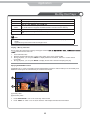
Names of each part
SWITCH
1
2
POWER ON/OFF jack
YPbPr IN
HDMI2
Video
HDMI1
R
AV OUT
L
Video
R
L
Video
R
L
AV1 IN
AV2 IN
3
4
5
1
SWITCH
2
AC POWER IN
3
HDMI2
4
HDMI1
5
PC and AUDIO
6
7
Coax
8
9
bottom
10
11
12
6
YPbPr
7
AV2 IN VIDEO and AUDIO(R/L)
8
AV OUT VIDEO and AUDIO(R/L)
9
AV1 IN VIDEO and AUDIO(R/L)
10
S-VIDEO
11
Coax
12
RF
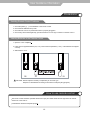
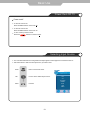
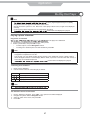
1. Connect network
Connect this product to the network to enjoy software updates and BD-Live bonus
content.
Connect the network cable (not supplied) to:
• the LAN jack on this product,
• the LAN jack on the broadband modem or router.
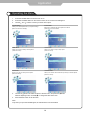
2. Connect USB device
A USB device provides an additional memory to enjoy software updates
bonus content and for media play.
1
2
3
BD-Live
Connect the USB device to the USB jack on this product.
Note
• Connect a USB device only to the USB jack on this product.
• We does not guarantee 100% compatibility with all USB devices.
• If use USB device to play media. Please press MEDIA CENTER.
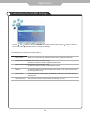
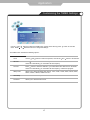
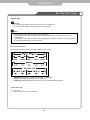
3. Optional connections
• Route audio to other devices
• Digital amplifier/receiver
• Analog stereo system
• LAN
• USB device (As additional memory for software updates and BD-Live bonus contents).
Note
• Refer to the type plate at the back or bottom of the product for identification and
supply ratings.
• Before you make or change any connections, ensure that all devices are disconnected
from the power outlet.
• Different types of connectors can be used to connect this product, depending on
availability and your needs.
7