1
Understanding Options Files
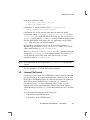
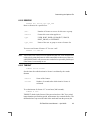
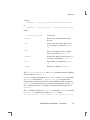
The sum total of the licenses reserved must be less than or equal to the number
of licenses specified in the FEATURE line. In the example above, there must
be a minimum of four licenses on the “compile” FEATURE line. If fewer
licenses are available, only the first set of reservations (up to the license limit)
is used.
If this data were in file /usr/local/flexlm/options/local.options,
then you would modify the license file DAEMON line as follows:
DAEMON xyzd /usr/local/xyzd /usr/local/flexlm/options/local.options
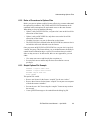
6.3.4 Limiting Access for Multiple Users
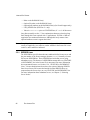
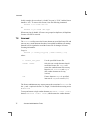
Each INCLUDE, INCLUDEALL, EXCLUDE, EXCLUDEALL, and
RESERVE line must have a single user name (or group) listed. To affect more
than one user name create a GROUP. For example to exclude “bob,” “howard,”
and “james” from using the feature called “toothbrush” we could create the
following options file:
EXCLUDE toothbrush USER bob
EXCLUDE toothbrush USER howard
EXCLUDE toothbrush USER james
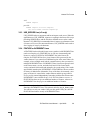
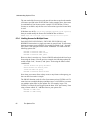
However, there is an easier way. Create a GROUP and exclude the list of users
from using the feature. Like the previous example, the following options file
would exclude “bob,” “howard,” and “james” from using the feature called
“toothbrush”:
# First define the group "Hackers"
GROUP Hackers bob howard james
# Then exclude the group
EXCLUDE toothbrush GROUP Hackers
Now when you want to allow or deny access to any feature to that group, you
have an alias list to make it simple.
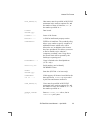
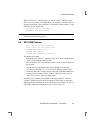
The GROUP function works for a list of user names prior to FLEXlm v4.0. To
control access to multiple displays (and hosts in pre-v4.0 FLEXlm) you must
use multiple option lines in your options file. For example, in pre-v4.0
FLEXlm, to exclude all users logged in on the hosts “fred” and “barney” from
using a feature called “f1,” add these lines to your options file:
EXCLUDE f1 USER fred
EXCLUDE f1 USER barney
65
The Options File