1
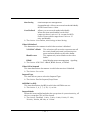
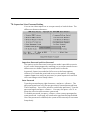
IDE HDD Block Mode
Block mode is also called block transfer, multiple commands, or multiple sector read/write. If your IDE hard drive supports block mode
(most new drives do), select Enabled for automatic detection of the
optimal number of block read/writes per sector the drive can support.
Ø The choice: Enabled, or Disabled
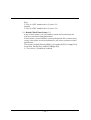
POWER ON Function
This item is used to defined Keyboard & PS/2 mouse power-on function
enabled or disabled.
Ø The choice: Password, Hot-KEY, Mouse Left, Mouse Right, Any KEY,
Button Only, Keyboard 98.
Note: 1. When item of PS/2 Mouse or HOT-Key is selected, please also
adjust jumper J18 to the proper position.
2. USB Keyboard, USB Mouse and Serial Mouse are not
supported to this function.
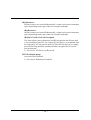
KB Power ON Password
This item set the keyboard power-on password.
Ø When using keyboard to power on, just Enter the password.
Hot Key Power ON
Power-on by soft-on/off button and keyboard are available.
Ø The choice: <Ctrl><F1> to <Ctrl><F12>.
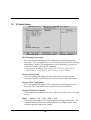
Onboard FDC Controller
This item specifices onboard floppy disk drive controller. This setting
allows you to connect your floppy disk drives to the onboard floppy
connector. Choose the "Disabled" settings if you have a separate
control card.
Ø The choice: Enabled Disabled.
Onboard Serial Port1/Port2
Select an address and corresponding interrupt for the first and second
serial ports.
Ø The choice: 3E8/IRQ4, 2E8/IRQ3, 3F8/IRQ4, 2F8/IRQ3,Auto, or
Disabled.
- 67 -