1
Table of Contents
Preface ......................................................................................................................................... iv
Important notice ............................................................................................................................. v
1. Introduction ............................................................................................................................... 1
1.1. Characteristics ................................................................................................................. 1
1.2. Specifications .................................................................................................................. 2
1.3. Minimum system requirements ........................................................................................... 2
2. Equipment interface .................................................................................................................... 3
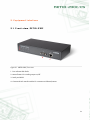
2.1. Front view, NETIO-230C .................................................................................................. 3
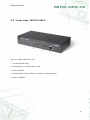
2.2. Front view, NETIO-230CS ................................................................................................ 4
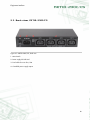
2.3. Back view, NETIO-230C/CS ............................................................................................ 5
3. Installation ................................................................................................................................. 6
3.1. Connection of the device .................................................................................................. 6
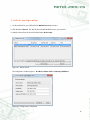
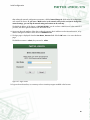
4. Initial configuration .................................................................................................................... 7
5. Control and configuration ........................................................................................................... 9
5.1. Control and configuration of the outputs ............................................................................ 9
5.1.1. Control of outputs ................................................................................................. 9
5.1.2. Configuration of output parameters ......................................................................... 9
5.2. System configuration ...................................................................................................... 12
5.2.1. Configuration of network parameters .................................................................... 12
5.2.2. E-mail configuration ............................................................................................ 14
5.2.3. Time settings ...................................................................................................... 14
5.2.4. Serial tunnel (NETIO-230CS only) ......................................................................... 15
5.2.5. Configuration of user accounts ............................................................................. 16
5.2.6. Firmware update ................................................................................................ 17
5.3. Control of the device via Telnet, CGI or serial link ............................................................. 19
5.3.1. Encrypted login .................................................................................................. 19
5.3.2. Communication via KSHELL interface ..................................................................... 19
5.3.3. Overview of KSHELL control commands ................................................................. 19
5.3.4. CGI control ........................................................................................................ 24
5.3.5. Communication via a serial link ........................................................................... 25
5.3.6. Return values for KSHELL, CGI and serial link ......................................................... 25
5.4. Manual control ............................................................................................................. 26
5.5. Status LED diodes .......................................................................................................... 26
5.6. Troubleshooting ............................................................................................................. 27
5.6.1. Forgotten password. Reset to factory settings .......................................................... 27
5.6.2. Problem with update of firmware .......................................................................... 27
5.6.3. Changing the fuse .............................................................................................. 27
Conclusion ............................................................................................................................... xxviii
ii