1
List of Figures
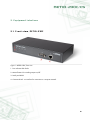
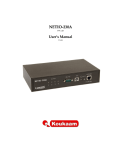
1. NETIO-230C, front view .............................................................................................................
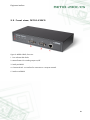
2. NETIO-230CS, front view ...........................................................................................................
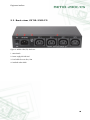
3. NETIO-230C/CS, back view .....................................................................................................
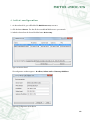
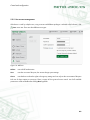
4. Devices found ..........................................................................................................................
5. Configuration of the device .......................................................................................................
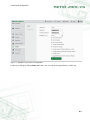
6. Login screen ............................................................................................................................
7. Manual outlet control ................................................................................................................
8. General outlet settings ..............................................................................................................
9. Watchdog settings ....................................................................................................................
10. Timer settings .........................................................................................................................
11. Date and time configuration ....................................................................................................
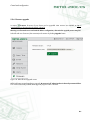
12. E-mail configuration ...............................................................................................................
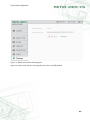
13. Network configuration ............................................................................................................
14. Serial Tunnel symbol on the front panel of the NETIO-230CS device .............................................
15. Serial Tunnel configuration ......................................................................................................
16. Add user ...............................................................................................................................
17. Detailed user permissions management .....................................................................................
18. Select file and upgrade screen .................................................................................................
19. NETIO restarts after finished upgrade .......................................................................................
20. System settings .......................................................................................................................
8
9
10
12
12
13
14
15
16
17
18
19
20
21
21
22
23
24
25
26
3