1
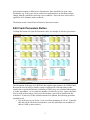
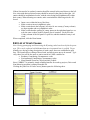
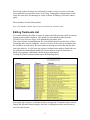
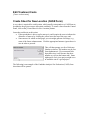
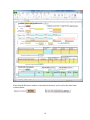
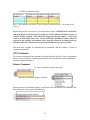
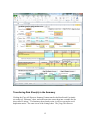
If these lists need to be updated, counties should be entered in the panel shown to the left. New cities with their associated county should be entered in the panel on the right. All entries should be in alphabetical order, with the cities being listed alphabetically within their county. When inserting new entries, make certain that the following rules are followed: Insert a row within the heavy blue lines. Make certain to insert in alphabetic order. Make certain that in the left panel, all cities for one county (County column) are kept together and are in alphabetic order . Make certain that the spelling of county names in the right-hand panel are exactly the same as those in the left panel (list of counties). Each cell in the County column of the left panel is a pick list, and this method of entry is advised. When completed, click the Done button. Edit List of Crash Causes Note: During prototyping and beta testing the Wyoming codes have been left in the prototype. This can be replaced with Alabama data once its potential use is verified. To potentially save keying in long descriptions of crash causes, these are established as pick lists. This button allows editing of those listed, and allows new ones to be entered. Typically, these lists will be the same as entries stored in CARE variables for: Roadway Contributing Circumstances codes Environmental Contributing Circumstances codes Most Harmful Event for Causal (at-fault) Vehicle Since CORRECT is primarily aimed at finding benefits for roadway projects, Driver and Non-Motorist causation is omitted from this list. Clicking the [Edit List of Crash Causes] button opens the following sheet. 7