1
LATIN TECH
WWW.LT-AUTOMATION.COM
DM2218C / EM2218C User’s Manual
Serial Commands
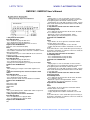
The communication protocol uses software handshake
on a perbyte basis. That is, for every byte it receives, the
system sends an confirmation byte to the DTE. The DTE
must not send the next byte until it receives the
confirmation byte.
Play File
DTE Sends: F### (### is the three-digit file number)
System Confirms: f### (### is the same file number as
above) If the file exists, it will be played once. If the file
does not exist, the system will simply ignore the
command. If the system is playing/paused when the ‘F’
letter is received, it will return the error code ‘e’ instead of
‘f’. At this point the command should be aborted. You
should use the Stop Playback command to stop the
currrent playback first before starting a new one.
Loop File
DTE Sends: L### (### is the three-digit file number)
System Confirms: l### (### is the same file number as
above) If the file exists, it will be played repeatedly. If the
file does not exist, the system will simply ignore the
command.
If the system is playing/paused when the ‘L’ letter is
received, it will return the error code ‘e’ instead of ‘l’
(lower case L). At this point the command should be
aborted. You should use the Stop Playbackcommand to
stop the currrent playback first before starting a new one.
Stop Playback
DTE Sends: S
System Confirms: s
If the system is not playing/paused, it will simply ignore
the command.
Otherwise it will terminate the current playback.
Pause Playback
DTE Sends: P
System Confirms: p
If the system is not playing, it will simply ignore the
command.
When the system is being paused, its Busy output (terminal
BY) is
still active.
Resume Playback
DTE Sends: R
System Confirms: r
If the system is not paused, it will simply ignore the
command.
Resume Playback
DTE Sends: R
System Confirms: r
If the system is not paused, it will simply ignore the
command.
Busy?
DTE Sends: B
System Confirms: b (if playing/paused) or s (otherwise)
Query Parallel Input Status
DTE Sends: Q
System Confirms: one status byte read from the parallel
input This command is usually used when the parallel
inputs are connected to switches, sensors and/or other
similar devices, and you want to know the on/off status of
these devices. Note that, although the status of these
devices can be read, they cannot be used to trigger the
audio because the Parallel Interface is disabled when
the Serial Port is enabled.
The status byte has T1 as the LSB and T8 as the MSB.
Note that an input is at logic “1” when connected to +5V or
left unconnected, and it is at logic “0” when connected to
0V (the ground).
This command can be issued at any time.
5209 NW 74 AVE. STE 202 MIAMI, FL. 33166 USA Toll free 1-888-832-7568 Tel 305-593-8999 Fax 775-637-6825