1
4
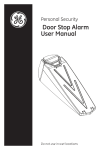
batteries in place while pulling the battery
isolation tape out. Once the isolator tape is
removed the alarm is active.
Low Battery Indicator
The alarm has a low battery indicator light.
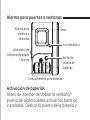
Push the ‘Battery Test’ button located inside
the battery compartment. If the green light
illuminates when the button is pressed, the
batteries are still good. If the light fails to
illuminate, replace all batteries.
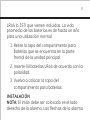
INSTALLING BATTERIES
The alarm requires (4) LR44 (or 357) button
batteries (included). Average battery life for