1
Linux Driver Support
3)
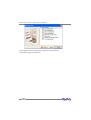
When prompted “Do you have a driver disk?”, select “Yes”. At the “Insert
your driver disk and press OK to continue. ” prompt, insert the driver
diskette and then select “OK”.
4)
The system will now load the RocketRAID driver automatically.
3 - Installing the RocketRAID 2522 driver for an Existing System
Note: If a SCSI adapter is used to boot the system, make sure the RocketRAID host
adapter BIOS loads/posts after the SCSI adapter’s BIOS. It may be necessary to
move the adapter(s) to another PCI slot.
Step 1 Obtain the Driver Module
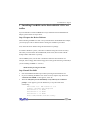
Extract the module file from the file modules.cgz (from the driver disk) using the
following commands:
# mount /dev/fd0
# cd /tmp
# gzip -dc /media/floppy/modules.cgz | cpio -idumv
Driver modules for all supported kernel versions will be extracted. The driver module
for the active kernel is located under the directory that matches the kernel version (/
tmp/‘uname –r‘/i686/rr2522.ko).
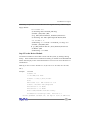
After extracting the driver module, load it using the following commands:
# modprobe sd_mod
# insmod rr2522.ko
Arrays attached to the adapter can be accessed as SCSI devices (e.g. /dev/sda).
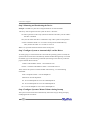
Step 2 Mounting and Partitioning the Device
Example: A RAID array has been configured between several hard disks.
This array will be registered to the system as device “/dev/sda”.
To create a partition on this array (which will listed as /dev/sda1), use the “fdisk /
dev/sda” command.
Next, use the “mkfs /dev/sda1” command to setup a file system on this partition.
5-2