1
CONTENTS
1.
INTRODUCTION ·················································································· 5
Tradem arks ································································································ 5
About the Delfi Nova Handy Term inal ·························································· 5
Accessories ································································································· 5
2.
SAFETY REGULATIONS ········································································· 6
2.1.
General Safety Rules ········································································· 7
2.2.
Power Supply ··················································································· 7
2.3.
Laser Safety ····················································································· 7
2.4.
LED Safety ······················································································· 9
2.5.
FCC RF Exposure ············································································· 9
2.6.
CB Scheme ······················································································ 9
2.7.
FCC Part 15 Regulation ······································································ 9
2.8.
Canadian Compliance ········································································ 9
2.9.
Radio Compliance ············································································ 10
2.10.
WEEE Compliance ··········································································· 10
2.11.
China Compliance ············································································ 11
3.
GETTING STARTED ············································································ 11
3.1.
Install the Battery ·············································································· 11
3.2.
Charge the Batteries ········································································· 12
3.3.
LED Indicators ················································································· 13
3.4.
Guidelines for Battery Pack Use and Disposal ········································ 13
3.5.
Turn Your Device On········································································· 14
3.6.
Desktop ·························································································· 15
3.7.
Indicator Icons ················································································· 15
3.8.
Using the Stylus ··············································································· 16
3.9.
Selecting Program ············································································ 16
3.10.
Pop-Up Menus ················································································· 16
3.11.
Using Windows Explorer ···································································· 17
4.
GET TO KNOW YOUR DEVICE······························································· 17
4.1.
Feature of Your Device ······································································ 17
4.2.
Delfi Nova Handy Terminal ································································· 17
4.3.
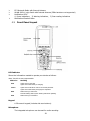
Front Panel Layout ··········································································· 18
4.4.
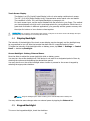
Display Backlight ·············································································· 19
4.5.
Keypad Backlight·············································································· 19
4.6.
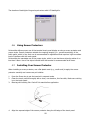
Using Screen Protectors ···································································· 20
4.7.
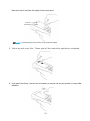
Installing Your Screen Protector ·························································· 20
4.8.
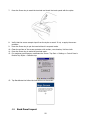
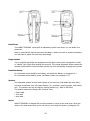
Back Panel Layout ············································································ 22
4.9.
Left Side Panel Layout······································································· 24
4.10.
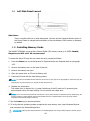
Installing Memory Cards ···································································· 24
1