1
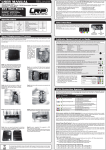
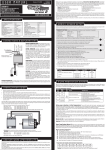
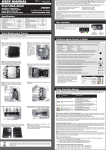
USER MANUAL RA00xxx Version: 25.10.11 © LRP electronic GmbH 2011 V4.0 Firmware LRP electronic GmbH Wilhelm-Enssle-Str. 132-134 73630 Remshalden, Germany [email protected] - www.LRP.cc ONLY!!! 80905 & 80955 # Brushless Competition Dual ADPCMOD Power Profiles TwinBEC 6.0V/3.0A USB Software Updateability Thank you for your trust in LRP products. Your LRP SXX Series Version 2 has been updated to the v4.0 firmware which affects the functions of your your speed-control and makes your original manual obsolete! This v4.0 firmware is perfectly tuned for 1:10th TouringCar Modified, please use other firmware files which will be better suited for those other classes. Improvements over previous firmware versions: • Dual ADPCmod.3 Feel & Boost profiles, perfectly tuned for 1/10 TouringCar Modified racing. • Active Torque Control for perfectly adjustable torque & throttle control. • Adaptive Brake Response for best control over entire speed-range and sharp brake response. • Fading Compensation algorithm for linear feeling over entire run. Please read the following instructions carefully before you start using your speed control. This user guide contains important notes for the safety, the use and the maintenance of this product. Thus protecting yourself and avoid damages of the product. Proceed according to the user guide in order to understand your speed control better. Please take your time as you will have much more joy with your product if you know it exactly. This user manual shall be kept in a safe place. If another customer is using this product, this manual has to be handed out together with it. !!! IMPORTANT !!! Make sure that you do a factory reset (press SET button while turning speedo on, with battery connected) after you have completed the firmware update to v4.0! Otherwise malfunction or even damage may occur because of corrupted ROM in the microcontroller!!! Calibrate Speed-Control to Radio In setup mode the speed-control stores every step (e.g. learning your radios neutral and endpoints) by pressing the SET button. All the settings will be stored in the memory even if it will be disconnected from the battery. TRANSMITTER SETTINGS: Setup the following basic functions on your transmitter (if available): Specifications 80905 Pure Brushless Competition Forward/Brake Footprint Height Weight (excl. wires) Voltage Input Typ. Voltage Drop* @20A Rated Current* Compatible winding styles Rec. Motor Limit (@7.4V) Plugged Fan 80955 yes yes 30.5 x 33mm 16mm 21mm 30g 36g 3.7 - 7.4V 0.011V / phase 400A / phase Star >4.5T >3.0T optional yes Throttle Travel Brake Travel Throttle Exponential Neutral Trim Servo Reverse 80905 & 80955 6.0V/3.0A yes yes yes yes yes yes 3.3mm² yes TwinBEC C³ Technology X-Brake „Boost 0“ Mode Multi-Protection-System 3 Internal-Temp-Check System 3 Blue LED Power Wires USB Software Updateability 4 adjustable Modes (ACS2, Dual ADPCMOD.3, Autobrake) • Ensure that the speed-control is not connected to the drive battery and is switched off. • Remove motor pinion or ensure that the wheels of the model are free to rotate. • Switch the transmitter on and set the transmitter throttle stick to neutral. • Connect the speed-control to the battery and switch the unit on. • Hold the SET button pressed for at least 3sec. You entered setup mode and the SET LED flashes blue (it will flash until the setup is completed). yes • Leave transmitter in neutral position and press the SET button once. Neutral setting is stored , MODE LED flashes yellow and the motor beeps. • Hold full throttle on transmitter and press the SET button once. Full-throttle setting is stored, MODE LED flashes red. • Hold full brake on transmitter and press the SET button once. Brake setting is stored, LED‘s glow red (MODE) and blue (SET). Receiver Connecting Wire: The SXX-Series V2 is equipped with an LRP Multicon receiver wire. As supplied, it will easily fit in all ordinary receivers. Make sure you connect it to receiver with correct polarity and use channel 2. Power Wires: For maximum performance, flexible silicone power wires without any connectors are used. The splitted solder-tabs allow easy and convenient replacement of the power wires. Nevertheless some soldering skills are required. Avoid soldering longer then 5sec per joint to avoid possible damage due to overheating of the components! Receiverwire On/Off - Switch Sensor Connector (underneath solder tabs) MOT.A (Blue) BAT - (Black) MOT.B (Yellow) MOT.C (Orange) BAT + (Red) Connections & Explanations Sensor Connector: The bi-directional multipole sensor wire connects the speed-control and the motor. Always use the sensor wire and do not alter or modify this cable! There are replaceable/optional hall sensor wires available. Through this connector this speed-control can be updated to the latest firmware using the optional „USB Bridge“ #81800. Heatsink: To achieve best perfomance even under extreme conditions, the heatsink has been directly mounted to the speed-control. This ensures the best possible heat transfer away from the speed-control. Caution: Never attempt to remove the heatsink or your SXXSeries V2 may get damaged! The heatsink is an integral part, glued to the fet‘s and therefore cannot be removed. Plugged Fan (#80955 only!): your speed-control contains a high-performance low-profile (25x25x7mm) fan and blue anodised aluminium screws. The fan can be mounted on top of the heatsink and should be used for tough applications in hot conditions such as TC Modified or 4wd OffRoad. As a guideline we recommend using the fan when using 2S LiPo and motors with less then 5.0T. The fan get‘s plugged into the 3-pin connector on the front and there is a replacement fan set available, please refer to complete line-up under point „Spare- and Optional Parts“. On SXX Competition Version 2 (#80905) model you can also connect an optional fan to the same „port“ if needed. • This completes the setup procedure and your SXX-Series V2 is ready to use. • If you make a mistake during the setup procedure, don‘t worry: Disconnect the battery for about 10sec and start again from the first step. • At the start of each run switch on the transmitter first, then switch on the car. • At the end of each run switch of the car, and then switch off the transmitter. • For storage of the car, disconnect the drive battery at any time! Check the LED‘s when moving the throttle on your radio to doublecheck everything is setup correctly. Function Status Mode LED Set LED Neutral Neutral (when „Boost Zero“ enabled) Forward Brake The SXX-Series V2 comes supplied with flexible 3.3mm² silicone power-wires without connectors. Be very careful with the correct wire sequence/colors since an incorrect connection may damage the speed-control! Avoid creating solder bridges on the solder-tabs and isolate all connections carefully. • Connect the speed-control to the receiver (position: Channel 2 • Blue power-wire Speedo MOT.A to motor „A“ • Yellow power-wire Speedo MOT.B to motor „B“ • Orange power-wire Speedo MOT.C to motor „C“ • Connect the hall sensor cable to the speed-control (underneath the solder-tabs) and the motor. --partial throttle full throttle partial brake full throttle blue flashes blue off blue off blue off yellow red Multi Protection System 3 New and improved protection system „MPS3“ which also informs you the cause of the shutdown with a special LED flashing sequence. You can indicate that a shutdown occured when blue SET LED flashes very fast and the „error code“ (= cause for shutdown) is indicated by the MODE LED‘s as explained in table below. Error Code LED flashing sequences: Installation Guide • Position the speed-control and capacitor where they are protected in the event of a crash and give you easy access to the connectors and buttons. • Mount the speedo and capacitor using the supplied thick/black doubled-sided tape • Make sure there is enough clearance between the speed-control, power-wires, antenna and receiver. Avoid any direct contact between power components, the receiver or the antenna as this can cause interference. If interference occurs, position the components at a different place in the model. • The aerial should be run vertically up and away from the receiver. Avoid contact with any parts made of carbon fibre or metal. If the aerial is too long, don’t coil up the excess length. See also the instructions supplied with your radio control system. 100% 100% start with 0 centre any setting, don‘t change after set-up procedure! If your transmitter doesn‘t offer any of above functions, it‘s already in „basic setup“ mode. * Transistors rating at 25°C junction temperature Specifications subject to change without notice. Power Capacitor High ATV, EPA Low ATV, EPA, ATL EXP, EXPO SUB Trim Throttle Reverse Error Code Mode LED‘s #1 Yellow #2 Red #3 Yellow/Red (alternate) #4 Yellow/Red (same time) Set LED Blue (fast flashing) Reason Possible Cause MOD Speed-Control Thermal Shutdown 1. too high settings for ADPC Dual power-profiles? 2. too high gear ratio? 3. too low motor wind for application? Motor Thermal Shutdown 4. too high mechanical motor timing? 1. battery empty or wrong setting in ACS2? 2. battery damaged? Battery Low Voltage Cut-Off 3. motor too strong for battery discharge capability? 4. poor connection (bad connector, bad soldering joint)? 1. sensor wire missing or defective? Motor Failure 2. drivetrain stuck? 3. motor defective (locked rotor, damaged sensor)? Internal-Temp-Check System 3: allows you to read-out the maximum internal temperature that the speedo and motor have reached during the run. You can convienently read-out the temperature back in the pits since it remains stored until you turn it on the next time regularly (which will reset the memory). This feature allows you to accurately check if all is running well or if you‘re close to shutdown already. How to read-out the temperature: switch at „OFF“ position. keep MODE button pressed while you turn switch to „ON“ (then release button). at first speed-control temperature will be indicated. SET LED will start to flash blue (MODE LED‘s are off) .... count the number of flashes.The higher the number, the hotter the speedo ran (shutdown occurs at 10 flashes). to change to motor temperature read-out, press MODE button one more time. SET LED will start to flash blue (MODE LED‘s are off) again, for motor the LED‘s on time will be shorter. count the number of flashes.The higher the number, the hotter the motor ran (shutdown occurs at 10 flashes). every flash below 10 equals to 5°C temperature decrease. -A C Hall Sensor Wire B blue + orange C yellow Temperature chart (speed-control and motor temperature): B A • Doublecheck all connections before connecting the speed-control to a battery. Caution: If battery is connected with reversed polarity it will destroy your speed-control! • Red power-wire Speedo BAT+ to battery „Plus“ • Black power-wire Speedo BAT- to battery „Minus“ • The speed-control is now ready to be set-up. #1 > -45°C > -81°F #2 -40°C -72°F #3 -35°C -63°F #4 -30°C -54°F #5 -25°C -45°F #6 -20°C -36°F #7 -15°C -27°F #8 -10°C -18°F #9 -5°C -9°F #10 Shutdown Caution: motor temperature read-out only works if motor has a built-in NTC temperature sensor! Active power reduction at critical temperatures: The cut-off function for both motor- and speed-control temperature is now an active type, in case you‘re getting near critical motor- or speed-control temperatures the speed-control will automatically switch to „Boost0“ mode during operation. This function allows you to finish your run or at least reach the pitlane during running, at reduced speed, as otherweise you would not finish your run! Info: the critical temperature, at which this protection triggers, is considered as equal to 9 flashes! The blue LED will flash, in case the 9 flashes where reached during the run (to indicate it has switched to „Boost0 mode“), but this mode will of course not be stored in the memory but your choosen profiles will be active for next run (after switching off/on) again. You should not exceed 8 flashes during normal use for both motor- and speed-control temperature, please adjust your profiles, gearing and motor accordingly, so you stay within these safe limits. At your own risk: if you wish to disable motor temperature cut-off completely you can do so by using value 0 in Mode.1. We call this function „Hardcore Racing Mode“. as it also disables the cell-voltage cut-off completely. Important: The speed-controls thermal cut-off can not be disabled! Mode Programming AutoCell System 2 & TwinBEC The SXX-Series V2 features 4 modes which enable you to adjust it 100% to YOUR special requirements. The factory settings are shown in grey colour. • How to get into „programming the modes“ Press MODE button for 3 or more seconds. • How to check the stored values Count the number of flashes of the blue SET-LED (* = value 1 | ** = value 2 | etc.). • How to change the value Press SET button to increase value by one step. • How to get to the next Mode Press MODE button once. • How to leave the programming mode If you are in MODE.4, press the MODE button one more time, which will also store the settings! Important: do not turn the switch off before leaving Mode 4 (by one more press of MODE button) as otherwise your recent changes won‘t be stored in the memory of the SXX-Series V2! Table of settings, values and modes: see below (grey-shaded values show „works default settings“) AutoCell System 2: ensures that all batteries can be used safely for all applications, please select the correct Mode.1 (ACS2): v4.0 firmware only has cut-off function for 2S LiPo use, disable cut-off for all other batteries! Dual ADPCmod.3 Profiles LED flashes Remark Cut-Off Voltage Yellow use for #0 disabled #1 6.4V 2S LiPo Important: Using value #0 in this mode will also disable the motor temperature cut-off function! Please refer to section „Multi Protection System 3“ for further details. Mode.2 („Feel / Active Torque Control“): LED flashes Remark Current Limiter Red Torque Timing % use for motors #0 none 0% ALL #1 #2 #3 high 40% 45% 50% X12 motors #0 0% -- #1 25% #2 29% #5 #6 med high 0% all other motors #3 #4 33% 37% slow #5 41% #0 disabled #1 TwinBEC: a true BEC revolution! Constant 6V/3A output with input voltage from 3.0 to 7.4V, no need for a receiver battery or booster circuit even with 1S LiPo due to the integrated buck/boost technology! There is no point in using a receiver pack in any class with SXX-Series V2. there is no benefit when using one! If you still want to use a receiver pack, connect it to the receiver directly and leave the speed-controls switch in OFF position. Make sure the receiver packs voltage is within your receivers & servo‘s limitations (the speed-control itself can accept up to 7.4V from receiver pack),. (Mode.2 & Mode.3) Allows you to adjust the SXX-Series V2‘s characteristics to different motor types, classes and personal likes! These two mode‘s combine LRP‘s completely revised active motor timing system, where the software calculates the best commutation & timing for „Torque/Feel“ and „Boost/RPM“. Please take your time to understand the two modes and their functions, otherwise you will not fully benefit from the latest achievements built into this speed-control. Be aware that Mode.2+3 are something entirely new and not the same as the settings we had on Version1 speedo, so do not try to „transfer“ your knowledge from old speedo to new SXX-Series V2! Group B (4 - 6) for use with all other motors (such as LRP X11, Novak, Tekin, SP, Orion, Epic, GM, Corally, etc) higher value means faster power-delivery (e.g. 6 will have more torque then 4) #6 45% Advise: running X12 motors with profiles 4-6 will result in much higher motor temperatures. Mode.4 (Automatic Brake): allows you to set a slight braking action when your trigger is in neutral range. LED flashes Yellow/Red (same time) value according to our table under „Mode Programming“. When the battery voltage reaches the selected cut-off voltage, the motor function will be disabled and the LED‘s will indicate that the shutdown has occured due to undervoltage of your batteries (see right side „Multi Protection System 3“ for further details). Caution: WorksDefault setting is 2S LiPo, so if you use other batteries you need to adjust Mode.1 before first use! Mode.2 („Feel / Active Torque Control“): there are two separate groups, which you need to choose from, based on motor type: Within those two groups (1-3 and 4-6) the profiles vary by torque settings which are the perfect tuning option for the power-delivery with TouringCars! Group A (1 - 3) for use with X12 & K4 motors, best efficiency & torque with those motors. higher value means faster power-delivery (e.g. 3 will have more torque then 1) #4 low Mode.3 („Boost / Timing“): LED flashes Remark Yellow/Red Boost Timing % (alternate) RPM Ramp (Mode.1) #2 #3 #4 #5 #6 #7 #8 #9 Going from lowest to highest automatic brake setting (value 1 = minimum / value 10 = maximum) #10 Special Features (further explanations) Lower Motor Temperatures: LRP‘s engineers succeeded to further improve the commutation algorithm, Mode.3 („Boost / Timing“): adjusts the boost timing %, which is applied to the motor based on it‘s RPM. There are 6 profiles (see chart on left side with details and numbers) and these are spread over useful timing range for 1/10th TouringCar Modified racing. Higher settings will give you more overall power, especially midrange to topend. Boost Zero Mode If value #0 is choosen for Mode.2 AND Mode.3 (e.g. factory default!) the blue LED will flash in neutral trigger position to indicate that entire timing advancement is disabled for „true stock racing“ as required by certain federations! which results in much lower motor operating temperatures then when other speed-controls are used. Our own extensive testing has shown up to 20°C lower motor temperatures, with same power then before! Adaptive Brake Response: newly revised brake with sharper response and super-linear feeling! USB Software Updateability Fading Compensation: a special algorithm compensates the feeling that the car may act slightly different with fully charged batteries vs. semi-full batteries. This algorithm takes that into account and compensates for that offset, so the feeling should remain about the same for the entire run. IThrough the sensor connector the SXX-Series V2 can be updated to the latest firmware available for download at www.LRP.cc. The optional „USB Bridge - Speedo Firmware Update + PC-Link“ (#81800) and a PC are required to do so, please refer to LRP website and the manual which comes with the interface for exact details how to do software updates to your speed-control. The same USB-Bridge can be used to update all the latest LRP speed-controls (80905, 80955, 80880, etc). Please check guide at ww.LRP.cc for further details. A good starting point for the brake setting on your radio is 80% for all classes. Make sure you do the radio-setup with all settings on the radio on 100%! Changing Mode Settings without the Transmitter: simply disconnect the receiver lead from the receiver and change the MODE settings on the speed-control as described under „Mode Programming“. Works-Default-Settings: All LRP speed-controls come factory-adjusted (defaults are grey-shaded). If you loose track of the modes, you can restore the works default settings easily. With your radio switched on, hold the SET button pressed while you switch on the speed-control. This returns the unit to our works default settings. Spare- & Optional Parts Power Capacitor: Never run without a power-capacitor! It is needed for protection and increases punch, it LRP offers a comprehensive line of accessories, as well as particular spare- and optional items. Here you find an overview, for a full picture please visit our website at www.lrp.cc: must be connected to BAT+ and BAT- solderpads with shortest possible wires. C³ Technology (Copper Core Cooling): lowest running temperatures, a special copper core bonds the bottom side fets to the heatsink for even cooling of all fet‘s which results in higher power towards the end of the run and a lower motorlimit. Troubleshooting Guide To eliminate all other possibilities or improper handling, first check all other components in your model and the trouble shooting guide before you send in this product for repair. If products are sent in for repair, which do operate perfectly, we have to charge a service fee according to our pricelist. Always check error by checking LED error code first, this gives you a good indication were to search! Symptom Cause Remedy Motor overheats False settings on Mode‘s 2 and/or 3 Too high mechanical motor timing Too little motor cooling Wrong Gear ratio False settings on ADPC Dual MAX.2 Transmitter settings changed after set-up Power Capacitor damaged Motor or sensor-board in motor defective Speed-control defective Speedo plugged in incorrectly Multiprotection System activated Wiring problem Sensor wire missing/defective Motor defective Speedo defective Speedo connected to receiver with wrong polarity Wiring problem Battery defective Crystal, receiver or transmitter defective Speedo defective Sensor wire defective Motor or sensor board in motor defective Radio interference Power capacitor damaged Speedo defective Model with reversed gearbox! Adjust settings of Mode‘s 2 + 3 Decrease mechanical motor timing Add cooling fan and/or heatsink Adjust gear ratio Adjust settings under ADPC DualMAX.2 Repeat set-up procedure Replace Power Capacitor Replace sensor-board or motor Send in product for repair Plug speedo to receiver as Ch.2 Check settings for your application Check wires and connectors Install/replace sensor wire Replace motor Send in product for repair Connect speedo with correct polarity Check wires and connectors Replace with different battery pack Replace components one by one Send in product for repair Replace sensor wire Replace sensor board or motor Change location of components Replace power capacitor Send in product for repair Can not use a sensored brushless system! Wrong setting in ACS2 (Mode.1)! Model used too often without cool-down periods Motor stronger than motorlimit or input voltage too high Stuck drivetrain or ball-bearing Motor defective Transmitter settings changed after set-up Humidity/water in speedo Motor or sensor board in motor defective Receiver or antenna too close to power wires, motor, battery or speedo. Receiver aerial too short or coiled up Receiver defective, too sensitive; Transmitter defective, transmitter output power too low, servo problem Poor battery connection Transmitter batteries empty Change value of ACS2 (Mode.1) accordingly Let cool down after every run Use only motors and batteries which are within the specifications of the speed-control Maintain model Replace motor Repeat set-up procedure Immediately unplug and dry speedo Replace sensor board or motor See „Installation Tips“ and „Installation“ Insufficient performance. E.g. poor power, topspeed or brake Servo is working, no motor function No servo and no motor function Motor stutters while accelerating Motor runs in reverse when accelerating forward on radio Speed-control switches off frequently Motor never stops, runs at constant slow speed Radio interference Replace components one by one Only use original manufacturers crystals Check plugs and connecting wires Replace / recharge transmitter batteries #82512 #82505 #82506 #81907 #81908 #819307 #819310 #819315 #819320 #82530 #82531 #81800 Low Profile cooling fan (incl screws) Power-Wire Set Brushless 2.6mm² (red, black, blue, orange, yellow) Power-Wire Set Brushless 3.3mm² (red, black, blue, orange, yellow) 3.3mm² Powerwire black (1.0m) 3.3mm² Powerwire blue (1.0m) Sensor-Wire „HighFlex“ 70mm Sensor-Wire „HighFlex“ 100mm Sensor-Wire „HighFlex“ 150mm Sensor-Wire „HighFlex“ 200mm SXX Version 2 Powercapacitor „WorksTeam“ 3.7-4.8V SXX Version 2 Powercapacitor „WorksTeam“ 6.0-7.4V USB Bridge - Speedo Firmware Update + PC-Link Repair Procedures / Limited Warranty All products from LRP electronic GmbH (hereinafter called “LRP”) are manufactured according to the highest quality standards. LRP guarantees this product to be free from defects in materials or workmanship for 90 days (noneuropean countris only) from the original date of purchase verified by sales receipt. This limited warranty doesn’t cover defects, which are a result of misuse, improper maintenance, outside interference or mechanical damage. „This applies among other things on: • Cut off original power plug or not using reverse polarity protected plugs • Receiver wire and/or switch wire damaged • Mechanical damage of the case • Humidity/Water inside the speed control • Mechanical damage of electronical components/PCB • Soldered on the PCB (except on solderpads) • Connected speed-control with reversed polarity“ To eliminate all other possibilities or improper handling, first check all other components in your model and the trouble shooting guide, if available, before you send in this product for repair. If products are sent in for repair, which do operate perfectly, we have to charge a service fee according to our pricelist. With sending in this product, the customer has to advise LRP if the product should be repaired in either case. If there is neither a warranty nor guarantee claim, the inspection of the product and the repairs, if necessary, in either case will be charged with a fee at the customers expense according to our price list. A proof of purchase including date of purchase needs to be included. Otherwise, no warranty can be granted. For quick repair- and return service, add your address and detailed description of the malfunction. If LRP no longer manufactures a returned defective product and we are unable to service it, we shall provide you with a product that has at least the same value from one of the successor series. The specifications like weight, size and others should be seen as guide values. Due to ongoing technical improvements, which are done in the interest of the product, LRP does not take any responsibility for the accuracy of these specs. LRP-Distributor-Service: • • • • Package your product carefully and include sales receipt and detailed description of malfunction. Send parcel to your national LRP distributor. Distributor repairs or exchanges the product. Shipment back to you usually by COD (cash on delivery), but this is subject to your national LRP distributor‘s general policy. The crossed-out wheeled bin means that within the European Union the product must be taken to seperate collection at the product end-of-life. Do not dispose of these products as unsorted municipal waste.