1
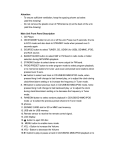
9.1 Remote Controller Key Descriptions:
1) Power:
2) Ch+/Inc:
3)
4)
5)
6)
7)
8)
Ps:
9)
Start/Stop.
The selector marker shift upwards while press this key
when the menu displays, otherwise (just TV input) channel
increase while press.
Ch-/Dec: The selector marker shift downwards while press this key
when the menu displays, otherwise (just TV input) channel
decrease while press.
Menu:
Enter menu.
Exit:
Exit menu.
Select:
Select a menu item.
Vol+:
Volume control increases while press this key when the
menu doesn’t display, otherwise it is increase or selection.
Vol-:
Volume control decreases while press this key when the
menu doesn’t display, otherwise it is decrease or selection.
Hereinbefore 7 key correspond with the 7 key in TV BOX, but it
have not compound key feature.
:
Channel inc/dec (just TV Input).
10)
11) Mute:
12) 0-9:
13) Res:
14) Recall:
15) SCAN:
16) MTS:
:
Volume adjusts.
Disable/enable audio output.
Direct select channel and need not set the digit. After
pressed these numbers, the new channel No. would
displayed with green character, Wait 1~2 seconds, switch
to new channel, the channel No. character turn to natural
white. If the number selected more than the maximum of
the preset channel, the channel No. will be adjusted to the
maximum automatically.
Reset key, this key corresponds with the compound key
K1K2K4 in TV BOX. Press the power key could start TV
BOX after reset success.
Return to the last selected channel while press this key.
Browse all TV channels which preset while press this key.
Open/close “channel No./band” OSD while press this key.
©2004-2006 Copyright by AverLogic Technologies, Corp.
10