1
®
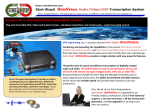
Instruction Manual for the
Start –Stop Universal
Transcription System
•
Perform foot-pedal activated transcription on any sound-card equipped
PC using Windows 7, Vista, XP/XP Pro, ME, 2000, or 98™
•
Turn your PC into a universal, high-quality transcription machine, using
your feet to activate up to 3 separate foot pedals.
VERSION 11.0 Network PRO
With TrueSpeech™, Ultra-Play, Variable Speed,
Bookmarks, File Conversion, Job Manager, Smart
Line Counter, Auto-Notify and Work Sharing
HTH Engineering, Inc. , Tarpon Springs, FL 34688 USA
TEL: (727) 939-8853 or (866) 254-0714 (USA & Canada)
FAX: (810) 821-6940 http://www.startstop.com
Copyright © 1998-2010 All Rights Reserved
Table of Contents
Page
3
3
3
6
12
15
16
18
19
19
20
21
22
23
26
28
28
30
32
33
34
36
37
39
41
42
43
45
45
47
47
49
51
52
50
50
52
53
53
53
53
54
54
55
55
What You’ll Need to Use the SSTS
What is Included with Your SSTS
Installation Instructions
Overview of Features
New Features for Version 11.0
How to Use the Start-Stop Transcription System
Features of the Control Panel
Start Stop Ultra Job Manager
How to Play a File
Marking/Setting Job Status
Setting Up Job Manager Hot Keys
Job Manager Screen Controls and Resizing
Settings Window for the Job Manager
Job Sharing for Multiple Transcriptionists
Network Pro Settings
Automatic Job Notification
Show/Hide Columns Menu
Special Dictation Formats Supported by Start Stop
Book Marks
Recording Mode Bookmarks
Smart Word Line Counter Feature
Stop Watch Feature
Playing Music CDs (Audio Compact Discs)
FTP (File Transfer Protocol Client)
Recording and Conversion of Files from One Format to Another
Mouse-Operated Control Bar Functions
File…Configure Menu Items
Time Stamp Functions
Purpose and Uses of Time-Stamping
MP3 Play/Recording Quality
Associate Files with Start-Stop
Automatic HIPAA-Compliant Decryption of Files
Window. . .Set Screen Size
Recently Opened Files
Accustamped Technology
Notes on Recording Formats and E-Mailing files
Sending Files Securely
Using the SSTS with Word Processors
Playing Non-Standard Files
Converting Non-Standard files to Standard Microsoft .WAV or TrueSpeech™ .WAV
Format or MP3 Format
Specifications
APPENDIX A – “.VI” Advanced Command-Line Interface
APPENDIX B – Time Stamp Control Codes (optional)
Tech Support
LIMITED WARRANTY
2
CONGRATULATIONS!
Thank you for purchasing the Start-Stop Universal Transcription System
(SSTS).
WHAT YOU’LL NEED TO USE THE SSTS
-A PC (laptop, portable or desktop) running Windows 7, Vista, XP/XP Pro, ME,
2000, or 98™ with a sound card and speakers or a headphone, that interfaces
to one of the following types of ports, depending on the type of foot pedal
ordered:
USB port (Models #30010, #30014, #30016, #30018)
Or…Serial Port Connector (9 pins). (Model #30030, #30040)
-A microphone or audio input source, if you plan to use it for re-recording from
tapes or from a microphone. Some multimedia laptop PCs have a built-in
microphone; others require an external microphone.
WHAT IS INCLUDED WITH YOUR SSTS
QTY
Description
1
Start-Stop Transcription Pedal/Control Assembly
1
SSTS Transcription Software on CD-ROM
1
Instruction Manual (this manual)
INSTALLATION INSTRUCTIONS
1)
Close all open applications on your PC, and temporarily disable all
Anti-Virus and Anti-Spyware software. Then Insert the Start-Stop
Installation CD-ROM into your computer. You do not need to disable
Firewalls. The Start-Stop Installation Software should begin automatically
after several seconds:
3
Please follow the on-screen instructions, and answer “OK” or “Yes” to
questions asked. When the FINISH button appears, be sure to restart
your PC.
Note for IT Administrators: If you are installing this software on a computer that is
part of a corporate or office network that has limited rights or restricted user login
rights, please follow these steps: a) Login as Administrator b) Install software (it’s
recommended that you temporarily disable all running programs, including antispyware programs), c). After installation is complete, enable read/write privileges
for the Application path (normally c:\Program Files\HTH Engineering, Inc\StartStop Universal Transcription System\) and its subfolders, especially \bin and \temp
This will let the users save their preferences when using the application d) Run the
program and select foot pedal type. e) reboot the computer and log back in as the
user.
If the Install Software did not come up on the screen automatically as described,
then you will need to manually launch the installation. Open “My Computer”,
select the CD/DVD Drive with the Start-Stop disk in it, then double-click on
“setup.exe” to install.
2)
Launch the Start-Stop Transcription software by clicking on the icon n
on your desktop:
The first time you run the program, you will be asked to select a pedal:
4
Choose the type of pedal you have (“3-Pedal, USB DEFAULT” is
the model that’s included with the Start-Stop Universal
Transcription System Model #30010), then click OK and follow the
on-screen directions.
If you have a Philips™ brand USB Pedal or Philips 2305 Hand-Control:
select “Philips 3-Pedal USB” from above screen. Then, install the Philips
software CD-ROM that came with the pedal.
(If you make a mistake, or want to re-start this screen, click on
“Configure”…”Select Pedal Type” from the Start-Stop’s main screen). Note: If
you have a Serial pedal, or a Philips USB brand foot pedal, refer to Appendix D.
3)
Plug your Foot Pedal/Control into your PC
You should hear a “doorbell chime” sound indicating that the PC recognizes
that a device has been plugged in.
4)
Click on the Start-Stop Universal Transcription System Icon on your
desktop. You will see this screen:
Installation is now complete!
5
OVERVIEW OF FEATURES
Plays a large variety of standard and non-standard digital audio
file formats under foot pedal control, while using your favorite word
processor
•
Record from any audio source connected to your PC’s sound card, with
record time only limited by your PC’s hard drive capacity
•
Versatile software included to activate Record, Play, Pause, Stop, Fast
Forward, Rewind, Step Forward, Step Back, and Step Back after Pause
functions
•
Uses worldwide OPEN STANDARDS for the recording and playback
formats. Dictation or recordings you make or use with the SSTS can be
played back on any Windows 7, Vista, XP/XP Pro, ME, 2000, or 98™ machine
in the world, even if not equipped with the SSTS.
•
Total recording and playback compatibility Windows 7, Vista, XP/XP Pro,
ME, 2000, or 98™ standard multimedia .WAV files
•
Ability automatically to “SAVE AS TrueSpeech™…” and “SAVE AS
MP3” or “SAVE AS WAV...” The SSTS will convert .WAV files into
compressed TrueSpeech™ .WAV audio files, with an amazing 15:1
compression ratio compared to standard .WAV files. For example, a 10minute speech that would normally require about 10 Megabytes of disk
space only requires 650K if saved as TrueSpeech™.
•
E-mail your recordings. Since TrueSpeech™ and MP3 formats are already
built into everyone’s Windows 7, Vista, XP/XP Pro, ME, 2000, or 98™
machine, you can e-mail your dictation, speeches, or other recordings to
anyone. They can play back your recordings without special hardware or
software plug-ins.
•
Uses a single standard USB port, Serial Port, or Game Port on your PC,
depending on which pedal you have
•
Automatic file Decryption of HIPAA Encrypted files from
http://www.startstop.com/voicestation.asp and
http://www.startstop.com/transport.asp and Start-Stop Yodal for
Blackberry® , and myDictation for iPhone®
•
No batteries or external power supplies are required: The SSTS is selfpowered by your computer, making it practical to use in battery-powered
applications (for example, for use with a laptop PC).
6
•
Industrial-grade components and a custom microcontroller (serial and
USB versions) assure high reliability and rugged operation
•
Sophisticated pedal conflict resolution and debouncing techniques
assure high accuracy and instant response to every pedal press
•
Pitch/speed control from 50% to 300% on ALL types of .WAV
files (PCM, ADPCM, even TrueSpeech™ .WAV). You can play back your
dictation, and slow down or speed up the speech to ensure accurate
transcription.
•
Instant Sound Magnifier - plays the last few seconds after releasing
the play pedal at 70% of normal speed, so you don't miss that fast
burst of speech. The playback automatically returns to 100% (normal)
speed after reaching the point at which you released the pedal.
No need to manually adjust the pitch control every time you missed a burst
of speech--Start-Stop does it for you!
•
Mouse-click on pedals: The Pedal Icons move up and down if you click on
them, just as if you had pressed the real pedals.
•
"RECENTLY OPENED FILES" Window: Shows the last 8 files that you
have opened, for easy access to reopen. Shows the path so you never have
to guess where the file is located.
•
HIGHER-QUALITY AUDIO: Software analyzes the inputted file format and
optimizes the audio to reduce aliasing for improved sound quality.
•
Tool Tips: Every function and control on the Start-Stop Screen has
a pop-up help window when you "hover" the mouse over the control.
•
Separate "Step Back/Step Forward" and "Backstep after Pause" STEP
AMOUNT adjustment windows.
•
File format Information displayed includes:
- File Type (e.g., DSP Group TrueSpeech™,PCM, MS ADPCM)
- Sample Rate (K bits per second)
- Amplitude (4,8,16 bits),
- Total size in Kb, and Total Length in Hours, Minutes and Seconds
•
Software automatically records your configuration preferences
each time you use it, so that the next time you launch the program,
you're ready.
7
•
EXTENDED PLAY- Plays EVEN More Non-Standard Dictation Audio
Formats : Express Dictate's .DCT file format, Olympus, Sanyo Digital
Recorders, Philips 9300 and 9350 Digital Recorders (SP Mode). Philips
Speech Mike (CELP), Lanier Digital Recorders, Plays BCB “PlayAll™”
TrueSpeech, UHER DH-10, Dictaphone Walkabout, Voice-It™ .SRI
Format, “Bitescrybe” VOX formats, Crescendo™, BVP, Creative
Soundblaster VOC, Speex™ and OGG Speex™, NICE Player .AUD,
OKI/Dialogic™ .VOX format (used in many dictation systems and
computerized telephony systems), Digital Voice™ call-in systems,
Dictaphone™ Digital Express and similar call-in systems (e.g., .AUD
files), (VOX 8KHz sample rate, 4-bit ADPCM, with headers), and
DVIPS™ (VOX 6KHz sample rate, 4-bit, ADPCM). Also plays GSM,
Mu-law and A-Law (Sun™ Microsystems) non-standard .WAV files.
•
Newer Formats: Supports .MP3 and Olympus .DSS, plus “.DCT”
format, Sanyo Digital Recorder, ProCat™ Windows .WMA, Evercom
and T-Netix Call Monitoring formats, and CCITT A-Law Stereo, .VAC
format, ExpressScribe .DCT, Philips SpeechMike, Nice .AUD format,
Speex, OGG Speex in addition to the comprehensive list of standard
and proprietary formats already supported.
Even More Formats:
New Version 11 supports audio playback of:
Start-Stop Yodal for BlackBerry®, myDictation for iPhone®, Blackberry®
.AMR, BlackBerry® .AMR audio format, RM, IVF, MTS, MPEG, MPG,
VOB, MP4, F4V, MOV, MWV, FLV, and SPX (see “what’s new”, below)
•
“ALWAYS ON TOP” feature lets your Start-Stop stay on top, adjust its
size and position on the screen, like a Post It™ note, or underneath
your word processor, or minimized in the background entirely.
•
Converts Non-standard Formats to Standard Formats: (e.g., .VOX,
Mu-Law, A-Law, .VOC) to standard Microsoft .WAV or TrueSpeech™
.WAV for storage or forwarding via e-mail.
•
BookMarks lets you keep track of and save up to 16 positions within
each file transcribed and recorded! Label any bookmark with a
sentence, note or phrase as a reminder. Instant click-retrieval takes you
to that position.
•
Ultra-fast loading of WMA and MP3 files even if files are many hours
in length.
•
Stop-Watch Timer lets you keep track of how long you’ve worked on
each job for billing customers and clients by time.
8
•
Option to View “time-stamp time” for audio clips that are corrected for
real time or user-entered time offsets.
•
Built-in “Smart” Word Line Counter lets you keep track of how many
characters or lines you’ve typed for productivity and for billing your
customers. Line counter is “Smart” and lets you multiplex your tasks
with email, etc. while still keeping an accurate line count within your
favorite word processor.
•
Network Support Feature, allows multiple transcriptionists to open
up the same file on a network drive at once and transcribe it. This is
especially helpful when tackling a large job in a short period of time
•
Fully supported integration with the Start-Stop Folder Mole
(http://www.startstop.com/foldermole.asp) provides Automatic
User notification when new dictation comes in, even if Start-Stop
Universal Transcription system is not running. For a limited time only,
new purchases of Start-Stop Universal Transcription System Version 11
or higher entitle you to download and install (1) copy of Start-Stop
Folder Mole for each Start-Stop Universal Transcription System you’ve
purchased. A copy of Start-Stop Folder Mole is located on your
installation CD ROM as well.
•
PLAY URL button allows entry of any supported media clip on the web
by merely entering the URL web address (example:
http://www.startstop.com/samples/Reagan.wav )
•
PRINT JOB MANAGER FUNCTION prints a detailed view at an instant
of the jobs that are being/have been transcribed.
•
Productivity Enhancements to the built-in Job Manager:
-Automatic Pop-up Notification of new work received
-Monitors Multiple Sub-Folders at once
-Optionally rename files when moving them to the “done” folder
-Multiple deletion of unwanted Job Manager files possible
9
•
ULTRA PLAY technology plays even 10- or 20-hour-long recordings,
with or without Variable Speed Enabled, and with enhanced clarity and
speed.
•
Start-Stop lets you transcribe and play Music Compact Audio
Discs (commercial or rewriteable media) under foot pedal control (.CDA
file format).
•
An increasing number of companies (especially legal) are using and
providing transcriptionists with music-formatted CDs . Error-correcting
software lets you compensate for fingerprints, dust, and even scratches
on your music-formatted audio CDs
•
Ultra Job Manager—Lets you column-sort jobs by File Name, Date
Created, Job Number, Job Status, and Time Created, and File Length.
Move DONE (transcribed) files to a backup folder of your choosing.
•
Powerful Start-Stop Job Manager lets you see at a glance
all recordings and dictations that you are transcribing.
-Automatically marks jobs as “done” when completed (option)
-History maintained on a virtually unlimited number of
directories or folders containing dictation
-User-Assignable Hot-Keys for each Job Manager function.
-Automatically sequence with “auto-load” of the next dictation,
or go back to the last dictation, using Next and Previous hotkeys
-Separate Job Manager window can be put anywhere, any size
-Preview/Load/Listen to any dictation with a double-click
-Pop-up control of Job Manager with Show/Hide hot-key
-Full statistics on files: File Name, Path, Length, Time Created,
and Job Status
•
Support for Restricted Access Users: The Start-Stop software
supports networked, “restricted access” users, found on company PCs
running Windows NT, XP, XP Pro, 2000, or Vista™.
•
Support for USB, Game Port, and Serial Port Pedal types
•
System Wide User-Assignable Hot-Keys: provides convenient
alternatives for control of playback functions, speed control, pedals,
bookmarks, and Job Manager functions
•
Built-in FTP Client with automatic upload and download capabilities
10
•
Save Files as .MP3, and specify quality settings. This is an
increasingly popular format, and now you can share your dictations
or audio received as .MP3 with others.
•
Time Stamping with Left Pedal– You can now assign the left
pedal to type in text automatically, and your choice of elapsed time,
real time or offset real time directly into your focused Word
Processor screen. This lets you automatically show the exact time
that each person said something. Useful for court reporters and
those doing closed-caption work.
•
Multiple Size Start-Stop Screen Sizes Now select from 4
different screen sizes, to suite your taste. Operates in the
foreground (always on top) or in the background.
•
Automatically Launches your favorite Word Processor You
can optionally set up the Start-Stop to launch your favorite word
processor when you begin working.
•
Automatic File Association Specify which file types you want the
Start-Stop to open automatically (e.g., .WAV, MP3, .DSS)
•
Online Web-Based Built-In Help lets you click and view the latest
tech tips and upgrades to get the most out of your Start-Stop.
•
Up to 16 Recording Bookmarks – add bookmarks on the fly using
your pedal or mouse when making a recording from any audio
source. Useful for real-time recording such as by court reporters.
•
Sticky Windows Feature (Save Window Position): Automatically
positions the Start-Stop screen where you want it, every time it’s
launched, like a Post It™ note!
•
Sticky Speed Settings: Saves your last speed setting, so that
you can launch and play a clip with the same speed you last set.
•
Audio Button: Quickly access the Windows Audio Mixer panel.
•
Quicker Background Conversions: Conversions now take place
in the background, using new CODEC technology. Share and
convert files with other transcriptionists. Convert non-standard
formats into standard formats, so others can listen to the recordings
without special software or equipment.
•
Supports COM1:-COM8: serial ports if you have the serial model
11
•
Advanced Web/Custom Integration Features: For advanced
users, the Start-Stop offers three methods of integrating the StartStop into your system or application: File Association, Command
Line, and “.VI” Parsed-Command structure that lets you specify
play ,pause, stop, record, save as .Wav, and save as
TrueSpeech™ functions dynamically, with small embedded text
files in a Web Page or custom application
Windows 7 Compatible (All Versions, 32 bit and 64 bit)
Even more new formats supported (new for Version 11):
a) Cell Phone Audio (with HIPAA compliant encryption/decryption)
Start-Stop Yodal for BlackBerry®
myDictation for iPhone®
BlackBerry® .AMR audio format
b) Audio playback support of 11 new multimedia formats
WMV (Windows Media Video)
RM (Real Video/Real Media)
IVF (Indeo Video Format)
MTS (Hi Def Video Format - AVCHD created by Digital Video Cameras)
MPEG (Industry-Standard PC Video format)
MPG (Industry-Standard PC Video format)
VOB (Video Object files that are used on DVD movies and burned
movie disks)
MP4 (Compressed Video Standard used on PCs and IPODS)
F4V (Flash MP4 video format)
MOV (Apple Quicktime Movie format)
FLV (Flash Video)
c) Support for Speex (SPX) format, an increasingly popular openstandard format.
New optional product variations available (see www.startstop.com for
details):
Start-Stop Call-in System (telephone Call-In System, 2 or 4 lines at once,
with touch-tone author-generated demographics)
Start-Stop Goldenear PRO 4x (4-channel Conference Transcriber) Ultra-high
fidelity four-channel transcription of meetings and conferences
12
Start-Stop Superflow Continuous Conference Recording Transcriber
Continuously segmented transcription system for legislature, courts, and
multiple-speaker organizations.
Free Network Pro Features included in Version 11
Also we are including the Network Pro upgrade free with version 11. This
networking add-on for Start-Stop UNIVERSAL makes work-sharing with
other transcriptionists easy and efficient.
New File Drag N’ Drop Feature
Just drag any media file onto the main screen of Start-Stop Universal, and it
will automatically load and play it.
Auto-Load Last File
Optionally loads the last file you used, the next time you start up your StartStop Program
Features also included (in previous versions, as well as Version 11):
Multi-language support added (English, Spanish, and French)
Support for Philips™ brand USB Foot Pedals and Philips 2305
hand-control in addition to industry-standard 3 pedal USB, Serial,
Game Port, and Start-Stop 2-pedal systems
An even more seamless installation experience for all supported
operating systems (Windows 7, Vista, XP/XP Pro, ME, 2000, or 98™)
including 64 bit Vista, assures ease of installation for novices and
experts alike.
On-going addition of new format support, including DIVX audio
and VoiceAge ACELP
Automatic Upgrades
NEW 3 Generation Design for the Network Pro Job Manager
rd
(included free; allows WORKSHARING (each transcriptionist can see
others’ status) on any network.
13
Order of magnitude faster for large pools of transcriptionists
sharing job status (e.g, 2, 5, 10, or even 20 or more
transcriptionists can simultaneously share job status and perform
on-the-fly load-level management while simultaneously viewing
and work-sharing hundreds of dictations from multiple persons
dictating).
Ability to designate any name you want for each user, regardless
of PC’s logged-in name for display within Job Manager
Ability to set and designate individual “Done” folders for each
transcriptionist, with their own locations by person. Allows easy
oversight and viewing by a Manager or Supervisor for workflow
and productivity
Control over job manager refresh time and whether Automatic
Refresh POP UP shows up or not.
Sharing Alert feature shows you if you’re playing a file that’s
already been “done” by another transcriptionist.
Color coded display messages of Job Status
Addition of a Duration column
Ability to search and filter match results to help you quickly find
the dictations you are looking for, even in a large list of work
14
HOW TO USE the Start-Stop Universal Transcription System
To open the program, click on Start…Programs….Start-Stop Universal
Transcription System, or the Start-Stop Universal icon on your desktop.
You can get instant help ("tool tips") by hovering the mouse cursor over any
control on the screen.
How to Playback a file for Transcription: Click on File… Open…then browse
to your favorite file. You can open it up by double-clicking on the file itself, or by
selecting the file, then clicking the “Open” button:
You can also open a file to play using the Job Manager that displays a
convenient “all in one” list of jobs, including Job Status.
15
FEATURES OF THE MAIN CONTROL PANEL
Animated Pedal Icons: They move up and down in real time with the motion of your feet.
Also, you can click on the appropriate icon with your mouse cursor, and the pedals will
move and activate functions as if you had pressed the actual pedal with your foot. Pedal
icons also will move up and down with the hotkey functions as described later.
SPEED control: Allows adjustment from 50% to 300% on ALL types of files (PCM, ADPCM,
VOX, TrueSpeech™ .WAV). The blue 100% pushbutton returns speed to a nominal 100%.
Elapsed Time Indicator (E.T.) (Hour, Min., Sec.): Shows the position of the recording in
progress or playback in progress. Double-clicking on this blue icon will allow you manually
to set an elapsed time for instant positioning. Clicking on the ET symbol will toggle display
function to show “Time Stamp Time” or time that has been corrected with an offset you
select in the Configure…Time Stamp Menu. The ET symbol will instead show “
”
Time Remaining Indicator (LEFT) (Hour, Min., Sec.): Shows the amount of playback time
remaining.
Real Time Slider: The slider bar can be instantly set to any position within the recording
using the mouse. Real time information is displayed in the window above the slider bar,
along with the file start date and time.
Volume Control: Adjust the volume from 0 to 100%.
Step Amount Window: Whenever the Step Back or Step Forward function is activated by
pressing the appropriate foot pedal or mouse click, the recording (or playback) will back up
or go forward by the number of seconds showing in the Step Amount box. To change the
Step Amount value, merely enter a digit in terms of a whole number of seconds (from 1 to
999 seconds) and then hit return on the keyboard. The SSTS will automatically “remember”
your current Step Amount setting when you use the SSTS in the future.
"Enable" checkbox (for Backstep after pause): When checked, the recording will back
up by M number of seconds, where M= the Backstep after pause amount after each
pause. This feature is useful when transcribing, to replay a small audio portion over until it
is understood and transcribed correctly.
"Backstep after pause" Amount Window: Whenever the Backstep after pause function is
activated by releasing the foot pedal, the audio recording will back up by the number of
seconds showing in the "Backstep after pause" window. To change the number of
seconds, merely enter a digit in terms of a whole number of seconds (from 1 to 999
seconds) and then hit return on the keyboard. The SSTS will automatically “remember”
your current Backstep after pause Amount setting when you use the SSTS in the future.
Instant Sound Magnifier: When the "Enable" checkbox for Backstep after pause is
checked, you have the option to use the Instant Sound Magnifier by checking it. When
checked, the system plays the last few seconds after releasing the play pedal at 70% of
normal speed, so you don't miss that fast
burst of speech. The playback automatically returns to 100% (normal)
speed after reaching the point at which you released the pedal.
16
File Information displayed includes: File Type (e.g., DSP Group TrueSpeech™, PCM,
Microsoft Adaptive PCM), Sample Rate (K bits per second), Amplitude (4,8,16 bits), Total
size in Kb., and Total Length in Hours, Minutes and Seconds
Playback Hot Keys: Provide an alternative way of controlling major transcription
functions. These hotkeys are system-wide, but can be enabled/disabled as a group, or
changed to be whatever you want.
Bookmarks Button:
Click on this button to display the BookMarks menu (explained later). You can save up to
16 bookmarks and labels per recording (that you make yourself), or per transcription (to
mark locations in the audio clip that you’d like to return to later). You can also assign a hotkey to activate the bookmark function, or assign one of the foot pedals automatically to
bring up the bookmarks while you’re transcribing.
Play URL Button:
Click on this button to enter the URL (Web address) of any playable clip supported by
Start-Stop
Universal
Transcription
System.
Example:
http://www.startstop.com/samples/Reagan.wav
Audio Button:
Click on this button to launch the Windows Audio Mixer Panel. You can adjust
your PC’s master volume, .WAV slider (this is the one that the Start-Stop plays through),
the Microphone Slider (if enabled…if not, click on Options…Properties…Playback, and add
a check mark to “Microphone” and “Line Input” or “Aux Input” if you plan to use the StartStop for making recordings).
“Sticky Windows” or Save Windows Position Feature (Click on Configure…Save
Window Position): The sticky windows feature lets you position the Start-Stop screen on
your desktop, and then has it return to that position the next time you use it. For instance, if
you want it always to be positioned in the upper right-hand corner of your computer, just
click and drag the main window (by holding down the left mouse button over the title bar
e.g., “C:\Program Files\HTH Engineering, Inc\….” and dragging to the desired screen
location). Then:
-Click on “Save Current Position” from the Window menu.
-Your current screen position on the monitor will be saved.
-You can always re-center the Start-Stop screen on your monitor by clicking on the
“Restore to Default” button.
Stop-Watch Feature allows you to keep track of your work time, either elapsed or total,
with Start/Stop/Pause feature.
17
Start-Stop Ultra Job Manager
The Job Manager can be initiated by clicking on the Jobs button on the main
screen, or by tapping the “hot-key” that you have assigned to make the Job
Manager pop up. (See section “Setting Up Job Manager Hot Keys.”)
CLICKING ON ANY COLUMN SORTS ALPHABETICALLY
The Start-Stop will display all playable audio files in the folder or directory where
you store your recordings or dictation. It will sequentially number each file
(“Job”), display the file name, date it was created, time it was created, length in
Kb (kilobytes), and the Job Status (whether the job has been “done” or not).
To select the folder or directory to display:
To choose a directory or folder that the Job Manager “looks” in, click on the
Settings button, then “Change”. You can browse to select any directory
accessible by your computer. Click OK to update the change.
18
How to Play a File
There are several ways to load and/or play a file:
1. Preview/Load/Listen to any dictation with a double-click:
You can double-click with your mouse on any row (anywhere within a row) to
play the file of interest. The file will be loaded into the Start-Stop. If you have
Auto Play turned on (selectable from the main Start-Stop screen), it will also play
the file automatically. This is handy for selecting a particular file, where you’re
not sure of the contents of the file.
2. Manually load the file by row:
This is the same as 1. above, except that you use your mouse or Up Arrow/Down
Arrow keys on the keyboard to select a row. The right-facing black triangle on
the left edge of the screen will move up and down to let you select a row. Once
the row is selected, you can click on the “Load Job” button to load the file.
3. Automatically load the file by row:
This is the most advanced, automatic method, and lets you easily go forward or
backward in the recordings, without your hands leaving the keyboard. It’s
particularly useful where you have lots of little dictations to manage.
You can use your hot-keys to load the next dictation on the list automatically, and
have it cued up, ready for transcription. Clicking on the NEXT hot-key (e.g., if
your hot-key was F12) will advance to the next dictation on the list, while clicking
on the PREVIOUS hot-key (e.g., F11) will take you back to the previous dictation
or recording The actual hot-key assignment is user-programmable (please see
the section below on “Setting Up Job Manager Hot Keys”).
If the Job Manager screen is currently not showing or hidden, clicking on the
NEXT hot-key will automatically cause the Job Manager to pop up, so that you
can see what the next dictation is.
4. (New) File Drag N Drop: From anywhere on your computer, simply drag and
drop the media file you want to transcribe onto the main screen of the Start Stop,
and it will load and play.
Marking/Setting Job Status
A powerful feature of the Start-Stop Job Manager is its ability to remember which
recordings or jobs you’ve transcribed, and which ones remain to be done.’
There are two ways to mark a job done:
1. Manually Mark the Job as “DONE”
You can select a row (using the up and down arrow keys on your keyboard, or by
single-left clicking on a row with your mouse), and then click the DONE job hot-
19
key (default is CTRL + F10) to mark it as “done.” If you click on the DONE hotkey again, it will mark and display that job as “-“ which means “not done.”
2. Automatically Mark the Job as “DONE”
If you’ve enabled this feature from the Hotkeys setup menu, the Job Manager will
automatically mark each job as “done” when you’ve played the file long enough
to reach the 1 or 2 seconds remaining point in the transcription. For example, if
your file was 120 seconds long (two minutes), it will automatically mark that file
as “done” when you have reached an elapsed time of approximately 118
seconds. This lets you transcribe along from one file to the next, only hitting the
NEXT hot-key between dictations, and it will keep track of which files you’ve
already done.
Setting Up Job Manager Hot Keys
From the main Start-Stop screen, click on “Configure”…and “Hotkeys.”
following screen will appear:
The
This is the menu where you choose your NEXT, PREVIOUS, SHOW/HIDE, and
job DONE hot-keys for the Start-Stop Job Manager.
20
Using the pull-down selections, you can choose any key on the keyboard that
you want to designate for controlling each of the Job Manager’s functions. The
default settings are shown.
If you want to disable ALL hot keys, check the red-lettered box, “Disable All Hot
Keys.” If you want to disable selectively just the playback hotkeys, you can check
the “Disable Playback Control Hotkeys” check-box.
Job Manager Screen Controls and Resizing
The Start-Stop Job Manager screen operates similar to popular applications such
as Microsoft Excel™, with many helpful features.
1. Adjusting Column Widths and Overall Screen Size and Position
You can use your mouse to click and drag between the column headers, to resize or re-space them according to the width you want. The Start-Stop will
remember your column settings the next time. You can also “swap” column
positions by clicking and dragging the entire column header, or click on the little
down arrow that appears to reposition it within the other column headers.
The Job Manager screen can be clicked and dragged by its window corners and
sides to be any shape/size you desire. The columns will automatically,
dynamically readjust their size to maintain a good display of your data.
2. Adjusting the Position of the Job Manager on your PC’s monitor
You can position the Job Manager anywhere on the screen by clicking and
dragging on the title bar. For instance, it could be up in the corner, or down near
the task bar.
Once you’ve positioned and sized everything where you want it to be, click on the
“Settings” button and a menu will pop up, as shown on the next page. Click on
“Save Position…Size” button to save everything. The Start-Stop will then
“remember” your settings, and pop it up that way the next time.
21
3. Changing the folder where Job Manager “looks” for your work on the fly
This can be done “on the fly” by clicking on the Change Folder button, and
browsing to the folder at which you want the Job Manager to look.
4. Move DONE Files to a Backup Folder
This handy feature lets you have your files marked “done” automatically moved
to a backup folder of your choosing. To use this feature, first you must create a
backup folder on your PC or network, then click the “Change” button in the
Settings window to “point” to that folder. When you click on the Job Manager’s
button, “Move Done Files to Back Up Folder,” it will move any jobs that have
been manually or automatically marked DONE to that backup folder. It will ask
you if you want to move them first, just to be sure.
5. Deleting a Job Clicking on the Delete Job button on the Job Manager will
delete the current highlighted or selected audio file(s). It will ask you to confirm
that it’s OK to delete the file(s). If you answer Yes, the file will be deleted.
6. Printing a Job List
With a single click of the button, you can print a list of all jobs and their status.
Click Print on the Job Manager. A preview window will appear:
You can then click the Printer Icon to print a full report
22
Job-Sharing for Multiple Transcriptionists using the “Network Pro” Mode
Features
•
Multiple transcribers can see whether a given file on a shared network drive has
been "checked out" for transcribing by another person, and by whom. Only the
person who is working on the file can mark it "Done," and then everyone's Job
Manager will show it as "Done" and who completed the work.
•
When a transcriptionist moves the Job to the "Done" folder, all shared Job
Managers update automatically to reflect the new status.
•
A pool of transcriptionists can work-share their Job Managers on any folder,
or any group of sub-folders.
•
Transcriptionists can point their Job Managers to different folders or drives unlimited number of "shared" folders can be created.
•
Does not require running a “server” application on a “server” PC; merely
select the folder(s) you want the share and Start-Stop units communicate
via their shared LAN. System creates a shared Microsoft Access .MDB file in
the root of each folder that's being shared for transcription
To enable work-sharing, click on the Job Manager Icon….then the Settings
button. Scroll down and you’ll see:
Click this check-box. The following sub-menu will appear:
Now browse to the desired folder and click (highlight) it. This can be
local, or on any shared network drive. (NOTE: If folder of incoming
23
dictation or audio files is located on a network drive, all mapped drive
letters must be the same. For example, if drive “S:\Sample Audio Files”
is the shared drive, then transcriptionists on your network who want to
share this work must all have their PCs mapped as drive “S:\Sample
Audio Files”). Click OK. Another menu will appear:
On this menu, you can select the properties for the SHARED Job folder, and
designate whether you want to share sub-folders or not.
During operation with a group of transcriptionists, they will all instantly see each
file that has been checked out for transcribing (“Current User”) as well as any
Jobs that have been marked “Done” by the transcriber who completed those
particular jobs.
When transcribers click “Move to Done” on their screen, all of the other
transcriptionists’ Job Managers will show “Moved to Done” for those item(s)
actually moved.
Here is how the Start-Stop Network PRO Shared Job Manager will look,
(files and information will vary, depending on what you are viewing):
24
Network PRO User Features
Loading Jobs
Jobs can be loaded by either double-clicking on the line containing the
recording you want, or by highlighting that line with a single click then
clicking Load Job button. The actual # of total jobs is dynamically
indicated to the right of the Job Button.
Searching for a particular Job
If you check the “Toggle Move/Search” checkbox, you can then pull down and
CLICK on the type of match you want, then type in the file or phrase you want to
search for, and then click the “Search” button.
Job Manager results will be displayed sequentially, with the “matched” item
highlighted:
Successive clicks of the “Search” button will continue to display highlighted
results until you get to the last item found.
At that point, if you want to search again, Move the cursor on the left side up to
the beginning of the list, and then repeat the search procedure to perform a new
search, or to repeat a search.
25
Network Pro Settings
(Click on the Job Manager’s Settings button)
‘Move to Done’ paths
An individual Move to Done folder can be assigned for each
transcriptionist, or everyone can use the same Move to Done folder.
For example, this parent folder with subfolders representing each
transcriptionist’s DONE folder is located on a network drive:
A supervisor or manager can view the files done by each transcriptionist
to see productivity. Additionally, the completed audio dictation files can
be moved off to another server or backed up periodically as desired.
Renaming files manually as they’re moved to DONE:
If you check the NEW FILE NAME checkbox, then the transcriptionist
has the opportunity to rename the file before it moves to done.
Example:
26
Automatic Job Notification
You can set the Job Manager to be automatically refreshed every X
number of seconds, or you can leave that option un-checked, in which
case you won’t see new jobs appear until you close and re-open the Job
Manager. If you just have 2 -4 transcriptionists, you can set the
Refresh period to 60 or 120 seconds. The more transcriptionists using
the Network Pro at once, the less frequently you need to refresh. The
Pop-Up control allows you to decide if you want the Job Manager to
notify you of new incoming Jobs. It can pop up a message in the lower
right corner of your screen automatically whenever new work comes in, if
you enable this function.
User Name Control
If the “Enter your User Name” field is left blank, the login name that your
Windows PC uses (the name you see if you click the Start button on your
PC) will be used in the Job Manager. But, let’s say that in your
organization, that PC name is LAB3391, but you’d rather have it display
Debbie as the user. Simply type Debbie into the text box, and the Job
Manager will display Debbie instead of LAB3391 (the PC’s name).
27
Miscellaneous Checkboxes
Ability to delete multiple jobs at once in the Job Manager is not
recommended, but allowed, if you check the box to enable that feature.
You can also be automatically notified as a transcriptionist with a warning
that the job you are opening and playing has already been marked
“Done.”
Duration Option
The duration option allows viewing file lengths of audio dictations made
in WAV, MP3, and WMA formats to be displayed in terms of minutes and
seconds as an additional column on the Job Manager.
Folder Mole
The bonus included Folder Mole program (on your CD ROM) will monitor
and alert you to new incoming dictation work automatically. If you don’t
want this feature, click in the checkbox shown above.
Show/Hide Columns button (Under Job Manager…Settings)
You can decide on which columns you want to show up in the job
manager via this menu.
28
Special Dictation Formats Supported by Start-Stop
1) Check here if you have the Start-Stop Call-In Telephone Recording System (2 or 4
line) www.startstop.com/callin.asp and have purchased Model #32010. You’ll be able to
display additional columns in the Start Stop Job Manager when physicians or others call in
(Department, Secretary, Subject, Worktype, Priority, Author Name, Author ID#)
2) If your dictators are using Blackberry® cell phones in conjunction with Start-Stop Yodal
for Blackberry® HIPAA compliant dictation software, you can enable demographic data for
these types of files (Author, Priority, Reference Information, Comments, Task ID)
29
If the dictator has sent you an encrypted YODAL file (HIPAA compliant), when you first
open the recording, it will prompt you for a password in the Yodal Password Manager:
The first two characters of a dictator’s name will be unique to that person, e.g. recordings
made by John Smith will start with “JS” for example. Enter the first two characters into the
password manager, then enter the password in the box below, and click the “Add” button to
add it to the list. Any further Yodal dictations received from that person will be
automatically decrypted using the password you’ve entered.
You can also access the Yodal password manager from the main Start-Stop screen, under
Configure…”Yodal File Passwords”
MyDictation for iPhone® HIPAA Compliant Dictation
If you have an iPhone® and your dictator/author is using
myDictation (www.mydictation.com) HIPAA-compliant dictation
software, Start-Stop Universal can automatically decrypt ZIP-encrypted
MP3 clusters whenever you double click on a hyperlink from your
MyDictation account webpage. A folder can be set for where you want
the MyDictation audio files to be stored on your PC or network drive.
30
Book Marks
The Start-Stop will let you save up to 16 bookmarks for each transcription or
recording. The bookmarks are saved with respect to Elapsed Time. You can
type in a separate text label for each of the bookmarks to help you remember
what they’re for.
Ways to Set a Bookmark:
1. Position your audio file to the point in time where you want the bookmark to be
set, and then click on the SET pushbutton. OR….
2. Go to Configure… Pedal Configuration from the Start-Stop’s main menu
screen, and set up a pedal for Bookmarking operation by checking “Check here if
you want a pedal to be used for bookmarking instead.” Every time you tap that
pedal, a bookmark will be inserted. OR….
3. Use a keyboard “Hot Key” to create bookmarks instantly. You can change the
hotkey assignment by clicking on Configure….and Hotkeys from the Start-Stop’s
main menu screen.
To clear a bookmark: Click on the triangle of the bookmark you want to clear. It
will turn green. Now click on the CLEAR pushbutton to clear out the bookmark.
To go back to a bookmark: To go instantly to a bookmarked position (the audio
clip will go to the bookmarked position), just double-click on the triangle with your
mouse.
To save your bookmarks: Bookmarks are automatically saved as you create
them.
To delete bookmarks for the current audio file or for all audio files:
Clearing the bookmarks can be done by clicking on the “Clr ALL” button. It will
ask you if you want to delete all bookmarks for the current audio file. Answer Yes
or No.
Automatic display of bookmarks previously saved: The Start-Stop program is
“smart” and will automatically bring up the bookmark menu, if you had created or
saved bookmarks in a previous session.
31
Recording Mode Bookmarks
You can perform “live” bookmarking or annotation during a recording session.
The procedure for setting and labeling bookmarks is similar to the above
description. A red background will indicate that your bookmarks are being
created while recording: This is especially useful for courtroom or deposition
recording.
The Bookmark function maintains an audio-file/bookmark association list under a
folder called “BookMarks” located in your PC’s Windows folder.
32
Smart Word Line Counter Feature
The Smart Line Counter lets you keep track of how many characters and lines
you’ve typed for a client or customer.
Line Counter is initiated by clicking on “Line Counter” from the top of the main
screen of the Start-Stop program.
Here is an explanation of the Line Counter Screen:
Check to Enable Line Count – Checking this box enables Line Counting to take
place, in accordance with the features you’ve checked on the form.
“Check what you want Line Count to Trigger on”
You can define what a “line” of typewritten text is in the Trigger area –
33
1.
2.
If you check the first box, “Check this box and enter how many
keystrokes is equal to one line,” when it reaches the Xth character as
you type, it will increment the Line Count by 1.
If you check the second box, “Count a Carriage Return as a Line,” then
the Carriage Return will be counted as a line.
Both types of lines can be counted at once, if you have both checkboxes marked
at the same time.
Counting Attributes
Here you can decide the criteria that cause a character that you type to be
“counted” or ignored.
1. “Count All VALID Key Strokes on System” – This will count normal
keystrokes, regardless of whether you’re typing into your word
processor, email, or instant messaging program. The software will
ignore backspaces and control characters like Shift, Alt, etc.
2. “Select Microsoft Word Program” – Start-Stop’s “Smart” technology
will only count characters that are typed in Microsoft Word™.
3. “Select a Word Processor” – the software will present a list of
running applications, and you choose the one for which you want
the keystrokes to be counted. Example: You run a medical
records software form, or WordPerfect™, or other unique
application. Simply make sure the application is running before
selecting this item, and the software will present a list of the open
(active) applications. Choose the one that corresponds to your
application, and it’s done!
“Count” Checkboxes
1. “Reset Counters when new Audio File is opened” – If checked, every
time you open a new audio file, the Current Line Count will be reset to
zero lines.
2. “Reset Counters every time Start-Stop Program is Opened” – If
checked, the Current Line Count will only be reset when you’ve closed
and reopened the Start-Stop application.
3. If you check neither box 1. nor 2. above, then the Current Line Count
and Current Total Character Count will be recorded and grow over
time, until such time as you reset it with the Reset Counters
button. The count is “remembered” even if you close the Start-Stop
application, or shut down your computer for the day.
Current Line Count – Shows the current line count for billing or productivity
monitoring purposes.
Current Total Character Count – Shows how many valid total characters have
been typed.
34
Check to Automatically Open this Form – If checked, the Line Count Function
Window will stay “up” visible, and will automatically pop up when you start the
Start-Stop application.
Logging Functions
You can view, log, and print your line count information by clicking on the three
buttons on the right-hand side. To enable logging, check the box that says,
“View Line Count Log.”
Stop Watch Feature – Allows you to keep track of your work, either by total
time, or elapsed time on a particular job. This is helpful for billing clients by the
hour, or just keeping track of how much time you’ve been working.
The stopwatch feature lets you create a log of time spent on each job
you transcribed. This can be printed out or copied to the clipboard.
35
Playing Music CDs (AudioCompact Discs)
You can transcribe an Audio Compact Disc (CD Audio). This is a CD that will
also play on your home or car stereo system. Increasingly, a number of
companies and individuals are supplying dictation, meetings, and interviews in
this MUSIC format, rather than supplying a PC-compatible DATA CD (with data
files on them…e.g., .WAV files). The reason it’s usually done as a music CD is to
maintain the widest compatibility with anyone who has a music CD player, even if
they don’t have a PC.
Music CDs contain many errors. When you listen to a CD Audio disc on your car
or home stereo, the errors in the digital data are suppressed (usually for a tenthousandth of a second) so your ear never hears the missing audio.
However, for use on a PC, the CD Audio track must be “extracted” in order to
play back on a PC for transcription purposes. If you look at an Audio CD, it will
have one or more tracks, with file name shortcuts of Track01.cda, Track02.cda
and so on.
To play an Audio CD using the Start-Stop, click on File…Open…and then browse
to the Audio CD. Click on the Track you want to play (e.g., track001.cda) StartStop will begin extracting the track:
The speed of the extraction depends on how fast your PC is, including
components such as the CPU speed, CD Drive Speed, RAM, and Hard Drive
speed. Typically it will be 6-8 times faster than the length of the actual clip.
Advanced Error Correction.
A normal clean Audio CD will not have a problem with extraction at the FAST
setting. However, if your CD was made on someone else’s PC (they burned it
themselves) you can sometimes run into additional errors on the disk.
Other sources of errors include fingerprints, scratches, dust, or using an old CD
drive that itself has dust on the internal laser lens. Also, depending on the brand
of CD burned, and the strength of the CD burner that burned the data, the signal
from the music CD may be weaker than a regular commercial (aluminum
stamped, mass-produced) audio CD.
36
To compensate for these effects, click on CONFIGURE from the main screen of
the Start-Stop, and then select ADJUST AUDIO CD CONVERSION. You will
see the following screen:
Select the desired setting and click Save Changes to put the new settings into
effect.
37
FTP (File Transfer Protocol) Client
The Start-Stop has an advanced FTP Client built-in. An FTP Client allows you to
download and upload files to a company FTP server. These servers are in
common use in dictation and transcription for transfer of digital voice recordings
to transcriptionists, and uploading completed documents back to the server or
end customer.
The main screen can be called up by clicking on “FTP” from the Start-Stop’s
main screen. Files and folders will be displayed in accordance with the settings
entered on the Settings screen shown on the next page. Once you’ve set things
up for your server (e.g . User Name, Password, FTP Site Name), you’ll be able to
control and view access to folders and files on the server. Manual button
controls are provided as shown above, but usually this screen is not visible
(running in the background, or minimized) during automatic upload and
download.
38
The FTP Setup screen is shown here.
You reach the FTP Setup screen by clicking on “Settings” on the main FTP
screen. Your settings will be retained when you click OK. Full control of upload
and download directories and file types are provided as shown. You can have
the files automatically “archive” to another location after you’ve uploaded your
typed documents, for example.
Automatic Unattended Operation Screen
As shown above, you can easily enter the number of minutes, and set desired
operation for uploading and downloading files automatically in the background.
39
RECORDING and CONVERSION of Files from One Format to Another:
1.
The Start-Stop will let you convert any standard or “proprietary” format that
the Start-Stop can play into your choice of these formats:
-Standard Microsoft .WAV (11,025 Hz, 8 bit, mono PCM)
-TrueSpeech ™ Compressed .WAV (8,000 Hz, 1 bit Mono) for e-mailing
-.MP3 (with your choice of 3 different quality settings) for e-mailing
This feature is handy when you want to share your “proprietary” file formats
with others who don’t have special equipment, or if you just want to e-mail
the file to someone else, or archive it effectively onto a CD-ROM or hard
drive.
2.
The Start-Stop can also be used to make a recording from any audio source
connected to your PC, such as an external microphone, or an external tape
machine (where you want to make a digital audio re-recording of the tape).
Please refer to the separately provided manual, “How to Re-Record Using
your Start-Stop” for details on re-recording.
To make a recording:
a)
Click on File..New.. and type in the filename you want the recording to
be saved as.
b) Click the “Record” dot on the control bar. A flashing Microphone will
come up, to show you are recording, along with statistics, such as
Elapsed Time.
c) When done, click the “Stop” button on the control bar.
d) You can save your recording by clicking on “File…Save… “ on the main
SSTS menu. The recording will be saved as a standard Microsoft .WAV
file.
File…Save As TrueSpeech ™… After recording a new file or opening an
existing recording, you may save the recording as a compressed TrueSpeech ™
.WAV file. It is recommended that you first save any new recording as a normal
Microsoft .WAV file, using the File…Save As menu selection but this is not
required. Once you answer the questions, the SSTS will begin the conversion
process to TrueSpeech™.
Due to the high degree of compression achieved, your computer will have to
“crunch” on the recording. The conversion time varies with your computer’s
speed. A Pentium™ processor rated at about 133 MHz or faster will convert the
recording in about the same amount of time as it took to record it originally. A
faster Pentium™ computer with lots of RAM will take even less time. For
example, a Pentium II 450 MHz PC with 128 Megs of RAM converts a given file
th
in about 1/10 the time it took to originally record it.
40
If the speech sounds “buzzy” or “too weak and hissy,” you may need to
experiment with the input audio level to your computer, as set by the computer’s
normal Volume Control panel for the microphone or line input controls, for best
results.
File….Save as MP3: Save your file in .MP3 format. There are 3 levels of
compression provided. The highest quality setting creates larger files; for emailing, use the smaller size (lower quality) settings, as controlled by the MP3
Playback and Recording Quality menu, located under Configure from the main
Start-Stop screen.
MOUSE-OPERATED CONTROL BAR FUNCTIONS:
Rwd: Rewinds the recording or playback to the beginning (time=0).
FFwd: Fast Forwards to the end of the recording or playback.
Play: Plays the selection on the PC’s sound system
Pause: Pauses the playback until “Play” is selected.
Step Back: Backs up the recording or playback by the number of
seconds shown in the Step Amount box.
Step Forward: Forwards the recording or playback by the number of
seconds shown in the Step Amount box.
Stop: Stops the recording or playback in progress.
Record: Takes the input from the PC’s microphone or other audio input
source (e.g., tape recorder) and records it to the location you specify in
the “Save As…” menu.
41
FILE MENU ITEMS
“Configure” Menu Selections
Changing what Each Pedal Does: Select Configure from the menu, then Pedal
Functions. The following menu will appear (2-pedal is similar, except without “Middle”
column):
The Pedal Function menu allows you to assign a pedal to any transcription action on
the Start-Stop Transcription control panel (default settings shown for the 3-pedal
model).
42
The Pedal settings shown will assign the left pedal to go backward by “N” seconds (where
you choose how many seconds “N” is, from the main Start-Stop screen), the middle pedal
does play/pause/autobackstep, and the right pedal goes forward by “N” seconds. If you tap
the left or right pedal, it will take you forward or backward by “N” seconds. If you continue
to hold down the left or right pedal, it will repeatedly step forward or backward, when you
need to move a long way within a recording or dictation.
Variable Speed Enabled: When checked, the variable speed feature is available for all
formats, which includes the normally compressed formats such as Microsoft Adaptive PCM
(ADPCM) and TrueSpeech™. This is the default setting.
VOX Modes: Allows you manually to override the default decoded VOX format used by the
Start-Stop, when playing certain vendor non-standard files.
This button will appear when playing VOX files.
VOX Files come in several "flavors." If it sounds wrong or sounds like noise, please try
another setting. Clicking the “VOX Playback Options” button will cause the following menu
to appear:
If it's too slow or fast, you can use the Speed control to compensate, or select the Dialogic
8KHz setting. If all settings sound incorrect, then the file may not actually be a VOX file
(check with the originator of the file). The Start-Stop will remember your most recent
settings.
43
VOC Files:
When playing Creative Soundblaster Files, (nominally .VOC,
although the Start-Stop will analyze the file regardless of the file extension), this button will
appear. If the file sounds extremely “raspy” (that is, the file is in “inverted Mu-Law” format),
clicking on this button will re-load the file with an inverted Mu-Law CODEC, for normal
sound performance.
“Time Stamp Functions”
You can assign the left pedal to type in text automatically, and your choice of
elapsed time, real time, or offset real time directly into your focused Word
Processor screen.
Purpose and Uses of Time-Stamping
Time Stamping lets you automatically show the exact time that each person said
something. It’s useful for court reporters, movie or theater script transcription, law
enforcement interview transcription, and other similar transcription.
Since the time stamp is accurate to +/- 1 second (either in terms of elapsed time
or “corrected” or synchronized time), it’s possible to use it for video time-code
transcription, once you’ve initially set up the Hours/Minutes/Seconds Offset
desired.
Example of word processor output with time stamping enabled:
(you transcribe the audio, but tap the foot pedal to enter the bolded text
automatically):
This is a test 00:01:02 elapsed time Hello there, how are you doing?
This is a test 00:01:04 elapsed time Doing just great, thank you!
This is a test 00:01:06 elapsed time And in the morning, I’m making waffles!
44
You can enter leading and trailing characters surrounding the time stamp. For
instance, if you type “{ENTER} This is a test “ (no quotes) and “ elapsed time” (as
shown in above example), the cursor on your word processor will return to the
beginning of a new line every time you tap the left pedal and will type in “This is a
test 00:01:04 elapsed time ” at the beginning of the line.
You can assign the left pedal to type in text automatically, and your choice of
elapsed time, real time, or offset real time directly into your focused Word
Processor screen. Check the Enable checkbox if you want this feature.
A complete list of “control characters” you can type, in addition to numbers,
letters, and punctuation, is included in Appendix B. Note: The Quote punctuation
mark (“) is the only character that is not supported for the time stamping feature.
Future releases will support entry of quote marks into the Leading and Trailing
character boxes.
Clicking on the “E.T.” symbol
with your mouse on the main screen of the
Start-Stop will cause it to toggle to display a Time Stamp symbol instead,
allowing you to see time in terms of “Time Stamp Time” that may include your
offset for time correction.
There are three ways to trigger Time-Stamping:
1. Check the Enable checkbox if you want this feature.
The pedal picture for the left pedal will change to show “Time” as its function:
2. Or, click the “Enable Keystroke Counting” feature. The Start-Stop will count the
number of keystrokes and then automatically enter a time-stamp string.
3. Or, go to the Configure…HotKeys Menu, and pick a key that you’d like to use
to activate the TimeStamp feature. The Start-Stop will enter a time-stamp string
every time you tap the HotKey.
45
“MP3 Play/Recording Quality”
If your PC is new and fast, select CD Quality for playback. If your PC is older and
doesn’t have high performance, select Radio quality. MP3 files will utilize only
th
1/4 of your PC’s performance capability on the Radio setting, compared to the
CD Quality setting, thus resulting in faster performance for slower PCs.
When you use the Save as MP3 feature from the File menu of the Start-Stop, the
file quality of the MP3 can be set by the Recording Quality menu shown above. If
you’re e-mailing the MP3 files, you probably want to use the Low setting, which
results in the smallest file size. If you’re on a high speed internet connection, or
want the best possible quality, you can select the High setting, which will result in
bigger file sizes. The MP3 encoding rates are 128, 64, and 32 Kbps for High,
Medium, and Low settings.
Associate Files With Start-Stop (including your favorite Word Processor)
1. Associating File Types by extension
By clicking on the button(s) shown above, you can automatically associate your
desired file types with the Start-Stop application. This is an advanced user
feature, and is OPTIONAL. The normal method of playing files with the StartStop is to click on File….Open…and select your file.
However, if you want the Start-Stop automatically to launch, load, and optionally
play a given file type (e.g., you click on a .WAV file from My Computer or the
Windows File Explorer), then you can perform a file association by clicking on the
appropriate button above. The Start-Stop screen will maintain the single
instance, and position itself on the screen where you want it, and at the size you
want it. If you have AutoPlay checked from the main Start-Stop screen, it will
automatically begin playing that clip or type when you invoke it. This feature also
works with Windows batch files, shell commands, and DOS batch commands
46
(e.g., “c:\Program Files\HTH Engineering, Inc.\Start-Stop Universal Transcription
System\StartStopV9.exe c:\My Media Clip\1.wav).
2. Associating File Types by CUSTOM extension. You can quickly enter a
custom file extension type (e.g., “d00” or “.vox”) here. Every time you click the
button, the new type will be associated.
Note that the association mechanism is designed for the default user path only:
c:\Program Files\HTH Engineering, Inc.\Start-Stop Universal Transcription
System
3. Make Your Favorite Word Processor Automatically Open when you use
your Start-Stop.
You can make your favorite Word Processor start every time you open the StartStop application. This works particularly well when you have saved the StartStop’s screen as “always on top,” “Thin” size (like a toolbar), and Save Position
up in the corner somewhere out of the way.
To set this up, click on the Browse to find Your Word Processor button, then
located the executable file. For Microsoft Word, it’s normally “Winword.exe”.
Once you’ve located your Word Processor executable, click the Enable check
box to enable the feature.
“Choose Language”
47
Select the language you want here.
“Auto POPUP Bookmarks”
If clicked from the Configure menu, a checkmark will appear. Clicking again will
toggle it off. This allows automatic pop up of any bookmarks you have
associated with a previously opened file.
“Optional Components”
These are chosen from the Help Menu, and provide added functionality if
needed, for specialty CODEC formats such as ACELP and DIVX audio.
Automatic HIPAA-Compliant Decryption of Files (except VISTA)
For audio dictation files created by the HTH Voice Input Station
(http://www.startstop.com/voicestation.asp) or Start-Stop Transport
(http://www.startstop.com/transport.asp), you may set up multiple user’s
passwords so that Start-Stop will decrypt the files just prior to playing them (after
you’ve loaded the file). Start-Stop only decrypts HIPAA-compliant files
momentarily while playing the files.
48
This option is used to enter encryption keys from files sent to the user by StartStop Transport or Start-Stop VIS Digital Recorder. The encryption key must
match identically to the sender’s key. This key can be up to 70 characters in
length. You may enter in as many encryption keys as you like. Then you can
manually decrypt a file using the file menu, Manually Decrypt Encrypted file
option.
Manual decryption of HIPAA-Compliant Files
You may manually decrypt (and save) any file to the hard drive by clicking on
“Manually Decrypt Encrypted File” from the main Start-Stop screen:
This menu will appear:
Use the drop down “Available Names” box to select a name entered in by the
above procedure or just key in the encryption key. Then Click the button labeled
second to select and decrypt the file.
49
Window…Set Screen Size
You can set the size and position of the Start-Stop’s main screen by clicking on
Window (on the Start-Stop’s main screen), then selecting “Set Start-Stop Screen
Size.” The following menu will appear:
Select the appropriate button to customize the look and size of your Start-Stop:
Full Size
Medium
Thin
Super Slim
50
"Recently Opened Files" Menu
The screen shows the last 8 files that you have opened, for easy access to
reopen. To reopen a file, click on the Re-Open button, which shows the path so
you never have to guess where the file is located. The Clear List button allows
you to clear all files on the list.
Always on Top: Click to “check” and enable this feature, or click again to
disable it. This feature lets you keep the Start-Stop Screen always on top of the
work you’re doing, e.g., as a bar above your word processor. If un-checked, the
Start-Stop screen can be minimized, in the background, or in the foreground
(focused).
Sending Files Securely:
If you need security during transmission of files over the internet (e.g., to comply
with Medical Privacy requirements) we recommend taking a look the following
programs:
http://www.startstop.com/transport.asp The secure and easy way to send
any files securely via Email, FTP, or Port to Port
http://www.hypersend.com
and www.hushmail.com Send e-mail and
attachments securely
http://www.netdocuments.com
Send, receive and store files on a 128-bit encrypted virtual hard drive.
http://www.logmein.com Send and receive files securely from PC to PC over
the internet, and remotely view the screen of another user’s PC (e.g., the
transcriptionist can access the physician’s PC, and download his or her dictation
each day).
Secure FTP: Ask your ISP (internet service provider) about this type of
connection.
51
Using the SSTS with Word Processors
The SSTS is comfortable in the foreground, minimized, or in the background.
You can use your favorite word processor in “full screen” mode while transcribing
with the SSTS. The SSTS does not interfere with any Windows-based word
processor, so feel free to use your favorite program (e.g., Microsoft Word, Corel,
WordPerfect, etc.)
Playing Non-Standard Files
The Start-Stop will play files that are not normally playable by Windows, using
“Extended Play” technology from HTH Engineering. These files may or may not
have a .WAV file extension, but the Start-Stop will automatically analyze them to
determine what type of files they really are. To see these files with non-standard
extensions (that is, extensions other than the “Media Files” shown when you are
in the FILE OPEN menu), click on the “Files of type” box and select “All Files
(*.*).” You will now see all files, regardless of file extension. For some nonstandard file types, the speech may be too fast or too slow; if so, use your Speed
adjustment to correct the speech back to the correct pitch.
Converting Non-Standard files to Standard Microsoft .WAV or
TrueSpeech™ .WAV Format or MP3 Format
Anything that the Start-Stop can play can also be converted (saved) in a
standard format that other Windows PCs can understand. Just use the
“File..Save..” or “File..Save As TrueSpeech…” or “ File…Save as MP3” features.
This is handy when you want to store or forward audio via e-mail in a standard or
TrueSpeech.WAV or MP3 format to someone who doesn’t have special
equipment.
Specifications
Transcription Functions:
(User-assignable to any pedal) - Play, Play/Pause, Play/Pause/Backstep, Stop, Pause,
Step Back, Step Forward, Rewind, and Fast Forward, Insert Bookmark
Dictation Functions:
Record, Stop, Pause.
Command-Line Launching:
Provides command-line launching of the Start-Stop
application from any DOS command line, Windows command line, batch file, or other
external program. Will automatically launch the Start-Stop and load the audio file
requested when the user provides a path/file argument after the executable. Example:
(from a Windows RUN command line): “StartStopV9.exe c:\windows\media\chimes.wav”
will automatically launch (start) the Start-Stop application, and load the “chimes.wav” file
into the player for immediate transcription. If you start another command line, the Start-Stop
will load the new requested file into the same Start-Stop software screen.
“.VI” Interface: Provides a method for controlling the actions of the Start-Stop, including
Play, Pause, Stop, Save as .WAV, save as TrueSpeech .WAV, and Record. User can also
specify file name and path for a local or remotely networked drive. Use a simple text editor
to create these files, and then embed them as links in your custom application or an
ordinary web page, to control the Start-Stop’s actions.
52
Media Types Played:
Audio
All .WAV Audio formats (from internet, network, or local to hard drive) that are
playable by your Windows PC. The following list is not exhaustive, but
representative of the .WAV file formats supported:
-Microsoft .WAV (PCM), WMA, Sun .AU, DSP Group’s TrueSpeech Compressed
.WAV, Microsoft ADPCM, GSM 6.1, u-Law, A-Law, at all amplitudes (4-8-16
bit) and sampling frequencies (8 KHz to 44 KHZ) for mono and stereo.
Also Plays All Olympus Recorders, PhilipsDigital Recorders (SP mode), Philips
Speechmike CELP, ExpressScribe DCT, Nice AUD, Speex, OGG Speex, Sanyo
Digital Recorder, ProCat™, BCB Play All™ TrueSpeech™, Lanier Digital
Recorders, UHER DH-10 TrueSpeech, Dialogic™ .VOX format (used in many
dictation systems and computerized telephony systems), Bitescrybe VOX, Digital
Voice ™, Dictaphone ™ (VOX 8KHz sample rate, 4-bit ADPCM, with headers),
Crescendo™ and DVIPS™ (VOX 6KHz sample rate, 4-bit, ADPCM). Also plays
Mu-law and A-Law (Sun™ Microsystems) .WAV files, as well as Creative
Soundblaster™ .VOC format (Version 1.2)., .MP3, and Olympus .DSS format,
Evercom and TNetix Inmate Call Monitoring System formats, VAC (Value Added
Corporation) Call Inmate Monitoring Format , SPX (Speex.org), BlackBerry®
.AMR audio format, iPhone MP3 format, Compact Audio Discs
Audio Playback only of these video formats:
WMV (Windows Media Video), (Real Video/Real Media), IVF (Indeo Video
Format), MTS (Hi Def Video Format - AVCHD created by Digital Video
Cameras), MPEG (Industry-Standard PC Video format), MPG (IndustryStandard PC Video format), VOB (Video Object files that are used on DVD
movies and burned movie disks), MP4 (Compressed Video Standard used on
PCs and IPODS), F4V (Flash MP4 video format), MOV (Apple Quicktime Movie
format), FLV (Flash Video)
Recording Mode
- 11,025 Hz Mono, 8-bit nominal. This provides excellent intelligibility, while
minimizing file size (approx. 1 MB per minute).
-“Save as TrueSpeech” feature from the main file menu allows conversion of
any playable .WAV file to DSP Group’s compressed .WAV format, with a
resultant 15:1 (typical) savings compared to a standard 11KHz 8-bit mono .WAV
file. Resultant compressed .WAV file has excellent playback quality and will play
on any Windows 95/98/2000/ME/XP/NT4.0/VISTA/Windows 7™ platform without
special software or hardware (DSP Group’s CODEC is native to Windows).
-MP3 Format (3 quality settings)
Background/Foreground Operation: Operates seamlessly and correctly whether in the
foreground, background, or minimized on the Windows Task bar. Allows your favorite word
processor to operate in partial or full-screen mode.
Operating Systems Supported: Windows 98, XP/XP Pro, ME, 2000, VISTA, and
Windows 7 (32 and 64 bit CPUs and OS, all versions)
Recommended Computer: Any Windows-compatible PC with a sound card, Pentium
Class, 600 MHz or higher, 512 MB or more recommended.
53
APPENDIX A – “.VI” ADVANCED COMMAND-LINE INTERFACE
The Start-Stop Universal Transcription System software, starting with Version
8.0, provides a new method of interface—the “.VI” method.
This is a simple .txt file which contains a series of "instructions" that command
the Start-Stop.... modes include PLAY, PAUSE, RECORD, "SAVE AS .WAV",
and "SAVE AS TRUESPEECH .WAV". You can specify a local or remotely
located media clip that you want to load/play. For example, you can create
simple .txt files and embed them as hyperlinks in a web page (intranet, local, or
over the internet), and when the user clicks on the link, it will launch and control
the Start-Stop interface and play the file under foot pedal control. Users can click
on another button and make their own dictation, save it to the hard drive or
remote network, etc. Please see details, examples, and the Read Me files on the
install CD-ROM, in the folder “Vi Command Examples.”
APPENDIX B – Time Stamp Control Codes (optional)
Key
Code
----------------------------BACKSPACE
{BACKSPACE}, {BS}, or {BKSP}
BREAK
{BREAK}
CAPS LOCK
{CAPSLOCK}
DEL
{DELETE} or {DEL}
DOWN ARROW
{DOWN}
END
{END}
ENTER
{ENTER} or ~
ESC
{ESC}
HELP
{HELP}
HOME
{HOME}
INS
{INSERT}
LEFT ARROW
{LEFT}
NUM LOCK
{NUMLOCK}
PAGE DOWN
{PGDN}
PAGE UP
{PGUP}
PRINT SCREEN
{PRTSC}
RIGHT ARROW
{RIGHT}
SCROLL LOCK
{SCROLLLOCK}
TAB
{TAB}
UP ARROW
{UP}
F1
{F1}
F2
{F2}
F3
{F3}
F4
{F4}
F5
{F5}
F6
{F6}
F7
{F7}
F8
{F8}
F9
{F9}
54
TECH SUPPORT: Please visit http://www.startstop.com/techsupport.asp
and click on Email Tech Support. You will be given a short form to complete
which will assist us in helping you as quickly as possible.
Toll-Free Tech Support
Call us toll-free (USA 48 States) 1 (866) 254-0714 x1 Monday - Friday 8:30
AM - 6:00 PM Eastern Time (Florida) - within the USA. If you’re outside the USA,
call (727) 939-8853. We want you to be completely happy with your
purchase. We will be glad to answer any questions you have about setup,
installation or use.
FAX Tech Support
FAX us at (810) 821-6940. Please include the following information: Your
Name, Company Name, Address, Telephone Number, Date Purchased,
Type of Product(s) purchased from HTH Engineering, Detailed information
on the type of computer you are using, Detailed description of your
problem or question.
High Speed Internet Users
For those customers who are using high speed internet connections, we
can assist through web conferencing with GoToMeeting™ or GotoAssist™.
These products allow the support technicians to view your computer
remotely and assist you just like they were sitting right in front of your
computer.
LIMITED WARRANTY
This unit is guaranteed against defects in material or manufacture for a period of
1 year from the date of original purchase. Please call (727) 939-8853 or (866)
254-0714 (Toll-Free USA & Canada) to initiate repair procedures and be given
the address for returns (RMA# required).
The unit will be repaired or replaced, at seller’s discretion. Shipping costs cannot
be refunded. No other warranties are expressed or implied. Seller accepts no
liability for fitness for use in intended application. Liability is limited strictly to the
purchase price of the unit.
HTH Engineering, Inc., Tarpon Springs, Florida
Phone: (727) 939-8853 FAX (810) 821-6940
Website: http://www.startstop.com
®
Notes -Windows is a registered trademark of Microsoft Corporation -Direct-X is a registered
trademark of Microsoft Corporation -Truespeech is a registered trademark of the DSP Group
-Dialogic™, PlayAll™, Digital Voice ™, Dictaphone ™, DVIPS™ ,Crescendo™ and Sun™
Microsystems, ProCat™, Creative Soundblaster™, iPhone®, Blackberry® are all registered
trademark of their respective companies. -Specifications subject to change without notice. Not
responsible for typographical errors.
Copyright © 1998-2010 by HTH Engineering, Inc. All Rights Reserved Rev 11.0
55