1
HARDWARE INSTALLATION
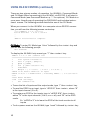
1. Turn off the 4K-Wall.
2. Connect the (4) HDMI inputs (i.e. PC, Blu-Ray Player, Digital Signage,
etc.) to the (4) HDMI INPUT ports of the 4k-Wall using HDMI cables.
3. Connect the (4) monitors to the (4) HDMI OUTPUT ports of the 4k-Wall
using HDMI cables for HDMI monitors and TVS, or HDMI-to-DVI adapters for DVI displays.
4. Connect the IR receiver to the IR input jack at the back of the 4k-Wall.
5. Optionally connect an RS-232 cable from PC to the RS-232 port of the
unit for additional control.
6. Turn on the 4k-Wall.
7. Wait for a few seconds for the unit to initialize.
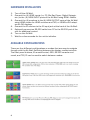
AVAILABLE CONFIGURATIONS
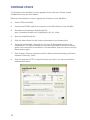
There are four different configurations or modes that are easy to navigate
through with the 4k-Wall. Switching between the display modes is simple.
The front panel buttons, IR remote control, OSD, RS-232 console command, and TCP/IP can be used to switch between modes.
6