1
2 Operation
2.1
Switch on/off the GES3S
Use your thumb to press the ON button, which is located on the upper center of the panel.
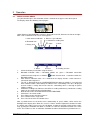
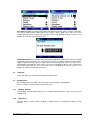
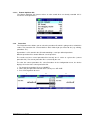
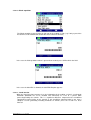
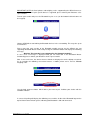
The display shows the following start-up figure:
Under Datamars logo, bootloader version is displayed on the left, firmware version on the right.
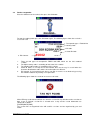
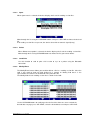
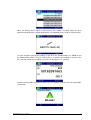
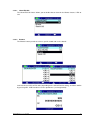
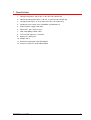
After a few seconds the main screen shot appears:
3. Stick antenna indicator
4. Wireless sync indicator
5. Continuous reading icon
2. Bluetooth icon
6. Date
1. Battery level
7. Clock
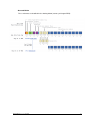
SW
MENU
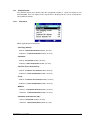
7. Menu
1.
2.
3.
4.
5.
6.
7.
8.
9.
10.
READ
8. Read
SESSION
9. Reading Session
Check the battery level before using the device.
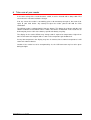
Bluetooth indicator: white = Bluetooth module on, green = Bluetooth connection
established and ready to use. Hold the
button for more than 1 second to enable the
Bluetooth module.
Stick antenna indicator: when “S” is showed on the display header, a Stick antenna is
connected and ready to use.
The “W” is displayed when the CONFIGURATION/ISO 24631-2 variable is set to ON and
when another reader is detected by the GES3S in the surrounding. If the ‘W’ is displayed
and no reader is nearby that means that the surrounding noise is too high to permit
reliable readings.
Continuous reading icon: indicates that GES3 is reading continuously. Continuous reading
mode can be enabled in Menu/Configuration.
Date format can be selected between EU/US/TIMESTAMP.
Clock time is in 24 hour mode.
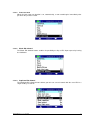
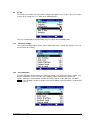
Press Menu to enter the Menu features.
Press Read to start a single read.
Press Session to enter the Control menu.
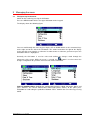
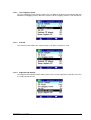
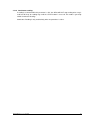
After a period of non-use the device turns automatically in “pause mode”, which means the
backlight of the display turns down, the screen is “frozen” and the keyboard is disabled. In order
to “unlock” your reader, please press the ON button. In order to manually switch off the reader,
keep pushing the ON button for about 2 seconds or select the Shutdown function in the main
menu. The reader has also an automatic shutdown function activated after a period of non-use.
GES3S Manual – v. 1.7 July 2015
5