1
Insignia 32" LCD TV 720p
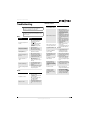
Troubleshooting
Remote control
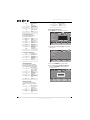
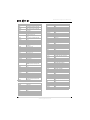
Problem
Warning
Do not try to repair your TV yourself. Refer all
servicing to qualified service personnel.
General remote control
Remote control does not work
• Make sure that there are no
obstructions between the remote
control and the remote control
sensor on the front of your TV.
• Clean the remote sensor on the
front of your TV.
• Bright or fluorescent lighting may
interfere with the remote control
signal. Turn off the light or move
your TV.
• Replace the batteries. Make sure
that the + and – symbols on the
batteries align with the + and –
symbols in the battery
compartment.
Remote control code cannot be
detected by a universal remote
• Purchase a separate learning
remote control.
• Go to www.insigniaproducts.com
for a list of remote control codes.
Note
If the problem is not solved by using these
troubleshooting instructions, turn off your TV, then
turn it on again.
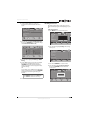
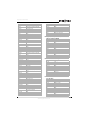
Video
Problem
No picture or sound (the screen
is not lit)
Solution
• Make sure that the power cord is
plugged into a power outlet.
• Press (power).
• Try another channel. The problem
could be with the TV station.
• Press INPUT to change the video
input source.
Dark, poor, or no picture (the
screen is lit), but sound is good
• Adjust the brightness.
• Make sure that the antenna or
cable TV is connected correctly.
No color, picture is dark, or
color is not correct
• Adjust the color saturation.
Only noise (snow) appears on
the screen
Solution
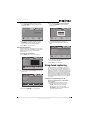
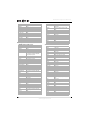
Programmed remote control functions
The LED does not blink when
you press a button
• Try pressing different buttons.
• The batteries may already be
drained. Replace the batteries.
• Make sure that the antenna or
cable TV is connected correctly.
• Try another channel. The problem
could be with the TV station.
The LED blinks when you press
a button but the device does
not respond
• Make sure the remote is aimed at
your device and is not more than
40 feet (12.2 m) away.
Picture has dotted lines or
stripes
• Adjust the antenna.
• Move your TV away from noise
sources, such as cars, neon signs, or
hair dryers.
The LED blinks one long blink
while in SET mode
• An entry error has occurred (for
example, the wrong button was
pressed). Try entering the sequence
again.
Picture has double images
• Use a highly directional outdoor
antenna or change to cable or
satellite TV.
When programming the
remote control, the remote
control does not control devices
or commands are not working
correctly
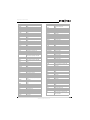
Picture has a few bright or dark
dots
• A few bright or dark dots on an LCD
screen is normal. It does not affect
the operation of your TV.
No volume on a device
• Make sure the volume is not
already locked to a different mode.
Channels do not change
correctly when directly
entering numbers to change
channels
• If the original remote control
required you to press ENTER to
change channels, press OK/ENTER
on your TV remote control after
entering the channel number.
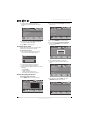
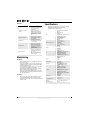
Audio
Problem
Solution
Good picture, no sound
• Increase the volume.
• Press MUTE to make sure that the
sound is not muted.
• Make sure that the audio mode is
set to Stereo or Mono.
Audio noise or static
• Move radio frequency
communication equipment, such as
a cordless phone, away from your
TV.
www.insigniaproducts.com
• Try all listed codes for the device.
• Make sure the device operates with
an infrared remote control.
37