1
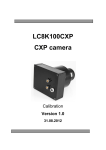
LC8K100CXP
CXP camera
Firmware Update
Version 1.0
31.08.2012
Publisher
BAP Image Systems GmbH
Am Weichselgarten 7
91058 Erlangen
Germany
PHONE:
FAX:
E-MAIL:
WEB:
+ 49 (0) 9131 – 69 15 40
+ 49 (0) 9131 – 69 15 42
[email protected]
http://www.bapimaging.com
Printed in Germany
Specifications are subject to change
Windows is a registered trademark of the Microsoft Corporation
Copyright © BAP Image Systems GmbH
All rights reserved
This user manual is intellectual property of the BAP Image Systems GmbH.
Unauthorized use, photocopying or distribution prohibited.
Any repetition of the content of this handbook, completely or partially, is prohibited without
written authorization granted by the BAP Image Systems GmbH.
Edition August 2012
© BAP Image Systems
History
Version
comments
Version 1.0 31.08.2012
first release
© BAP Image Systems
Table of content
1.
1.1.
1.2.
2.
2.1.
2.2.
2.3.
2.4.
2.5.
2.6.
2.7.
System requirements .......................................................................................... 5
Hardware .......................................................................................................... 5
Software ............................................................................................................ 5
Update implementation....................................................................................... 6
Starting the program ......................................................................................... 6
Main window ..................................................................................................... 7
Update start ...................................................................................................... 7
Update process ................................................................................................. 8
End of update ................................................................................................... 9
Close the program ............................................................................................ 9
Activation of version ........................................................................................ 10
© BAP Image Systems
4
1.
1.1.
System requirements
Hardware
The camera has to be connected to a CXP Image Grabber a power supply.
CXP Image Grabber
We suggest our assemblies: PCIE4CXP2, PCIE8CXP4
Power supply
The camera needs a power supply with an output voltage of 8,0V. Power consumption of the
camera is about 7W.
1.2.
Software
The update software is written for these common Windows Applications:
Windows XP 32bit, Windows Vista 32bit, Windows 7 32bit, Windows 7 64bit.
In the software package, the necessary update software file [camera_firmaware_update.exe]
and [camera_pcie_interface.dll] is found in folder ‚camera_firmware‘.
:
If one file is not available, the update cannot be started.
© BAP Image Systems
5
2.
2.1.
Update implementation
Starting the program
Double-click with left mouse button on the program icon.
It might be possible, there will pop up a Windows Request (e.g. for Windows 7).
Please confirm with OK.
© BAP Image Systems
6
2.2.
Main window
If program is started, an update operation dialogue appears for the update of both camera
components (board A and board C).
Note: In the upper part of the window, the publication date is shown.
2.3.
Update start
To start the update, please click on button ‘Start Update‘.
Next, for security reasons, you will be asked, if the update should be really executed.
© BAP Image Systems
7
Do you really want to reprogram the camera? Click button ‚OK‘.
2.4.
Update process
During the update:
- Under no circumstances, the camera is allowed to be turned off
- The CXP connection to the Image Grabber has to be held
- Don’t turn off the computer
This process can take some time (up to 1 minute).
© BAP Image Systems
8
During this period, it is not possible to click any button.
2.5.
End of update
If the programming is finished, suitable information appears which should be confirmed with
OK.
2.6.
Close the program
After the information dialogue is closed, the program can be closed with button ‚Exit‘.
© BAP Image Systems
9
2.7.
Activation of version
The new firmware is activated, if a hardware test is done.
Therefore, please turn off the camera and turn it on again, e.g. plug out and plug in the
power supply cable.
© BAP Image Systems
10
Contacting BAP
Europe
BAP Image Systems GmbH
Am Weichselgarten 7
91058 Erlangen
Germany
Tel:
Fax:
+49 (0) 9131 – 691 540
+49 (0) 9131 – 691 542
USA
BAP Image Systems, LLC
TECH Fort Worth
1120 South Freeway, Ste 214
Fort Worth, TX 76104
USA
Tel:
Fax:
+1 (0) 817 – 878 2773
+1 (0) 817 – 878 2739
E-mail:
Web:
[email protected]
www.bapimaging.com
© BAP Image Systems
11