1
GETTING STARTED
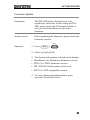
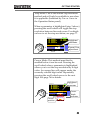
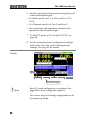
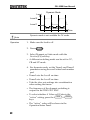
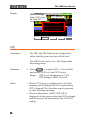
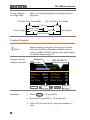
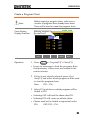
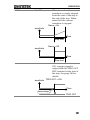
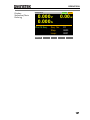
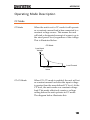
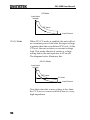
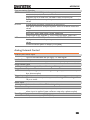
Step Mode: This is the default step resolution
method and will only be available to use when
it is applicable (Indicated by Fine or Coarse in
the Operation Status panel).
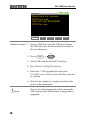
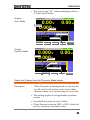
When a parameter is highlighted (step 3 above)
pressing the scroll wheel will toggle the step
resolution between fine and coarse. For details
on how to set the step resolution, see page 77.
RS232 LOAD
03/Sep/2012
0.00 w
0.000 V
0.000 A
+
CC A Value
0.000 A
CC B Value
1.000 A
SlewRate 2500.00 mA/us
Mode
CC
I Range
H 35A
V Range
L 15V
Function
Static
Fine
A Value
Higlighted
parameter
Coarse/Fine
adjustment
Configure
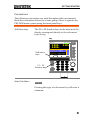
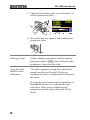
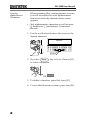
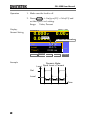
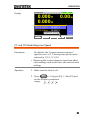
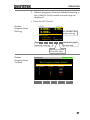
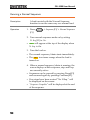
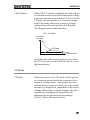
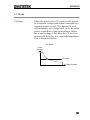
Cursor Mode: This method must first be
enabled before it can be used. Pressing the
scroll wheel when a parameter is highlighted
allows you to set the step resolution by a digit
value. An orange line will appear under
the
RS232
LOAD
03/09/12
currently selected digit value. Repeatedly
pressing the scroll wheel moves to the next
digit. See page 76 for details.
0.00 w
0.000 V
0.000 A
Higlighted
parameter
RS232 LOAD
03/Sep/2012
0.000 V
0.000 A
0.00 w
CC A Value
0.000 A
CC B Value
1.000 A
SlewRate 2500.00 mA/us
Cursor
CC A Value+
0.000 A Mode
CC B ValueCursor 1.000 A Indicator
position
SlewRate 2500.00 mA/us
Mode
CC
Mode
CC
I Range
H 35A
I Range
H 35A
V Range
L 15V
V Range
L 15V
Function
Static
Cursor
A Value
Configure
Function
Static
Cursor
A Value
Configure
45