1
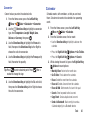
Restore Phone
Return all phone settings to the factory defaults and
permanently erase all user data.
Warning! Choosing Restore Phone will return your phone to
the default settings and permanently erases all your
entries and information, including pictures, videos,
music, messages, contacts and downloaded
applications.
1. From the Home screen, press the Left Soft Key
Menu ➔
Settings ➔ Phone ➔ Security.
2. Enter the Phone Only Lock Code at the prompt. The
default lock code is the last four digits of your phone
number, or you can set a custom lock code under
Phone Settings ➔ Security ➔ Edit Codes.
3. Choose Restore Phone. At the prompt, highlight Yes,
then press
to restore default settings.The phone
turns off and back on.
113
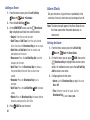
Reset Settings
Return all settings to factory defaults. This setting does not
erase user data such as pictures, videos, music, messages,
contacts or downloaded applications stored on the phone.
1. From the Home screen, press the Left Soft Key
Menu ➔
Settings ➔ Phone ➔ Security.
2. Enter the Phone Only Lock Code at the prompt. The
default lock code is the last four digits of your phone
number, or you can set a custom lock code under
Phone Settings ➔ Security ➔ Edit Codes.
3. Choose Reset Settings. At the prompt, highlight Yes,
then press
OK.