1
Operating controls
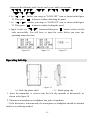
1. Via keeping ON/OFF button pressed for 3 seconds, you can switch the receiver on.
2. Via pressing UP or DOWN button, you can add or reduce headphone volume.(The
minimum is 1, and the max is 16.)
3. Via keeping ON/OFF button pressed for 3 seconds, you can switch the receiver off.
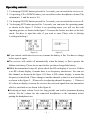
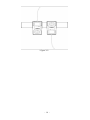
4. Via keeping SET button pressed for 3 seconds, you can enter the operating manu,
as shown in the figure 2. If there is no operating manu, you will see the code
inputting picture, as shown in the figure 3. It means the former user has set the lock
mode. You have to input the code, if you want to enter. Please refer to (Setting
Locking/unlocking )
(figure 2)
(figure 3)
●If you can not switch the receiver on, it means the battery is flat. You have to charge
before open it again.
● The receiver will switch off automatcially when the battery is flat to protect the
lithium-ion battery. Please do not open before you have charged the battery.
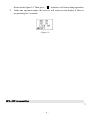
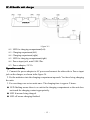
● While the transmitter being off, please check the RF on display of receiver. If there
is no RF volume display, it means there is no frequency interference. You can use
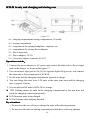
this channel, as shown in the figure 4. If there is RF volume display, it means the
frequency is interfered. Please change to another channel so that it is not interfered,
as shown in the figure 5.(Please refer to adjusting channel/frequency )If there is
AF volum on display, it means the receiver has received signal from one transmitter
which is swtiched on (as shown in the figure 6).
● Listening at high volume levels for long periods can lead to permanent hearing
defects. Set the volume for the connected headphones to the minimum before
putting the headphones on.
- 5 -