1
English
Table of contents
Table of contents
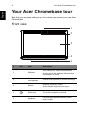
Your Acer Chromebase tour
4
Front view .................................................................................... 4
Base view .................................................................................... 5
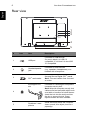
Rear view ..................................................................................... 6
Environment................................................................................. 7
Getting started
8
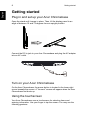
Plug in and set up your Acer Chromebase .................................. 8
Turn on your Acer Chromebase................................................... 8
Using the touchscreen ................................................................. 8
Select your language settings...................................................... 9
Connect to a network ................................................................... 9
Sign in to your Google Account ................................................... 9
The Chrome OS Desktop
11
Desktop overview.......................................................................11
Apps
13
Managing apps ..........................................................................13
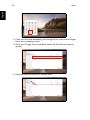
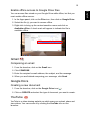
Google Drive .............................................................................13
Gmail ........................................................................................15
Google Docs ..............................................................................15
YouTube ...................................................................................15
Playing video or audio files ........................................................16
Other Supported File Types.......................................................16
Chrome Web Store ...................................................................16
Chrome tips and tricks
17
Settings
23
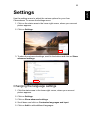
Changing the language settings ................................................23
Changing the clock settings .......................................................24
Customizing appearance ...........................................................24
Setting up a printer ....................................................................25
Updating Chrome OS.................................................................25