1
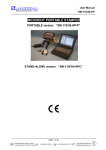
User Manual
SM-110/30-HP
Index
General warnings for security............................ 4
SM-110/30-HP/P specification ............................. 5
SM-110/30-HP/C specification ............................. 6
Section 1
“Introduction”
1. A high performance marking system.....................
2. Working principle.....................................
3. Conformity to European standards......................
Section 2
“Installation”
1. General rules for installation........................
2. Security..............................................
3. Connections...........................................
4. Ground the machine....................................
5. Electric connections..................................
6. Pneumatic connections.................................
7. Interface connections.................................
8. I/O Connector.........................................
9. I/O Diagram...........................................
10.Stylus installing.....................................
11.Tests for functions verification......................
12.Noise.................................................
Section 3
10
10
11
11
11
11
11
12
12
12
13
13
“Stamper use”
1. Introduction..........................................
2. Operator Interface ...................................
3. Definition of default parameters......................
4. Date format...........................................
5. Serial numbering......................................
6. Drawing...............................................
7. Keys definition.......................................
8. Start and stop commands...............................
9. Marking positioning...................................
10.Input/output definition...............................
11.Serial Interface to PC................................
12.Operator Interface for SM-110/30-HP...................
Graphic Interface Program.............................
Section 4
8
9
9
14
16
17
18
18
19
19
20
21
21
22
23
31
“Practical instructions for jobs programming”
1. Turning the Stamper on................................
2. Programming a job.....................................
3. Memory management.....................................
4. Practical marking test................................
5. Other adjusting parameters............................
6. Programming of consecutive steps......................
7. Circular marking......................................
8. Pause.................................................
9. Memory visualization..................................
10.Default parameters....................................
11.Password management...................................
12.Diagnostic functions..................................
13.Stamper reset.........................................
34
34
35
36
36
37
37
37
37
37
37
38
38
Page 2 of 40
Schilling Marking Systems GmbH
In Grubenäcker 1 DE-78532 Tuttlingen
+49 (0)7461 9472-0
+49 (0)7461 9472-20
www.schilling-marking.de
[email protected]