1
the transducer.
For tensile forces the indicator bar is solid then
dotted. For compressive forces the indicator bar is
dotted then solid. See Figures 3b & 3c
Zeroing the
Gauge
During the operation of the gauge it is often necessary
to zero the display – e.g. when you wish to tare out
the weight of a grip, so it does not become part of the
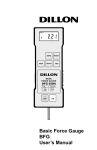
measured reading. Press and release the ZERO key.
The display will blink momentarily as the zero operation is carried out.
Any load applied prior
to zeroing must be
considered as part of
the full-scale capacity.
Changing the unit
of measurement
You can choose from the following units of measurement depending on the capacity of your gauge:
milliNewtons, Newtons, gram-force, kilogram-force,
ounce-force or pound-force.
To change the display units press and release the
UNITS key. Each successive key press will select the
next available unit of measure until the gauge returns
to its original setting. The BFG automatically converts
readings as new units of measure are selected.
Max (Peak)
Readings
“Max” mode
8
The gauge detects and stores maximum (peak) force
in both compressive and tensile directions.
Press the MAX key. The display will show the word
MAX together with the highest tensile force and the
highest compressive force detected during the test.
The current load being applied to the transducer is
also displayed.
Basic Force Gauge User’s Manual