1
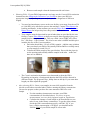
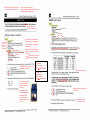
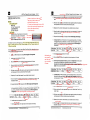
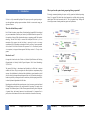
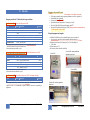
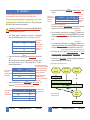
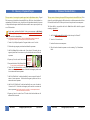
Last updated 20/11/2014 § Load the ScreenTape and the special loading tips - they are in the shelf above the machine. Even if you do not have a full run always load a full rack of tips. The once that are not used you just place back again. Make sure there are no bubbles in the separation channels by “flicking” the ScreenTape prior to loading. § Start the TapeStation software (TapeStation Controller) – it is located on the Desktop on the computer. o Sample Analysis § Load your samples in the machine and remove the lids/caps. !!!THE MACHINE WILL BREAK IF YOU DO NOT REMOVE THE LIDS!!! § Select your samples on the TapeStation Controller software. § Click START and specify a file to which the results will be saved. § It takes about 1 min for each sample to run. o Checking results § • As the analysis is finished you can open your result file in the TapeStation Analysis software. Here you can see the gel image, sample information and chromatograms. NGS sequencing. Samples have previously been sent to The Sahlgrenska Genomics Core Facility with a paired-end 2*150 bp run on the Illumina MiSeq platform. A large benefit of using this facility is the personal service. You have direct contact with the people who work there and can be part of the whole procedure. However, pricing is higher than at i.e. the SciLifeLab, and you have to pay for all labour hours (whereas at SciLifeLab this is covered by public research funding). § If you deliver sample to Sahlgrenska you can just talk to Ellen Hanson and deliver the sample directly to them (on ice). They want the following information: • Mark the tube with: Project name (G14-XX), name on the NGS pool, date and concentration. • Provide a file with adaptor / sample information (i.e. what sample name correspond to the specific adaptor). • Send the result from the final TapeStation run.