1
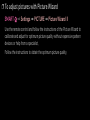
❐To❐adjust❐pictures❐with❐Picture❐Wizard
SMART❐ ❐
Settings❐ ❐PICTURE❐ ❐Picture❐Wizard❐
Use the remote control and follow the instructions of the Picture Wizard to
calibrate and adjust for optimum picture quality without expensive pattern
devices or help from a specialist.
Follow the instructions to obtain the optimum picture quality.