1
REDDOXX User Manual
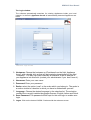
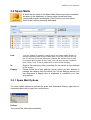
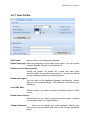
3.6.1 User Profile
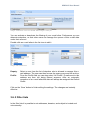
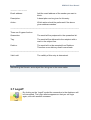
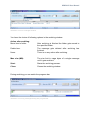
Image: User Profile Settings
GUI Theme:
Select a skin for your Appliance Manager
Report Language: Select the language for your daily queue report. You can choose
between English, German, Italian and Dutch.
Default Archive display period:
Initially the archive list shows the e-mails that have been
archived within the specified time period. A longer time period
can be looked up at any time using the search.
Enable auto logon:
You can logon to the Appliance Manager automatically, without
typing in your password again. The password is stored on your
Appliance.
Use HTML Mail:
Check this box if you want to receive the queue report in HTML
format.
Enable Queue Report:
Check this box if you want to receive the queue report, including
a list of spam mails, on a regular basis.
Change Password:
Here you can change your login password. Specify your
old and your new password and click on the ‘
Change password’
button.