1
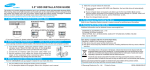
3. Making Computer Detect the New Device
Run the CMOS(BIOS) set-up program to detect the new hard disk drive.
1 Go into CMOS screen during the booting of the computer.
For descriptive details of the program, refer to the computer's user's manual
2 Make the computer detect the hard disk.
1
If your computer supports IDE HDD Auto Detection, the hard disk drive will automatically
be detected.
2
If your computer does not support auto detect, go into the User Define Mode and by referring
written information on the product, set the correct settings for Cylinder, Head, and Sector and
if some Bios must be, set the HDD Mode to LBA.
3
Save the changed details and exit.
4. Partitioning and Formatting the Drive
Refer to your Operating System manual or system manual for partitioning and formatting.
5. Samsung World Wide Web Site
Additional information can be obtained at www.samsunghdd.com.
SAMSUNG ELECTRONICS CO., LTD.
STORAGE SYSTEM DIVISION
HEAD OFFICE: 94-1, IM SOO-DONG, KUMI-CITY KYUNG BUK, KOREA 730-350
FAX : 82-54-479-5567
This device complies with Part 15 of the FCC Rules.
Operation is subject to the following two conditions :
(1) this device may not cause harmful interference, and
(2) this device must accept any interference received,
including interference that may cause undesired operation.
© Samsung Electronics Co., Ltd.
Printed in Korea.
BF68 -00190A Rev.01