1
DC300i
Visualiser or Video mode
Now Microscope it!
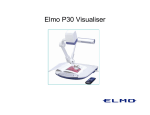
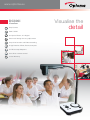
Each time you turn on the DC300i it defaults to visualiser mode where
it will easily handle viewing of both 2D and 3D objects. With the push
of a button, the camera turns to high speed video mode allowing
smooth flowing output and video capture.
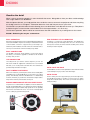
Just when you thought you had seen enough, the microscope
adaptors take viewing to a different level. The DC300i’s flexible neck
makes light work of getting into tight positions, so there’s not much
it can’t see.
Split screen, capture, freeze, rotation
and mirror
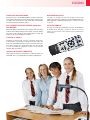
Intuitive remote
With the DC300i you have ultimate control. Want to freeze something
under the camera whilst handing out the original, or perhaps splitting
the screen so that comparisons can be made between one item and
another. It’s all easy for the Optoma visualiser.
Capture it, save it
Sometimes we want to keep a memory of what the camera sees:
by pressing the camera button on the remote control, images will
be stored in the DC300i memory. To review your images just hit the
recall button. Images are stored temporarily when the DC300i
is in use. For permanent storage just connect to a PC using the
supplied cable and software.
Operate without a computer!
Many visualisers need to be connected to a computer to operate, not
the DC300i. A PC is only required when recording or editing images.
In a hurry you need to know what buttons to press. The DC300i has
an intuitive remote with easy to read icons. Even if you lose the
remote, the core function of the visualiser can be controlled from
its front panel.