1
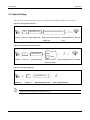
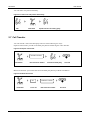
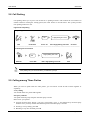
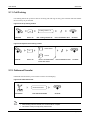
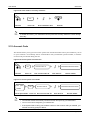
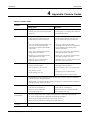
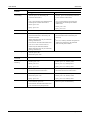
OM Series User Manual 2.16 Call Monitoring This feature allows you to listen to a call conversation of another extension. Figure 2-32 Call monitoring *34 Off-hook Press *34 Extension number+# Listen to the conversation Dial “extension number+# ” Listen to the conversation The privilege should be assigned by your administrator. You cannot monitor the conversation on the extension which enables blocking call monitoring. 2.17 Do not Disturb If you don’t want to be disturbed by incoming calls, you can set up DND to automatically reject incoming calls. Figure 2-33 DND 1 Activate DND 0 Cancel DND * Inquiry *72 Off-hook Press *72 Press 1 to activate DND Hear confirmation tone On-hook Press 0 to cancel DND Press * to inquiry This feature should be pre-assigned by your administrator. After DND on your extension is enabled, you will hear notification tone every time when you make calls. New Rock Technologies, Inc. 2-13