1
Studer Innotec SA
VarioTrack
6 DISPLAY SYSTEM
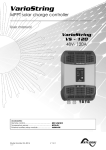
The VarioTrack is fitted with a “Set” button and
light indicators on the front of the equipment
allowing a clear identification of the operating
mode.
6.1 THE “SET” BUTTON (4)
The “Set” button can be used to start manually
an equalization cycle if this phase is authorized
by the initial settings of the equipment. The equalization phase will be authorized as from the beep
after having pressed the “Set” button (4) for 2 seconds. The “Charge” light indicator flashes 3x as long
as the equalization phase is not completed. The equalization can be interrupted by pressing a
second time for 2 seconds: a double beep indicates that the function has been cancelled. The
indicator (2) stops flashing 3x confirming the cancellation.
Pressing the “Set” button (4) for 5 seconds until the second beep turns off the VarioTrack. It starts
again by pressing the “Set” button for 5 seconds.
When the VarioTrack(s) are connected to an Xtender system and the synchronization {10037}
is activated, the manual equalization can be started only during the battery cycle of the
Xtender which will then pilot the VarioTrack to carry out an equalization phase. In
“synchronized” mode, the cycle state - floating, absorption, equalization - are indicated. The
“charge” LED (2) and the indicator for the amount of charge are used when the equipment
is operating.
6.2 “NIGHT” STANDBY INDICATOR (1)
This green indicator lights up when the VarioTrack is connected to a battery and ready to operate
but there is no PV voltage (at night or when no PV module is connected) or it is too low (inferior to
the battery voltage). This indicator flashes when there is a PV voltage but it is insufficient to charge
the batteries (at the beginning or at the end of the day). In order to save the battery power, the
VarioTrack charger turns off and goes in standby mode when this indicator lights up or flashes. It will
then consume less than 1W. The charger automatically switches on again when the sun starts shining
and PV voltage goes back above the battery voltage.
6.3 “CHARGE” CYCLE INDICATOR (2)
This yellow indicator lights up when the sun is shining and the photovoltaic generator produces
enough voltage for charging the batteries. Various flashing modes enable to distinguish what phase
the regulator is in. This indicator lights up continuously during the bulk phase. It flashes 1x during the
floating phase, 2x during the absorption phase and 3x during the equalization phase.
In “synchronized” mode, the cycle state – bulk, floating, absorption, equalization - are indicated.
Manuel utilisateur
V 3.3.0
21