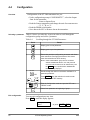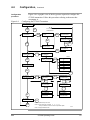
1
6.5
Calibration,
Set units to m/sec
(meters per second)
Table 6-15
Continued
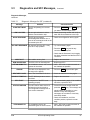
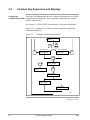
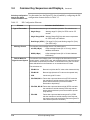
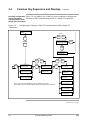
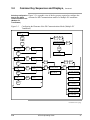
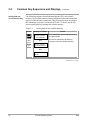
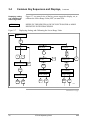
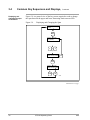
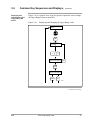
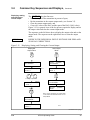
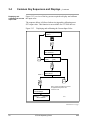
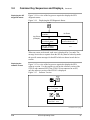
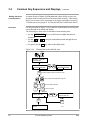
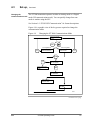
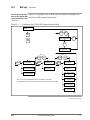
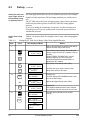
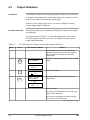
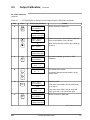
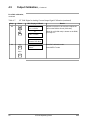
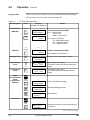
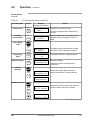
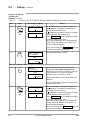
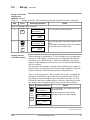
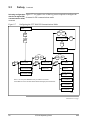
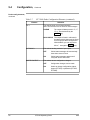
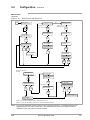
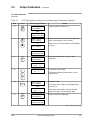
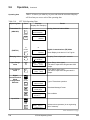
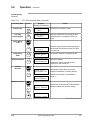
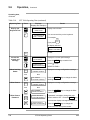
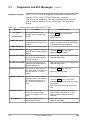
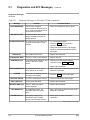
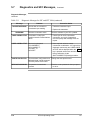
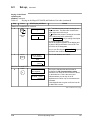
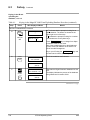
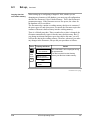
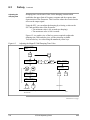
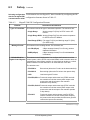
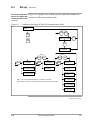
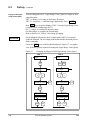
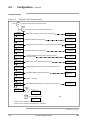
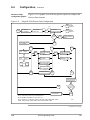
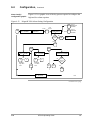
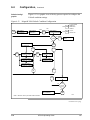
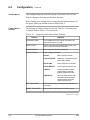
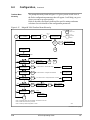
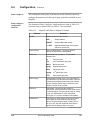
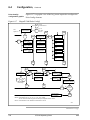
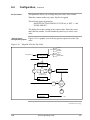
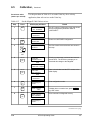
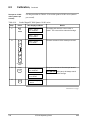
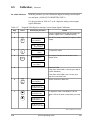
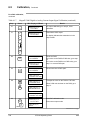
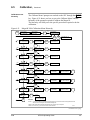
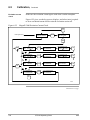
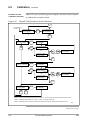
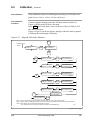
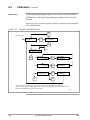
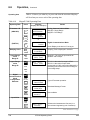
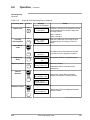
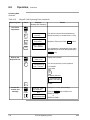
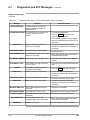
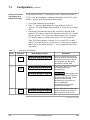
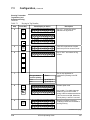
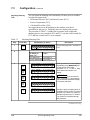
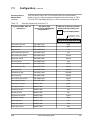
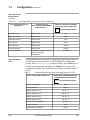
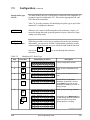
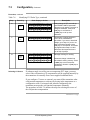
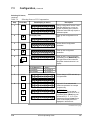
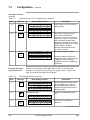
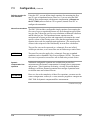
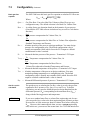
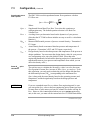
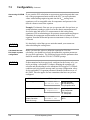
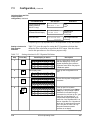
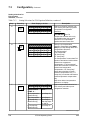
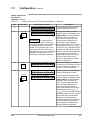
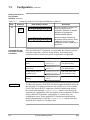
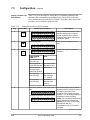
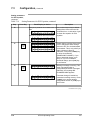
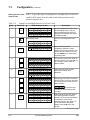
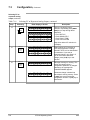
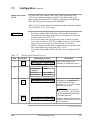
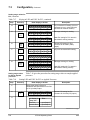
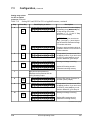
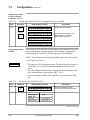
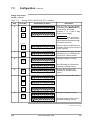
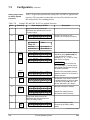
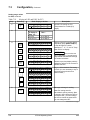
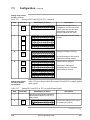
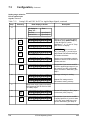
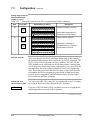
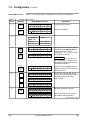
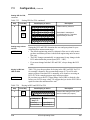
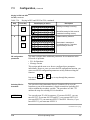
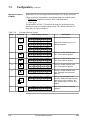
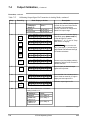
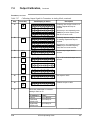
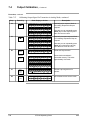
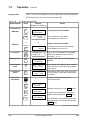
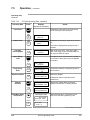
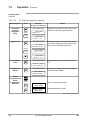
Use the procedure in Table 6-15 to set the Units key for a velocity
application, then select m/sec on the Units key.
Set the MagneW 3000 Units to m/sec
Step
Press
1
B
CONF
SFC Display will Read
SFM CONFIG
SFC WORKING
then
Result
The SFC enters Configuration mode and shows
the first configuration parameter which is
“UNITS KEY?”
SFM CONFIG
UNITS KEY?
2
NON-VOL
ENTER
(YES)
3
DE CONF
I
MENU
ITEM
UNITS KEY
MASS FLOW
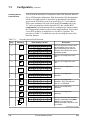
Enters into UNITS KEY configuration.
UNITS KEY
VELOCITY
The flow measurement selections are shown in
this step.
UNITS KEY
ENTERED IN SFC
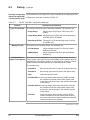
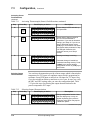
Velocity measurement is selected and entered
into the SFC . The SFC then prompts you to
download this change to the MagneW.
until you
see
4
NON-VOL
ENTER
(YES)
then
UNITS KEY
DOWNLOAD CHANGE?
5
NON-VOL
ENTER
(YES)
UNITS KEY
SFC WORKING
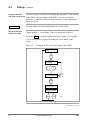
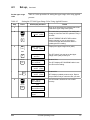
Data is downloaded and the SFC returns to the
initial display.
then
SFM CONFIG
UNITS KEY?
6
7
8
CLR
(NO)
D
UNITS
MAG SR (tag no)
READY . . .
UNITS 1 (tag no)
m/sec
NON-VOL
ENTER
(YES)
UNITS 1 (tag no)
SFC WORKING
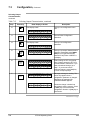
Exits configuration mode.
If display does not read m/sec, press NEXT
key until it does.
m/sec entered into MagneW memory.
then
MAG SR(tag no)
READY . . .
Continued on next page
4/99
STS103 Operating Guide
157