1
Settings & Adjustments
Settings & Adjustments
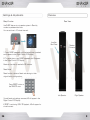
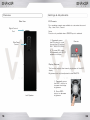
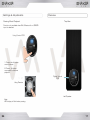
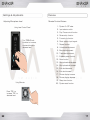
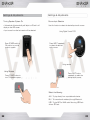
Turning Speaker System On
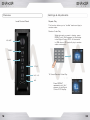
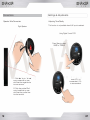
Source Input Selection
• Volume level will automatically self adjust to 45 and it will
display on the LED screen.
Use this function to select the desired input audio source.
• Input source from the last session will be selected.
Press POWER switch to
ON position to provide
power to system.
Using Digital Control POD
Press INPUT repeatedly
to select the desired
audio source.
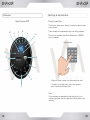
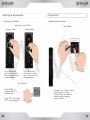
Using remote
Using Remote
Press INPUT button
repeatedly to select the
desired audio source.
Press POWER button to
turn ON speaker system.
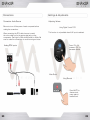
Select the following:
AUX - To play directly from a portable audio device.
BLU - To transmit audio wirelessly through Bluetooth.
USB - To play MP3 or WMA audio files using USB flash
drive or SD card.
22
23