1
first
STOP buyers.com
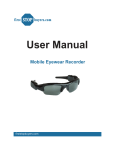
User Manual
Mobile Eyewear Recorder
with MP3 Player
firststopbuyers.com
Specifications
•
•
•
•
•
•
•
•
•
•
•
•
•
•
•
•
1.3 M COMS Sensor / 2.8mm Lens
Video resolution : 640 * 480 VGA
Video compression : AVI
25fps
Photo resolution : 1280 * 960
Photo compression : JPG
MP3 play with stereo
MP3 music format support MP3 / WMA / WAV
Video + Audio recording and Photograph
Flash Memory : 2G ~ 8G , TF ( Micro SD ) Max. 8G
Recording Mode: Continuous recording, when the memory is full, the system will save
the file and turn off the system
Battery : 400mAH
Charge : USB cable from PC USB Port or Power adapter
Charge Voltage : DC 5V
USB Type : USB2.0 standard port
Support System : Support Windows 98/98SE/ME/2000/XP
Charging the Battery
The battery can be charged by plugging the device into your computer using the USB
cable, or using the provided adapter.
• For the inital 3 charges, it is recommend that the battery be charged for at least 12
hours. After the first three charges, it should take only 3 to 4 hours to fully charge the
battery.
Note: Please do not charge the battery for more than 24 hours at a time.
• The LED display will blink in BLUE while the unit is charging.
• Please do not use any other AC adapter other than the on provide for you.
• If you haven’t used the device for a long time, it is suggested that you recharge the
battery before using.
• For a faster charge and product protection, it is best to charge the battery in OFF
mode.
firststopbuyers.com
MP3 Volume Down
MP3 Previous Song
Photograph
Mode Switch
MP3/Record or Photograh
Power ON/OFF
MP3 Play/Stop
Reset
LED Display
BLUE: MP3
YELLOW: Record / Photograph
USB Port
Left Earphone Port
MP3 Volume UP
MP3 Next Song
Record
MP3 Operation
1. Turn the POWER ON by pressing the
button for 4 to 5 seconds. The LED
display will turn BLUE indicating the device is in MP3 mode.
2. VOLUME UP --- Hold down the
button.
3. VOLUME DOWN --- Hold down the
3. NEXT SONG --- Press the
button for 1 to 2 seconds.
5. PREVIOUS SONG --- Press the
4. MP3 PLAYER OFF --- Press the
5. POWER OFF --- Press the
firststopbuyers.com
button.
button for 1 to 2 seconds.
button for 1 to 2 seconds.
button for 4 to 5 seconds.
Take a Photograph
1. Turn the POWER ON by pressing the
button for 4 to 5 seconds. The LED
display will turn BLUE indicating the device is in MP3 mode.
2. Switch to Photograph mode by pressing the
display will turn from BLUE to YELLOW.
M
button for 1 to 2 seconds. The LED
3. Press the
button to take a Photograph. The LED display will blink once while the
photograph is being taken.
Record a Video
1. Turn the POWER ON by pressing the
button for 4 to 5 seconds. The LED
display will turn BLUE indicating the device is in MP3 mode.
2. Switch to Record mode by pressing the
button for 1 to 2 seconds. The LED
display will turn from BLUE to YELLOW (continuous blinking) and begin to record.
3. To stop recording, press the
button again for 1 to 2 seconds. The video will
save and the LED display will stop blinking.
Reset
Should the device not work properly, for example it will not turn off or on, a reset may
need to be performed. Stick the end of a paper clip in the reset hole and press gently
until a small click is felt. The unit should now be reset and work properly.
Notes
• Avoid using in extreme hot, cold, dusty, or damp environment.
• Do not rub or bump against hard objects. Doing so may cause scracthes, battery
failure, or damage to internal hardware.
• Avoid static electricity.
• When formatting device or copying files, do not stop the connection suddenly. Doing
so may cause program failure.
• When using as a movable hard drive, please store and extract files according to the
computers operating system. We will not be responsible for any lost files caused by
improper use.
firststopbuyers.com
TF Card Slot
Support Max. 8G
Camera
firststopbuyers.com
USB Port
Earphone Port