1
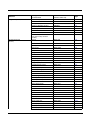
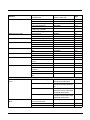
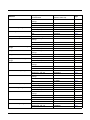
RS232 Modifiers ................................................................................................................ 2-18
RS232 Baud Rate........................................................................................................ 2-18
RS232 Word Length: Data Bits, Stop Bits, and Parity ................................................. 2-19
RS232 Receiver Time-Out........................................................................................... 2-20
RS232 Handshaking.................................................................................................... 2-21
RS232 Timeout............................................................................................................ 2-21
XON/XOFF .................................................................................................................. 2-21
ACK/NAK ..................................................................................................................... 2-22
Scanner to Bioptic Communication ................................................................................... 2-22
Scanner-Bioptic Packet Mode ..................................................................................... 2-22
Scanner-Bioptic ACK/NAK Mode................................................................................. 2-22
Scanner-Bioptic ACK/NAK Timeout............................................................................. 2-23
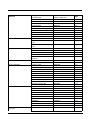
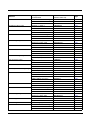
Chapter 3 - Cordless System Operation
How the Cordless Charge Base/Access Point Works ......................................................... 3-1
Linking the Scanner to a Charge Base................................................................................ 3-1
Linking the Scanner to an Access Point .............................................................................. 3-1
Replacing a Linked Scanner................................................................................................ 3-2
Communication Between the Cordless System
and the Host...................................................................................................................... 3-2
Programming the Scanner and Base or Access Point ........................................................ 3-3
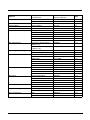
RF (Radio Frequency) Module Operation ........................................................................... 3-3
System Conditions............................................................................................................... 3-3
Linking Process ............................................................................................................. 3-3
Scanner Is Out of Range ............................................................................................... 3-3
Scanner Is Moved Back Into Range .............................................................................. 3-3
Out of Range and Back into Range with Batch Mode On.............................................. 3-3
Page Button......................................................................................................................... 3-4
About the Battery................................................................................................................. 3-4
Charging Information ..................................................................................................... 3-4
Battery Recommendations ............................................................................................ 3-4
Proper Disposal of the Battery....................................................................................... 3-5
Beeper and LED Sequences and Meaning ......................................................................... 3-5
Scanner LED Sequences and Meaning......................................................................... 3-5
Base/Access Point LED Sequences and Meaning ........................................................ 3-5
Base Power Communication Indicator........................................................................... 3-6
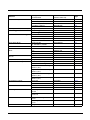
Reset Scanner..................................................................................................................... 3-6
Scanning While in Base Cradle ........................................................................................... 3-6
Base Charging Modes ......................................................................................................... 3-6
Paging ................................................................................................................................. 3-7
Paging Mode.................................................................................................................. 3-7
Paging Pitch................................................................................................................... 3-8
Error Indicators .................................................................................................................... 3-8
Beeper Pitch - Base Error.............................................................................................. 3-8
Number of Beeps - Base Error ...................................................................................... 3-8
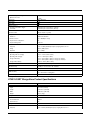
Scanner Report ................................................................................................................... 3-9
Scanner Address ................................................................................................................. 3-9
Base or Access Point Address ............................................................................................ 3-9
ii