1
Table of Contents
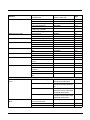
Chapter 1 - Getting Started
About This Manual ...............................................................................................................1-1
Unpacking Your Device .......................................................................................................1-1
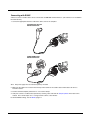
Connecting the Device .........................................................................................................1-1
Connecting with USB .....................................................................................................1-1
Connecting with Keyboard Wedge.................................................................................1-3
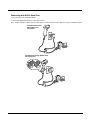
Connecting with RS232 Serial Port................................................................................1-6
Connecting with RS485..................................................................................................1-8
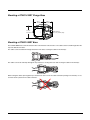
Mounting a CCB01-010BT Charge Base .............................................................................1-9
Mounting a CCB02-100BT Base..........................................................................................1-9
Reading Techniques ..........................................................................................................1-11
Xenon 1900/1902/1910/1912 and Granit 1910i/1911i .................................................1-11
Granit 1980i/1981i........................................................................................................1-12
Menu Bar Code Security Settings ......................................................................................1-12
Setting Custom Defaults ....................................................................................................1-13
Resetting the Custom Defaults ..........................................................................................1-13
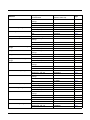
Chapter 2 - Programming the Interface
Introduction ..........................................................................................................................2-1
Programming the Interface - Plug and Play .........................................................................2-1
Keyboard Wedge .................................................................................................................2-1
Laptop Direct Connect .........................................................................................................2-1
RS232 Serial Port ................................................................................................................2-1
RS485 ..................................................................................................................................2-2
RS485 Packet Mode ......................................................................................................2-2
USB IBM SurePos ...............................................................................................................2-3
USB PC or Macintosh Keyboard..........................................................................................2-3
USB HID ..............................................................................................................................2-4
USB Serial ...........................................................................................................................2-4
CTS/RTS Emulation.......................................................................................................2-4
ACK/NAK Mode .............................................................................................................2-4
Remote MasterMind™ for USB ...........................................................................................2-4
Verifone® Ruby Terminal Default Settings...........................................................................2-5
Gilbarco® Terminal Default Settings ....................................................................................2-5
Honeywell Bioptic Aux Port Configuration ...........................................................................2-5
Datalogic™ Magellan® Aux Port Configuration....................................................................2-6
NCR Bioptic Aux Port Configuration ....................................................................................2-6
Wincor Nixdorf Terminal Default Settings ............................................................................2-6
Wincor Nixdorf Beetle™ Terminal Default Settings .............................................................2-7
Wincor Nixdorf RS232 Mode A ............................................................................................2-7
Keyboard Country Layout ....................................................................................................2-8
Keyboard Style...................................................................................................................2-15
Keyboard Conversion ........................................................................................................2-16
Control Character Output ...................................................................................................2-17
Keyboard Modifiers ............................................................................................................2-17
i