1
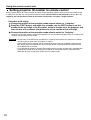
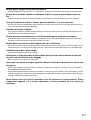
Returning the network function setting back to the
factory setting
Using the following procedure, the user can return all settings of network function such as IP address,
password and Email setting to the factory setting.
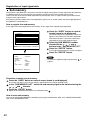
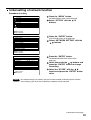
Procedure of setting
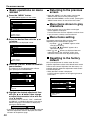
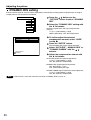
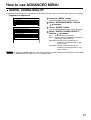
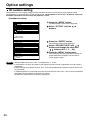
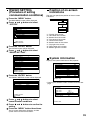
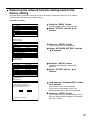
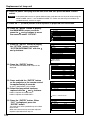
Press the “MENU” button.
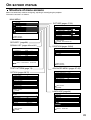
MAIN MENU
PICTURE
POSITION
ADVANCED MENU
LANGUAGE
OPTION
TEST PATTERN
SIGNAL LIST
SECURITY
The MAIN MENU screen will be displayed.
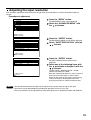
Select “OPTION” with the
buttons.
:MENU SELECT
ENTER:SUB MENU
OPTION
PROJECTOR ID
SETTING
LAMP SELECT
LAMP POWER
RS232C SETTING
OSD POSITION
SYSTEM INFORMATION
COLOR MATCHING
VIDEO SETTING
NETWORK SETTING
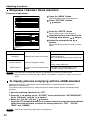
Press the “ENTER” button.
2
FRONT-F
DUAL
HIGH
The OPTION screen will be displayed.
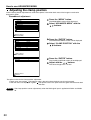
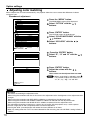
Select “NETWORK SETTING” with the
buttons.
2
3COLORS
:MENU SELECT
ENTER:SUB MENU
NETWORK SETTING
HOST NAME
DHCP
IP ADDRESS
PORT
NET MASK
GATEWAY
MAC ADDRESS
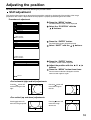
Press the “ENTER” button.
PROJECTOR
OFF
192.168. 0. 8
80
255.255.255. 0
192.168. 0. 1
00.00.00.00.00.00
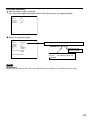
The NETWORK SETTING screen will be
displayed.
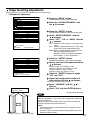
Select “STORE” with the
buttons.
STORE
:MENU SELECT
ENTER:ADJUST
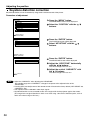
WOULD YOU LIKE TO CANCEL
ALL NETWORK SETTINGS BACK TO
FACTORY SHIPMENT STATUS?
OK
ESC
Hold down the “Standard (STD)” button
for 3 seconds.
A confirmation screen will be displayed.
To cancel, press the “MENU” button. The
NETWORK SETTING screen will be displayed.
Press the “ENTER” button.
:CHANGE ENTER:SET
The IP address, password, E-mail settings and all
the other network function settings are returned to
the factory defaults.
97